
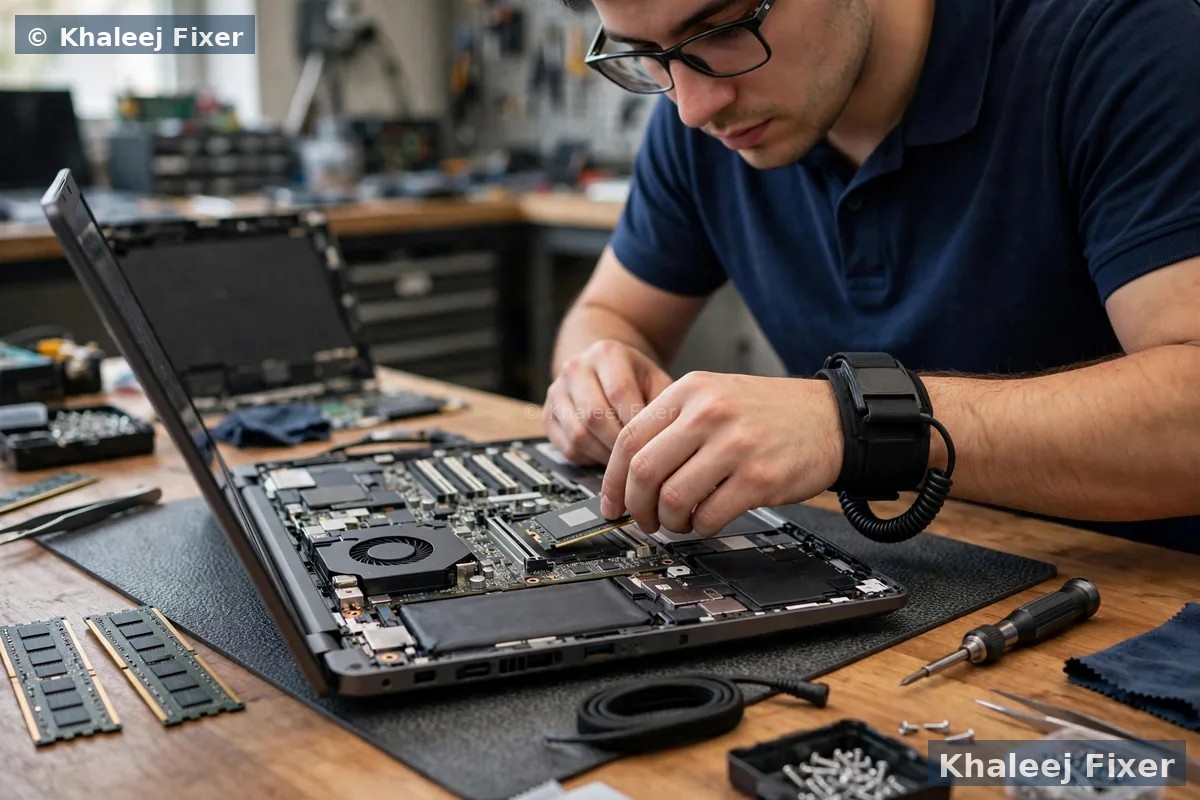
Why more RAM makes your Vaio feel faster
Think of RAM like a desk. A small desk holds only a few papers. You keep putting papers away and taking them out again. That takes time. A big desk holds everything you need at once. You just reach for it. RAM works the same way. A Vaio with 4 GB of RAM has a small desk. Windows takes a big share of it. Chrome takes more. Word takes more. Soon the desk is full. The Vaio starts moving data to the hard drive to make room. That is why everything slows down.
A RAM upgrade gives your Vaio a bigger desk. With 8 GB or 16 GB, Windows, Chrome, Word, and your other programs all fit at once. Nothing needs to be swapped to the hard drive. Switching between programs feels instant. The fan stays quiet, because the processor is not working hard to shuffle data around. The Vaio starts faster too, because Windows has more room to load its parts.
Most Vaios in Dubai today came with 4 GB of RAM. That was enough years ago. Today Windows needs more. Chrome needs more. Every program needs more. A RAM upgrade is one of the cheapest ways to make an old Vaio useful again. It costs far less than a new laptop. And your Vaio keeps its keyboard, its files, and its setup. If you are torn between RAM and a faster drive, our guide on SSD or RAM upgrade for a slow laptop explains which one to do first. For the full range of Vaio work in Dubai, visit our Sony Vaio laptop repair in Dubai hub.
Signs your Vaio needs more RAM
A Vaio that needs more RAM shows clear signs. Watch for these:
Tabs keep reloading. You open five or six tabs in Chrome. You go back to the first tab and it reloads. The Vaio dropped it from memory because there was no room. More RAM ends this.
Programs freeze when you switch. You move from Word to Excel and the screen freezes for a few seconds. The Vaio is moving data in and out of memory. It is not a program fault. It is a memory fault.
Memory always near 100 percent. Open Task Manager and look at the memory line. If it sits above 85 or 90 percent during normal work, your Vaio is out of memory. It is working at its limit all day.
Video calls stutter. Zoom or Teams calls freeze or drop frames, even when your internet is fine. Video calls need a good chunk of memory. A Vaio with 4 GB has little left to give them.
Slow start after login. The Vaio reaches the desktop, then takes minutes before you can open anything. Windows is loading its parts into a full memory. More RAM gives it room to load fast.
Fan runs loud on simple work. The fan spins up while you only browse or type. The processor is working hard to manage a full memory. Extra RAM takes that load off.
You cannot run two big programs together. Photoshop and Chrome together. Excel and Teams together. One of them slows to a crawl. The Vaio is choosing which program gets the memory. With more RAM, both get what they need.
If you see two or more of these signs, a RAM upgrade will help. A free diagnosis will confirm it. We check your memory use on your real work, not on a guess. If the slow part is the hard drive instead, our Sony Vaio SSD upgrade in Dubai page covers that fix. And if the Vaio also runs hot or shuts down, our Sony Vaio laptop repair in Dubai hub covers heat and power faults.
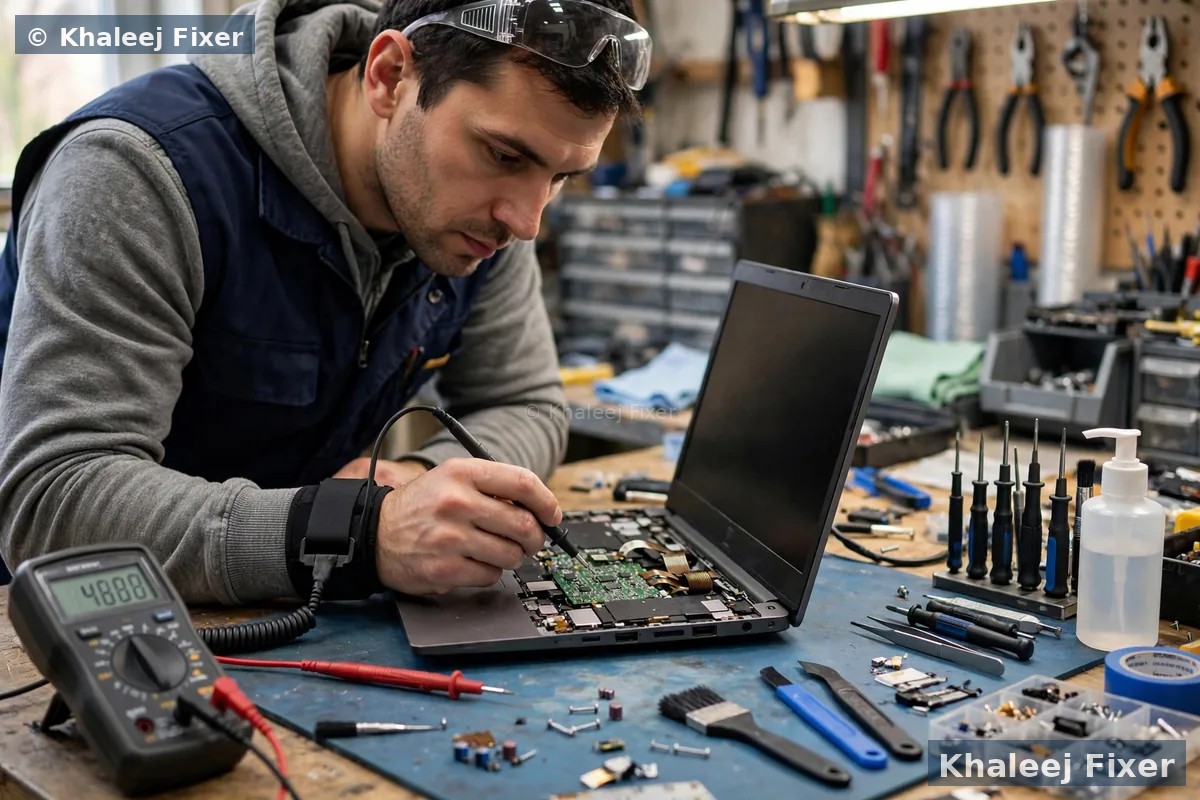
DDR3 vs DDR4: which RAM fits your Vaio
Not all RAM is the same. The wrong RAM will not fit, or the Vaio will not start. The two types Vaios use are DDR3 and DDR4. They look alike, but the notch on the stick sits in a different place. A DDR4 stick cannot fit in a DDR3 slot. We match the RAM to your exact Vaio model before we order anything.
DDR3 RAM. Most older Vaios use DDR3. Vaio E series, Vaio Fit, and early Vaio S models run DDR3. Common speeds are 1333 MHz and 1600 MHz. DDR3 is still easy to find and it is the right fit for these models.
DDR4 RAM. Later Vaio models use DDR4. Some Vaio S and Vaio Z machines run DDR4 at 2133 MHz or 2400 MHz. DDR4 is faster and it uses less power. It also costs a little more, but the speed gain is real.
Speed matching matters. If your Vaio has one 4 GB stick at 1600 MHz, the new stick should match that speed. A faster stick will still work, but it will slow down to match the slower one. We check the speed of the RAM already in your Vaio and match it.
One honest note. Some Vaio Pro 11 and Pro 13 models hold memory soldered onto the board. Soldered memory cannot be swapped like a normal stick. If your Pro has soldered memory, we tell you straight. The fix may be an SSD upgrade instead, or board work. We never sell you a RAM upgrade that cannot fit.
How much RAM do you need: 4 GB, 8 GB or 16 GB
The right amount depends on how you use your Vaio. We check your real memory use first, then suggest a size. These are the common choices:
4 GB total. This is what most old Vaios came with. It is enough for very light use only. One or two tabs, one program at a time, no video calls. If your Vaio still has 4 GB, almost any upgrade will help.
8 GB total. The sweet spot for most Vaio owners. Windows, Chrome with many tabs, Word, Excel, and a video call can all run together. This is the upgrade we fit most often. It turns a slow Vaio into a smooth daily machine for office work, study, and browsing.
16 GB total. The right pick for heavy work. Photo editing, big Excel files, many programs at once, or a Vaio used for design work. Also the right pick if you keep your Vaio for years and want room to grow. With 16 GB, memory stops being a limit.
One rule we never break. We never fit more RAM than your Vaio can use. Every Vaio model has a maximum. Some older Vaios stop at 8 GB. Others take 16 GB. We check your model limit first, so you never pay for memory your Vaio cannot see.
What changes after a RAM upgrade
A RAM upgrade changes daily work in ways you feel at once. Programs open faster, because they load into memory without waiting. Switching between Word, Chrome, and Excel feels instant. Tabs stay where you left them. Video calls run smooth, because the call has the memory it needs. Big files open without the wait.
Start time improves too. Windows loads its parts into memory at login. With more room, that load finishes sooner. You reach a usable desktop faster. The fan also stays quieter, because the processor is not working overtime to shuffle data. The Vaio runs cooler, and a cooler Vaio lasts longer.
One honest note. RAM fixes memory problems. It does not fix a slow hard drive. If your Vaio takes minutes to start and the drive light stays on, the hard drive may be the slow part. In that case an SSD upgrade helps more. Many owners do both upgrades in one visit. RAM and SSD together make an old Vaio feel new. Our Sony Vaio SSD upgrade in Dubai page explains the SSD side. And if your Vaio battery dies fast while you work, our laptop battery replacement in Dubai page covers battery signs.
Compatibility checks we run before fitting RAM
A RAM upgrade is simple only when the checks are done first. We run these checks on every Vaio before we order a stick:
Your exact Vaio model. We read the model number from the base of the Vaio. Vaio E, Fit, Pro, S, and Z each take different RAM. The model number tells us the type, the speed, and the maximum.
How many slots you have. Most Vaios have two RAM slots. Some have one. Some have one slot plus soldered memory. We check the slots so we know if we add a stick or replace one.
What is in the slots now. We read the size and speed of the RAM already fitted. A new stick should match the old one in speed. Matched pairs run in dual channel mode, which is faster than two mismatched sticks.
Your Vaio maximum. Some models stop at 8 GB. Some take 16 GB. A few take 32 GB. We check the limit so you never pay for RAM your Vaio cannot use.
These checks are part of the free diagnosis. They take a few minutes. They save you from buying the wrong RAM. If your Vaio turns out to have a board fault instead of a memory problem, our Sony Vaio motherboard repair in Dubai page covers board faults in full.
The RAM upgrade process, step by step
1. Free pickup and free diagnosis. We collect the Vaio from your home or office in Dubai, or you can bring it to our Sharjah workshop. We check your Vaio model, your RAM type and speed, your slots, and your real memory use.
2. Final quote before work. You get a clear quote after diagnosis, with the RAM size and type named. No work starts without your yes. Starting prices are on our price list page. Our laptop repair cost guide in Dubai explains how upgrade costs are worked out.
3. Fitting. We open the Vaio with the right tools. We fit the new RAM stick into the slot. We seat it fully and lock the clips. We close the Vaio and check that nothing is loose.
4. Testing. We boot the Vaio and check that Windows sees the full new memory. We run a memory test to check the stick is healthy. We open your main programs and switch between them to confirm the freeze is gone.
5. Delivery and 2-month warranty. Free delivery back to you anywhere in Dubai, with a 2-month warranty on the upgrade work. Your old RAM stick comes back with you if we replaced it. If anything feels wrong in that time, bring it back and we look at it free.
Your files are safe during a RAM upgrade
Many owners ask the same question. Will I lose my files? The answer is no. A RAM upgrade does not touch your hard drive or your SSD. Your files live on the drive, not in the RAM. RAM holds only what you are using right now. When the Vaio is off, RAM holds nothing. Fitting a new stick changes nothing on your drive. Your Windows, your programs, and your files stay exactly as they were.
Still, we take care. We power the Vaio down fully before we open it. We handle the board with care. And we test the Vaio before it goes back to you, so you get it back working. If your files are already at risk because the drive is failing, tell us first. Our Sony Vaio data recovery in Dubai page explains how we save files from a failing drive.
Free pickup across Dubai for your RAM upgrade
You do not need to drive across Dubai for a RAM upgrade. We collect your Vaio from your home or office anywhere in Dubai, free of charge. The pickup runs seven days a week, from 11 AM to 11 PM. Message us on WhatsApp with your area and your Vaio model. We confirm a pickup time the same day in most cases.
Deira and Bur Dubai. Small offices and shops that run Vaio S series machines for accounts and billing. One pickup can cover several office machines. One invoice covers the whole batch.
Al Barsha, Dubai Marina, and JLT. Homes and offices along Sheikh Zayed Road. Evening pickup is available, so you do not lose a work day.
Business Bay and Downtown. Startups and freelancers who cannot wait days for a faster laptop. Most RAM upgrades finish the same day.
We also pick up in Al Qusais, Mirdif, International City, Silicon Oasis, Jumeirah, Al Nahda Dubai, and the rest of Dubai. If you prefer to walk in, our Sharjah workshop is in Industrial Area 2. Call first so we can check RAM stock for your model before you travel.


Why not fit the RAM yourself
A RAM upgrade looks simple in a video. Open the base, push the stick in, close it up. In real life, Vaios hide traps. Some Vaio models have no service door. You must take the whole base off. Some screws hide under rubber feet. Some clips snap if you force them. One wrong move can crack a clip or damage the board.
The bigger risk is the wrong RAM. A DDR3 stick will not fit a DDR4 slot. A stick that is too tall will not let the base close. A mismatched speed will slow the whole machine down. And some Vaio Pro models hold memory soldered onto the board, so there is no slot at all. If you open a soldered Vaio looking for a slot, you risk damage for nothing.
Our technicians fit RAM every day. They know which Vaio models open from the base and which ones need a full strip down. They check the RAM type, the speed, and the slots first. They test the stick after fitting. And the work carries a 2-month warranty. If the Vaio also has a cracked screen or a dead battery, we can fix those in the same visit. Our laptop screen replacement in Dubai page covers screen faults, and our Sony Vaio liquid damage repair in Dubai page covers spills.
Turnaround time and warranty
Most Vaio RAM upgrades finish the same day. The fitting itself takes under an hour once the right RAM is in hand. If we need to order a rare DDR3 stick for an older Vaio, we confirm the timing with your quote. We never promise a time we cannot keep.
Every upgrade carries a 2-month warranty on our work. The warranty covers the fitting and the RAM stick we supplied. The RAM itself carries its own maker warranty, which we note on your job sheet. Keep your job note and message us if you see a problem. We will help you fast. For general laptop repair work across Dubai, visit our laptop repair in Dubai page.
Frequently Asked Questions
How much RAM does my Sony Vaio need?
For most owners, 8 GB is enough. It covers Windows, Chrome with many tabs, Word, Excel, and video calls together. If you edit photos or run many programs at once, 16 GB is the better pick. We check your real memory use in the free diagnosis and suggest the size that fits your work.
How much does a Sony Vaio RAM upgrade cost in Dubai?
The cost depends on your Vaio model and the RAM size you pick. See our price list page for starting prices. The final quote always comes after the free diagnosis, and no work starts without your yes.
Can I upgrade the RAM on my Sony Vaio E series?
Yes, in most cases. Vaio E series machines use DDR3 RAM and most have two slots. We check your exact model and the RAM already fitted, then add or replace a stick to reach 8 GB or 16 GB. Some very old E models stop at 8 GB, and we tell you the limit before we quote.
Is DDR3 or DDR4 RAM better for a Sony Vaio?
Neither is better on its own. Your Vaio takes one type only. Older Vaios take DDR3. Later Vaios take DDR4. The two types do not fit in each other’s slots. We check your model and fit the type your Vaio was built for, matched to the speed of the RAM already inside.
Will a RAM upgrade delete my files?
No. A RAM upgrade does not touch your hard drive or your SSD. Your files live on the drive, not in the RAM. Your Windows, your programs, and your files stay exactly as they were. We power the Vaio down fully before we open it and we test it before it goes back to you.
How long does a Sony Vaio RAM upgrade take?
Most RAM upgrades finish the same day. The fitting takes under an hour once the right RAM is in hand. If we need to order a rare DDR3 stick for an older Vaio, we confirm the timing with your quote and never promise a time we cannot keep.
Should I upgrade the RAM or the SSD first?
It depends on the signs. If tabs reload and programs freeze when you switch, RAM first. If the Vaio takes minutes to start and the drive light stays on, the SSD first. Our guide on SSD or RAM upgrade for a slow laptop explains the choice in full. Many owners do both in one visit.
Do you pick up Sony Vaio laptops from all Dubai areas?
Yes. Free pickup covers Deira, Bur Dubai, Al Barsha, Dubai Marina, JLT, Business Bay, Al Qusais, Mirdif, International City, Silicon Oasis, Jumeirah, Al Nahda, and the rest of Dubai. You can also walk into our Sharjah workshop in Industrial Area 2, open 7 days from 11 AM to 11 PM.
Slow Vaio? Get a free diagnosis and a RAM quote today.
Message us on WhatsApp or call. Free pickup, free diagnosis, final quote before any work, 2-month warranty.
Free Diagnosis • Free Pickup & Delivery • 2-Month Warranty • Open 7 Days 11AM to 11PM