
Got a Broken Surface in Sharjah? Our Industrial Area 2 Workshop Fixes Surface Pro, Surface Laptop, Surface Book and Surface Go
Your Surface screen has a crack across it. The battery barely lasts the school run. The Type Cover has gone silent, the Pen will not draw, or the device simply stays black when you press the power button. If you live in Sharjah, you do not have to send it away or drive to Dubai. Khaleej Fixer runs a Surface service center in Sharjah from a real workshop in Industrial Area 2, where our bench sees Surface Pro, Surface Laptop, Surface Book and Surface Go machines every day. Walk through the door, get a free diagnosis at the counter, and leave with a repair backed by a 2-month warranty.
First, the truth about who we are. We are an independent workshop. Microsoft has not authorized us, and we are not an official Microsoft service center. The authorized way to get a Surface fixed in the UAE is through Microsoft’s Authorized Service Providers. Ensure Services holds the exclusive Authorized Service Provider role for Microsoft Surface across the Gulf, including the UAE. DG Help is the authorized Microsoft Surface repair provider, and its walk-in center is at Times Square Center on Sheikh Zayed Road in Al Quoz, Dubai, open 10 AM to 10 PM every day of the year, with further centers at Abu Dhabi Mall and Al Ain Mall, plus drop-off points at 21 Sharaf DG stores across the UAE, including in Sharjah. If your Surface still has warranty cover, use that authorized route first, because a factory fault should be fixed for free. If the warranty has ended, our Sharjah workshop offers skilled hands, genuine-quality parts, and a clear quote that comes only after the free check. You can see starting prices on the price list page. We never begin work until you agree.
Surface Pro, Surface Laptop, Surface Book • Surface Go, Surface Laptop Studio, Surface Pro X, Surface Studio and Surface Laptop Go
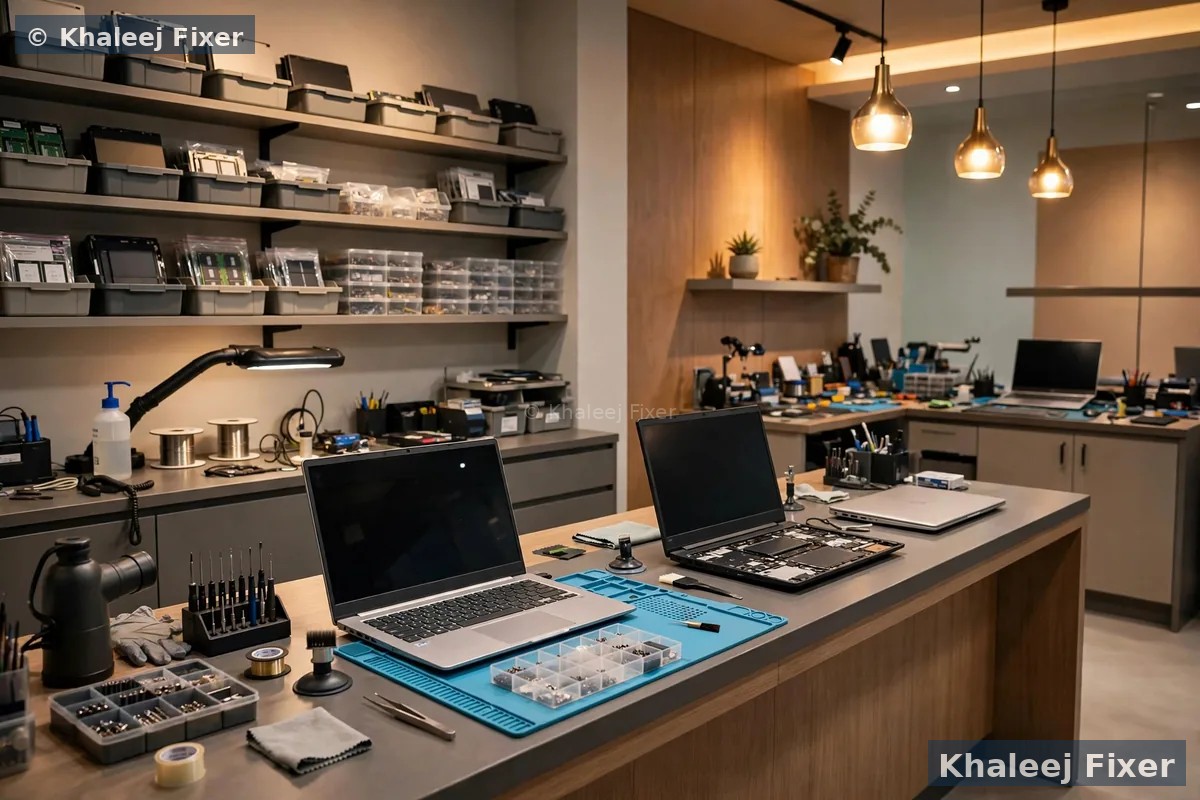
A workshop you can walk into, right here in Sharjah
Until now, Sharjah owners with a broken Surface had two poor choices. Hand the device to a courier and wait days for any news, or drive to a Dubai mall and hope the queue is short. Our Industrial Area 2 workshop is a third choice, and most Sharjah owners pick it once they try it. You walk in, you speak to the technician who will actually open your device, and you watch the free check happen while you wait. No courier form, no mystery wait, no trip to Dubai.
University City students bring us Surface Pro tablets with cracked glass before exams. Al Majaz families bring Surface Laptops that refuse to charge. Al Qasimia and Rolla offices bring Surface Books whose tablet half will not come off the base. Every one of them gets the same deal at the counter: a free bench check, a quote in plain words, and zero pressure to say yes. If you say no, you walk out with your device and you pay nothing for the check.
Because the workshop sits in Sharjah, Sharjah owners get the fastest turnaround. A battery swap can be done while you wait. A screen swap is very often a same-day job when the panel is on our shelf. When you cannot come to us, we come to you. Free pickup runs across Al Nahda, Al Majaz, Muwaileh, Al Qasimia, Rolla, University City, Al Taawun, Al Khan and the rest of Sharjah, seven days a week from 11 AM to 11 PM. Send a WhatsApp message with your area and the fault, and we fix a pickup time the same day. If you live in Dubai and need the same care there, our Surface service center in Dubai covers Surface repair with free pickup across Dubai. For the full range of Surface work, see our Surface laptop repair in Dubai hub.
Who brings a Surface to our Sharjah counter, and what they need most
A repair shop learns a city by the people who walk through its door. In Sharjah, three groups bring us most of the Surface devices we see, and each group needs something different from us.
Students from University City. They carry a Pro or a Go to lectures every day, and the device holds coursework, notes, exam timetables and group project files. A cracked screen a week before exams is a crisis, not an inconvenience. For students we keep the most common Pro and Go panels on the shelf, we test the device while they wait, and we tell them honestly when a quick screen swap will get them back to class the same afternoon. Bring your student card and your charger with you, because a charger fault is the first thing we rule out.
Small offices and shops in Rolla, Al Qasimia and Al Nahda. They run Surface Laptops for billing, stock lists, design work and customer records. When one machine goes down, the whole shop feels it. For offices we take in several machines on one pickup, we label every device with the owner and the fault, and we call with a clear quote for each one before any work starts. A shop that cannot close for a repair can drop the device with us in the morning and collect it the same evening when the part is in stock.
Families in Al Majaz, Al Khan and Muwaileh. Their Surface holds years of family photos, school work, video calls with relatives abroad and homework. Losing those files feels worse than losing the device. For families we clone the drive before we touch anything, we explain the fault in plain words with no jargon, and we show the old part that came out so they can see exactly what was changed. Parents often ask us to check the whole device while it is open, and we do that as part of the free check.
Whoever you are, bring the charger and the Type Cover with you when you come in. The charger tells us in one minute whether the fault is power or battery, and the cover tells us whether the keyboard fault lives in the cover or in the device. Both checks are free, and both save you money.
What happened to your Surface? Start here
You never have to name the fault yourself. That is the job of the free check at our surface service center in Sharjah. But most people find it easier to talk about the problem when they can point at it, so look through the list and find the one that matches what you see. Then send us a WhatsApp message and describe it in your own words.
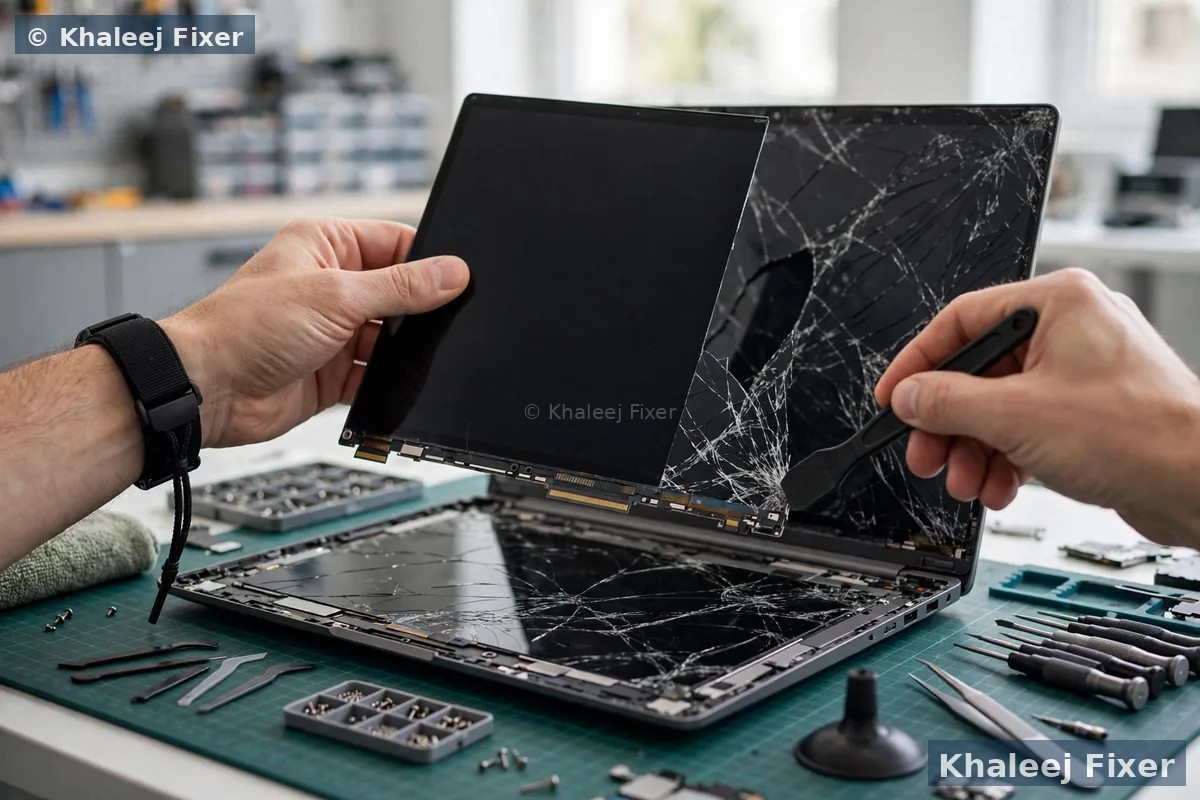
You dropped it, and now the screen is cracked or flickering. A fall, a knock in the bag, or a lid shut on a pen can break the panel. On Surface Pro the screen is a PixelSense touch panel held tight to the body with glue, so one hard knock can leave a bright streak, a coloured patch, or a dark area that keeps growing. Flicker that changes when you move the kickstand usually means the cable. A fully dark screen can mean the panel died, or the board behind it gave up. On the bench we test the panel, the cable and the board before we talk about a new screen.
The picture looks fine, but touch does nothing. You tap and nothing happens, or only one corner answers. On a Surface this can mean the touch layer failed, a driver broke after an update, or a connector inside the glued body came loose. We test touch on the bench before we quote, because a driver fix is far cheaper than a whole new display.
The battery gives up in minutes, or the device only runs while plugged in. A battery that drops from 40 percent to nothing, or a body that bulges at the edge, needs a new battery. Every Surface battery is glued down, so the swap takes heat, thin tools and a steady hand, and it has to be done safely. A bulging battery is urgent. Stop using the device and bring it straight in, because it can push on the screen and the board. Our Surface battery replacement in Dubai page explains battery signs in full.
It says plugged in, yet it will not charge. This is one of the most common Surface complaints in Sharjah, and it has more than one cause. The charger may be weak, the Surface Connect port may be worn, or the battery may have stopped accepting a charge. We check the charger and the port FIRST, before any talk of a battery, because a charger fault is far cheaper than a battery swap. Too many Surface owners have paid for a new battery when only the charger was broken. Our free check stops that happening to you.
Nothing happens when you press power. No light, no fan, no sound. The charger, the battery or the board could be at fault, so stop pressing the button. A dead Surface often still holds a healthy drive, which means your files and photos may be safe inside, and we look at the drive first in the free check.
It gets hot, the fan roars, or it shuts itself off. Dust fills the vents, old thermal paste dries out, and fan bearings wear down over the years. The device then slows itself down to stay cool, and it can cut out with no warning. A proper clean and fresh thermal paste often brings an old Surface back to life.
Type Cover keys miss, or the Pen stopped writing. Spills, dust under keys, or plain wear can do this. On Surface Pro the keyboard is a detachable Type Cover, so we try the cover on a second Surface first, because a cover fault is often cheaper than a device fault. On Surface Laptop the keyboard sits in the body, so the swap takes a careful hand. When the Pen stops writing, check the small battery inside the Pen and try a fresh tip first. We test the cover, the connector and the Pen one at a time before we quote.
The hinge has gone loose, stiff or cracked. Years of opening and closing wear the hinge, and on Surface Book the hinge works twice as hard, because it joins the tablet to the base. A wobbly hinge left alone can tear the cable that runs through the joint, so bring it in early.
Everything feels slow, even simple work. A full drive or too little memory can make a good Surface feel tired. A fast SSD, where your model allows it, can make an older Surface feel new again. We tell you plainly when an upgrade is worth it. When the storage is soldered to the board and cannot be changed, we say that too.
Your fault is not in this list? No problem. Bring the Surface to the counter, or book a free pickup, and the fault gets found for free.
Which Surface do you have? A quick guide for Sharjah owners
Microsoft built the Surface family for very different people, so it helps to know which group you sit in. A student tablet is not built like a design workstation, and a detachable Pro is not built like a plain Laptop. Each line uses its own parts and breaks in its own way, and our bench knows all of them. Tell us your exact model when you message us, and we match the part to that model, not just the screen size. You can find the model name on the back of the device, and in Settings under System and About. When the label has worn off, send us the serial number and we look the model up for you.
Surface Go, the student tablet
This is the small light Surface, and University City students carry it most. Surface Go 2, Go 3 and Go 4 are the ones that reach our counter most. What breaks most often is a tired battery, a cracked screen, slow storage and a worn charging port. A Go with a fresh battery and a fast SSD often serves for years more, and it is the cheapest fix in the whole Surface family.
Surface Pro, the detachable workhorse
This is the tablet with a kickstand and a Type Cover that snaps on and off. Surface Pro 7, Pro 8, Pro 9, Pro 10 and Pro 11 are the ones that reach our counter most. What breaks most often is a shattered PixelSense touch screen, a glued battery that fades fast in the slim body, and charging trouble at the Surface Connect port. Most Pro jobs finish the same day when the part sits on our shelf.
Surface Laptop Go, the light budget laptop
This is the light budget Surface Laptop, bought for study and office work across Sharjah. Surface Laptop Go 2 and Go 3 are the ones that reach our counter most. What breaks most often is a tired battery, screen damage, hinge wear and slow storage. Plenty of these machines still do office and study work well once they get a fast SSD and a fresh battery.
Surface Laptop, the office favourite
This is the classic Surface laptop, and Sharjah offices and students buy it most. Surface Laptop 3, 4, 5, 6 and 7 are the ones that reach our counter most. What breaks most often is screen damage, battery wear, heat under load and keyboard wear on Alcantara and metal decks. A Surface Laptop is nearly always worth fixing, because the screen and the build sit a class above a basic laptop.
Surface Book, the two-part machine
This is the Surface in two parts: a tablet screen that lifts off a keyboard base, and the base holds its own battery and, on some models, its own graphics chip. Surface Book 2 and Book 3 are the ones that reach our counter most. What breaks most often is battery wear in both halves, a tablet that refuses to detach, screen damage and hinge wear. We bench-test the tablet half and the base half apart, so the fix lands on the half that is truly broken.
Surface Pro X, the slim ARM tablet
This is the slim Surface on an ARM chip, with long battery life and a very thin body. Surface Pro X is the one that reaches our counter most. What breaks most often is battery wear, screen damage and software trouble after a Windows update. The ARM chip makes some apps behave differently, so we check the software side before we open the body.
Surface Laptop Studio, the designer machine
This is the Surface for design and heavy work, with a screen that tilts forward for drawing. Surface Laptop Studio and Laptop Studio 2 are the ones that reach our counter most. What breaks most often is heat under load, fan wear, screen damage and battery wear. These machines run hot by design, so a proper clean and fresh thermal paste matter more here than anywhere else.
Surface Studio, the big desktop
This is the big Surface desktop for studios and offices, with a huge touch screen on a zero-gravity hinge. Surface Studio 2 and Studio 2 Plus are the ones that reach our counter most. What breaks most often is screen trouble, heat, fan wear and drive failure. A Studio is a bench job, not a quick walk-in fix, and we agree the timing with you when we quote.
The PixelSense screen is what makes a Surface a Surface, and it needs a specialist
Nearly every Surface in Sharjah today carries a PixelSense touch screen. Pro models use a tall 3:2 touch panel, Laptop models use a 3:2 PixelSense screen with very thin borders, and Book models use a touch display that detaches with the tablet. The picture is superb. Text stays sharp, colours stay bright, the view stays clear from any angle, and touch and pen input feel natural. But a Surface screen breaks in its own way, and a shop that treats it like an ordinary laptop panel will get the job wrong. Our Surface screen replacement in Dubai page explains Surface screens model by model, and our laptop screen replacement in Dubai page covers screens for every brand.
A broken Surface panel often shows a bright streak, a coloured patch that keeps spreading, or a dark area that grows day by day. A streak that shows up after a knock is almost always panel damage, not a software fault. A cheap panel will look dull next to a real PixelSense screen, the colours will never match, and the touch layer may not work at all. We fit genuine-quality panels matched to your exact Surface model and panel number, and we test brightness, colour, touch and pen input before we hand it back.
Surface screens come in four sizes, 10.5 inch, 12.4 inch, 13 inch and 15 inch. The 13 inch panel is by far the most common, on Pro and Laptop machines. The 10.5 inch panel sits on Go models, and the 15 inch panel sits on Book and Laptop 15 inch machines. Fit a panel of the right size but the wrong type and the picture will look wrong, or touch will not work at all. We fit the right panel and test it fully before we hand it back.
Not every screen fault lives in the panel. A dark screen can come from the board, and flicker can come from the cable that runs through the hinge or the kickstand joint. Surface devices are very slim, so the cable takes more strain than it would on a thick laptop. We bench-test the cable before we quote a new screen, because a cable fix costs far less than a full display, and a new panel will not cure a worn cable.
The glued battery: why it is dangerous to rush, and why we check the charger first
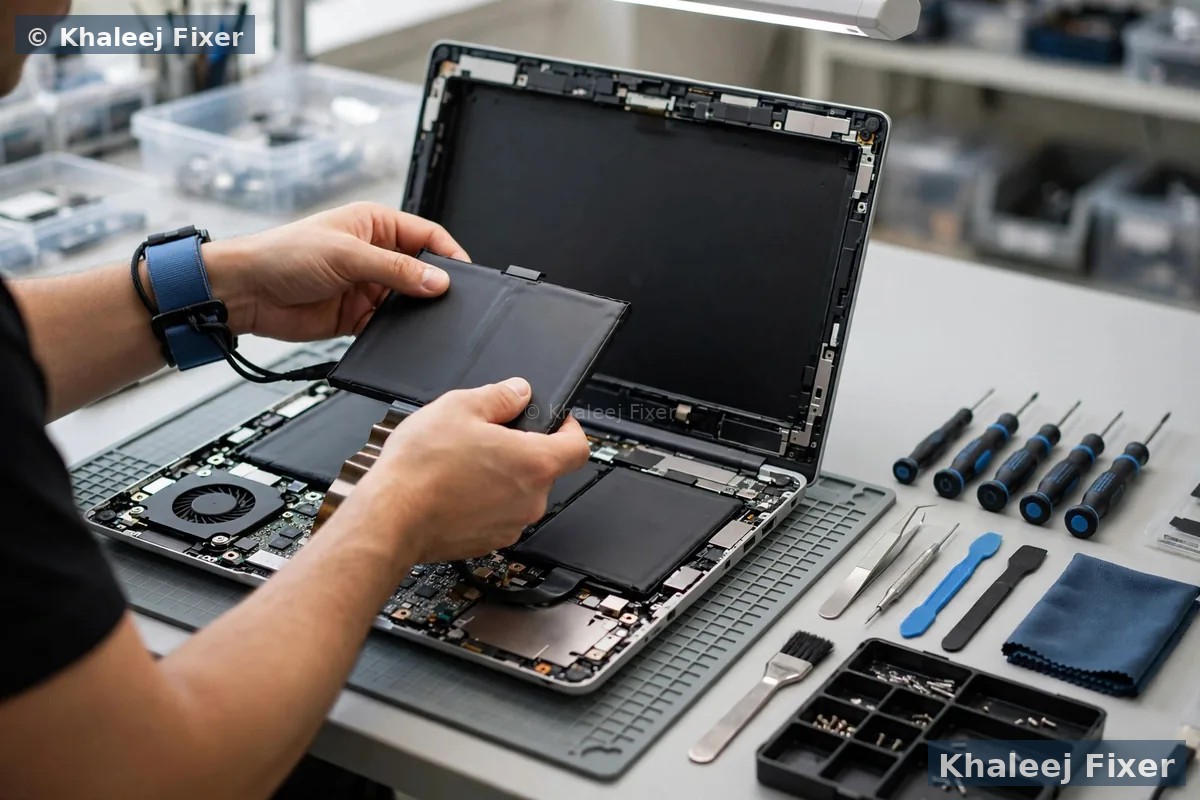
Surface batteries wear down with use. After a few hundred charge cycles the battery holds less charge, and Sharjah heat makes that wear arrive faster. Most Surface batteries hold around 300 to 500 charge cycles before they begin to fade. A battery that lasts half an hour, drops from 40 percent to nothing, or makes the body bulge needs a swap, and a bulging battery has to come out at once, because it can push on the screen and the board.
Every Surface battery is glued down. There is no battery door and no screw to undo. The swap takes gentle heat to soften the glue, thin tools to lift the battery without bending it, and a steady hand so the screen and the board stay safe. Done badly, a glued battery can be pierced, and a pierced battery is a fire risk. We lift glued batteries safely on the bench every week, fit the new one with fresh adhesive, and then test the charge before you leave. Our Surface battery replacement in Dubai page and our laptop battery replacement in Dubai page explain batteries in full.
This is the step most shops skip, and it is the step that saves our customers money. Before we talk about any battery, we test the charger and the charging port first. Surface devices charge through the magnetic Connect port, and through USB-C on newer models. A weak charger, a worn Connect port or a frayed cable can each look just like a dead battery. We test your charger free, we test the port with a known good charger, and we check battery health in Windows before we say a word about a swap. When the charger is the fault, you leave with a working Surface and no battery bill at all.
Your new battery is a genuine-quality part chosen for your exact model and battery number. This matters more for Surface than for most brands, because the battery shape and connector change from one generation to the next. Match the part number, not the badge, and the battery will fit and charge as it should. Most Surface battery swaps are same-day jobs when the part sits on our shelf.
Batteries charge best near room temperature, roughly 5 to 35 C. Sharjah heat pushes past that range for much of the year, so a battery left in a hot car or in direct sun wears out faster. Keep the Surface cool when you can, and never leave it charging in a hot room all day. Small habits like these can add months to a battery.
The Surface Book trick: two halves, two batteries, one fix at a time
A Surface Book is really two devices joined together. The tablet half holds the screen, the main battery and the processor. The base half holds the keyboard, the trackpad, a second battery and, on some models, a separate graphics chip. They join with a muscle wire hinge, and they talk through the connector inside that hinge. When a Book goes wrong, the fault can sit in either half, and a shop that treats it as one laptop will guess wrong.
Our bench splits the job in two before we quote anything. The tablet half gets tested on its own battery, with its own screen and touch. The base half gets tested for its battery, its keyboard, its trackpad and its graphics chip. When the tablet refuses to detach, we look at the detach mechanism, the connector pins and the software lock before we touch the hinge. When the base battery is dead but the tablet is fine, we swap only the base battery. You never pay for a tablet repair you never needed.
The hinge is the other Book weak spot. Years of opening and closing wear the muscle wire hinge, and a loose hinge left alone can harm the connector pins that carry power and data between the halves. A Book whose screen wobbles, or whose base stops answering when the lid moves, needs the hinge checked early. Bring it in before a small hinge fault turns into a connector fault.
Keys, trackpad and Pen: the parts your hands touch all day
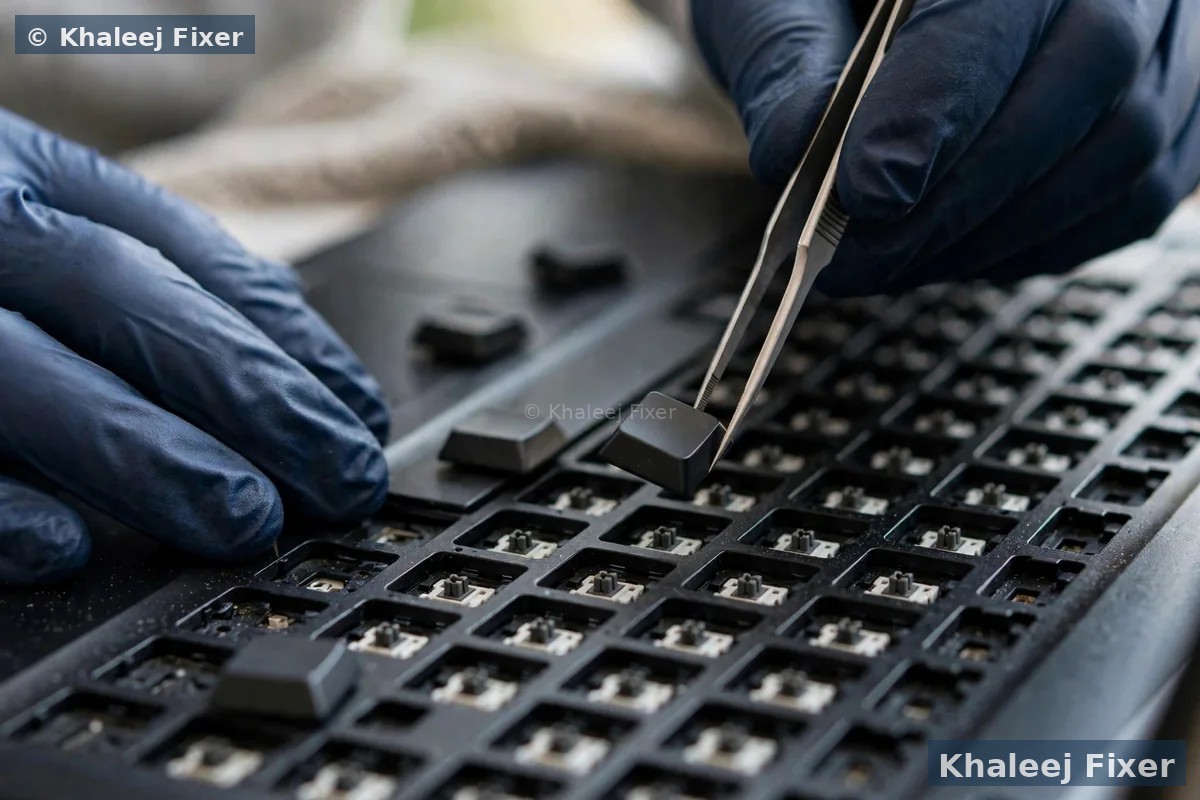
A Surface keyboard that skips keys, repeats letters or types on its own will slow any workday to a crawl. A spill, dust under the keys or plain wear can do this. On Pro models the keyboard is the detachable Type Cover, so we try the cover on another Surface first, because a cover fault is often cheaper than a device fault. When the cover works on a second Surface, the fault sits in your device connector, not in the cover. On Laptop models the keyboard sits in the body, so the swap takes a careful hand. We fit the right layout for your exact model, and we check the board under the keyboard too, because a spill can hurt both.
The trackpad is the part your fingers touch most, so a fault here feels big. A trackpad that clicks wrong, does not click at all or moves the cursor on its own often points to the battery below it, because a swollen battery pushes on the trackpad from underneath. We check the battery first, because a trackpad fault is often a battery fault in disguise. When the trackpad itself is at fault we replace it and test every gesture before we hand it back.
The Surface Pen is the tool designers and students lean on. When the Pen stops writing, first check the small battery inside the Pen, and try a fresh pen tip, because a worn tip can feel like a dead Pen. When that fails, the pen digitizer in the screen may be at fault. We test the Pen, the tip and the screen digitizer one at a time, so the fix lands on the true cause.
Ports wear out slowly and then fail all at once. A Surface Connect port that only works at one angle, a USB-C port that keeps dropping the connection, or a headphone jack full of dust. We replace the port, clean the rest, and test every port with a real device before we hand it back, because a loose port left alone can hurt the board.
When the board is the problem, we fix the board, not just swap it
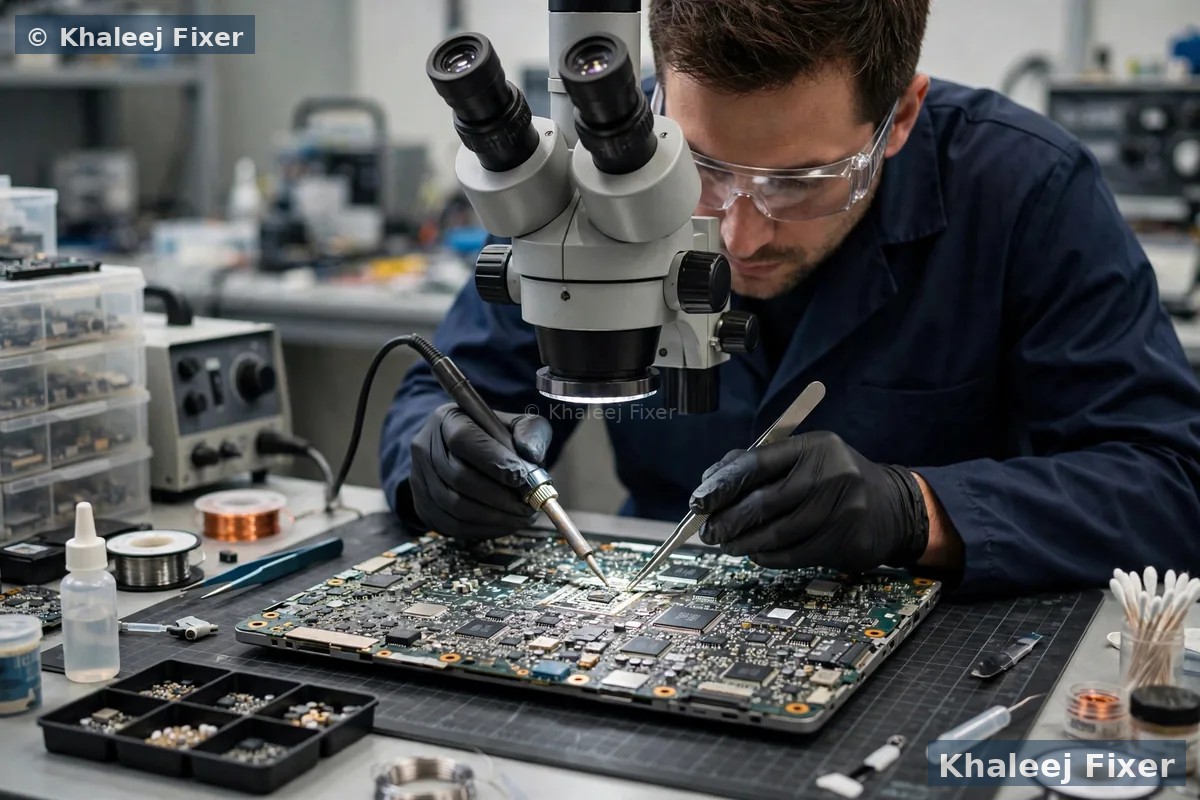
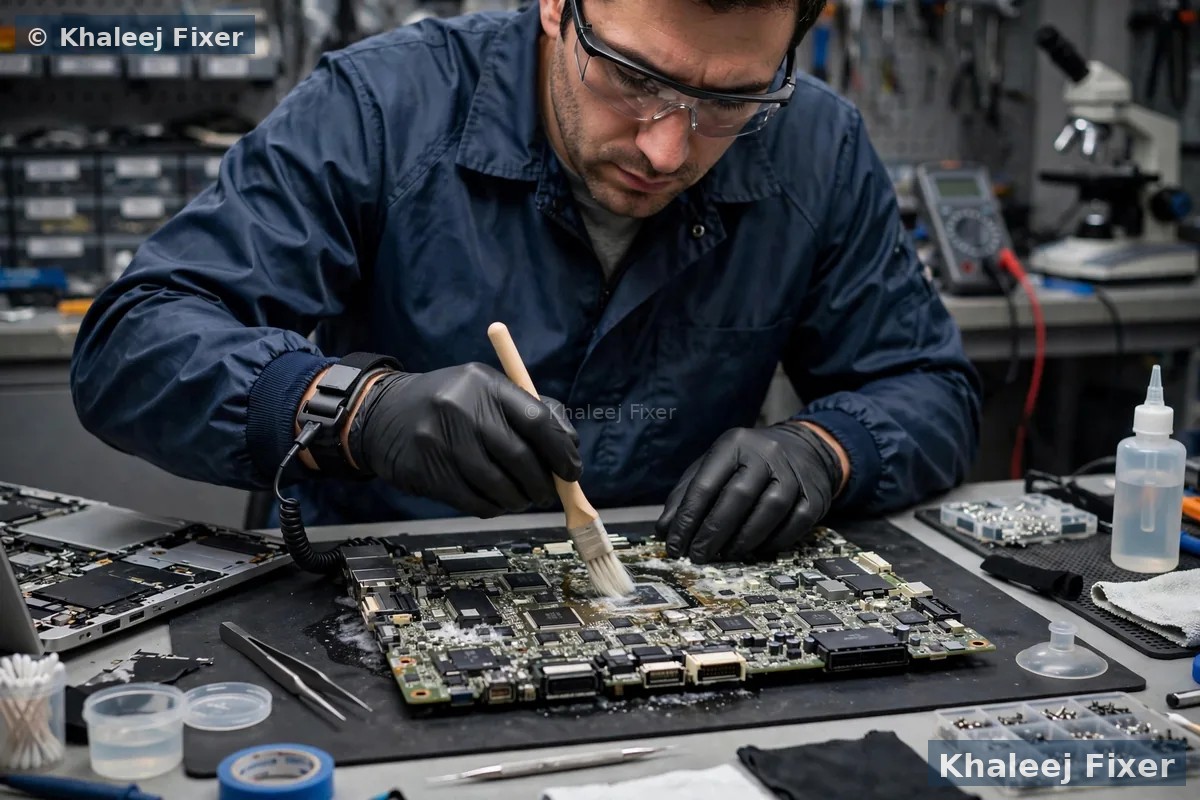
A Surface that will not turn on, shows no power light, shuts off at random or will not charge even with a new charger often has a board fault. Many shops will only offer a full board swap, but we work at board level first, bench-testing the board, finding the failed part and fixing it with micro-soldering where we can, which costs far less than a full board swap in most cases. Our laptop motherboard repair in Dubai page explains board faults in full.
Board faults need a proper bench, a steady hand and the right tools. Surface boards are packed tight, with memory and storage built into the board on most models, which makes the work harder, not impossible. We track the fault to the failed chip or line and fix that part, not the whole board.
We set your old parts aside so you can see what was changed. When the board is badly burnt and the fix would not last, we tell you plainly and never charge for it. Even then your files can often be saved, because a dead board does not always mean dead files.
Sharjah heat and dust are tough on a Surface. Here is what we do about it
Sharjah is hard on laptops. Fine dust slips into every vent, and summer heat pushes room temperature past the range where a battery charges best. A Surface that ran cool for years somewhere colder can start to overheat here in a year or two. Dust fills the heatsink fins, old thermal paste dries out, and the fan must spin harder to keep up. The device then slows itself down to stay cool, and it can cut out with no warning.
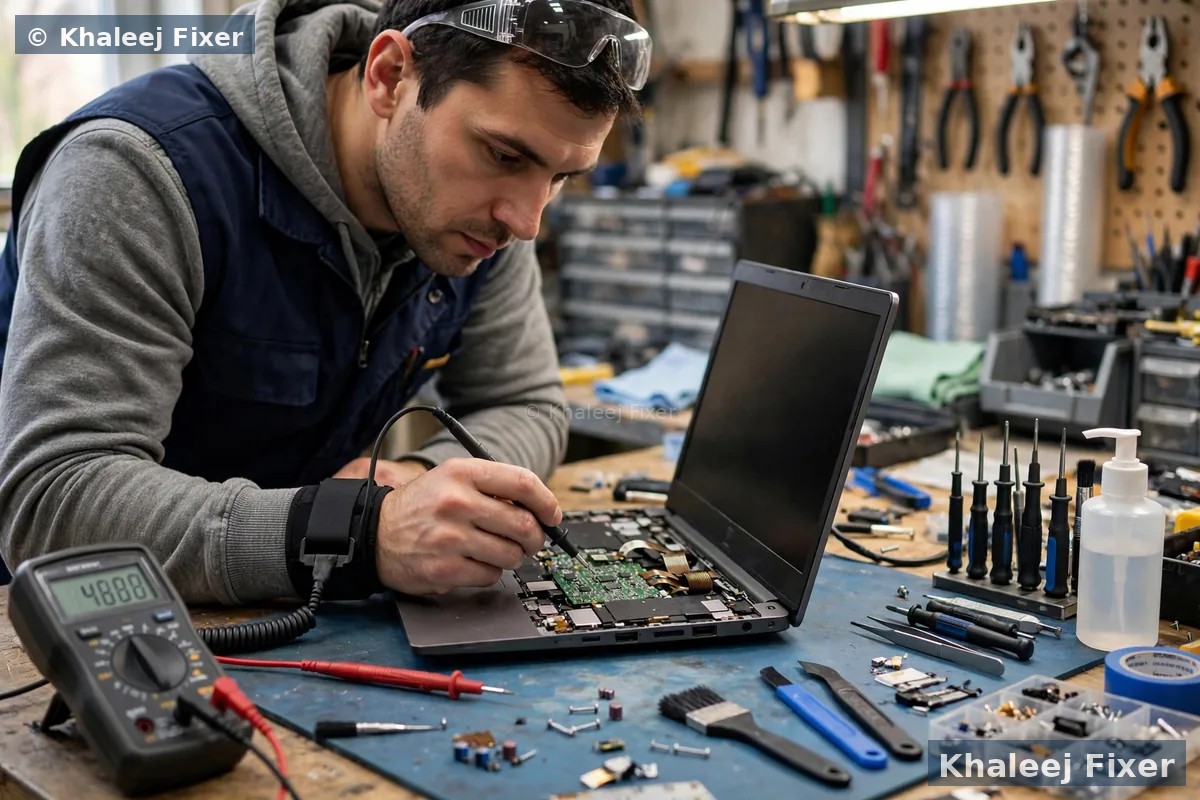
Our heat service is a full job, not a quick blast of air. We strip the cooling assembly, clean the heatsink fins and the fan by hand, put fresh thermal paste on the processor, fit new flat thermal pads, and test or replace worn fans. Then the Surface runs under load while we measure the temperature before and after, so you can see the change. Cleaning it now can save the board later, and a cool device keeps working for years longer.
You can help your Surface at home as well. Keep the vents clear, set the device on a hard flat surface instead of a bed or a sofa, and keep it out of direct sun and out of a hot car. A cheap stand helps air move under the device. When the fan starts to sound loud all the time, do not ignore it. Bring it in for a clean before a small fault turns into a big one.
Spills, slow machines and saving your files
Water, tea or coffee spilled on the Surface. We strip it down, clean the board by hand and test every part. Fast action matters most here, so switch it off, unplug it and message us. Never charge a wet Surface, never dry it with a hair dryer, and never switch it on to see if it still works. Each extra start can spread the damage further, so carry it in gently, upright, with the lid closed. Slim Pro machines are thin, so liquid reaches the board fast, and speed matters even more on those models.
A slow Surface usually has a simple fix. A drive that is full, or memory that is too small, can make a good Surface feel tired. Where your model allows it, a fast SSD goes in, and we clean up the startup so the device boots fast again. A Laptop with a new SSD and a fresh battery feels new again, and it is the cheapest way to get a few more good years out of a device you already like. When the model has soldered storage that cannot be upgraded, we tell you that too, and we find the best fix that is still possible.
Data recovery is the job where care matters most: deleted files, a dead drive, a device that will not boot, or a board fault that hides your files. We take the drive out, clone it first, and pull your photos, documents and work files out safely, and the old drive comes back to you. Our data recovery in Dubai page explains the full process. The drive gets checked before anything else, and a dead board does not always mean dead files. In many cases the data can still be brought back.
Still covered by warranty? Read this before you book anywhere
Here is the honest part, in plain words. Khaleej Fixer is an independent workshop. We are not an official Microsoft service center, and Microsoft has not authorized us. When your Surface is still under warranty and the fault is a factory fault, use the authorized path first, so the repair stays free. Microsoft names its Authorized Service Providers for Surface on its own support site, and the UAE provider named there is Redington Gulf. Ensure Services is the exclusive Authorized Service Provider for Microsoft Surface in the Gulf region, including the UAE, and DG Help is the authorized Microsoft Surface repair provider, with a walk-in center at Times Square Center on Sheikh Zayed Road in Al Quoz, Dubai, open 10 AM to 10 PM every day of the year, and two more centers at Abu Dhabi Mall and Al Ain Mall. DG Help fixes Surface devices there with genuine Microsoft parts, and it also takes drop-offs at 21 Sharaf DG stores across the UAE, including here in Sharjah.
Two things about Microsoft cover are worth knowing before you book. First, Microsoft itself runs no walk-in Surface service center in Sharjah, and none in Dubai either. The authorized path here works through its Authorized Service Providers, and for out of warranty products the authorized service is usually a repair or a replacement with a refurbished unit, not a simple battery swap on the spot. Microsoft offers no out-of-warranty battery service of its own in the Middle East and Africa, the way it does in some other regions. That gap is exactly what local independent repair covers: we open the device, lift the glued battery out safely, and fit a fresh one, usually the same day. Second, you can reach Microsoft support online at support.microsoft.com, with a service request flow and a warranty check by serial number, so you can confirm your cover before you travel.
One more thing to know: a repair by an outside workshop can affect a live warranty, so check with Microsoft before you book an outside repair. Losing a job is better than costing you a free warranty fix. Look up your warranty on the Microsoft support site first, with the serial number from the back of the device. If you are in Sharjah, you can also drop a Surface at a Sharaf DG store for the authorized path, but check with Microsoft support first which store takes Surface drop-offs.
For out of warranty Surface devices, most owners in Sharjah now turn to trusted independent workshops like ours. What we give you is careful workmanship, genuine-quality parts, expert Surface technicians, free diagnosis and a 2-month warranty, plus honest advice, even when that advice is that the authorized path is the better choice. If you need the same care in Dubai, our Surface service center in Dubai covers Surface repair there too.
From your door to our bench and back: how a repair runs
From your side, a repair should feel simple. You tell us the fault, and we handle the rest. Here is the whole journey, step by step.
Tell us the fault. Send a WhatsApp message with your Surface model and the fault, or walk into our workshop in Industrial Area 2, Sharjah. We stay open 7 days, from 11 AM to 11 PM, and no appointment is needed. When you can, send a photo of the fault and your model name from the back of the device.
Hand it over or book a pickup. When you are in Sharjah, we collect the Surface from your home or office free of charge, or you can drop it off yourself. Either way, we note the fault, your model and your contact number on the job sheet.
We run the free bench check. We open the device and test it on the bench: screen and touch, battery, Type Cover, trackpad, Pen, board, fan, storage and ports. We test your charger and charging port first, before we talk about a battery, and we check the screen panel number and the battery part number, because both decide which part fits your model. We check the drive first when the device holds files that matter. Our check finds the true fault, not just the visible one.
You get a plain-words quote. We call you with a plain quote, naming the fault, the fix and the parts. Starting prices sit on our price list page, and the final quote always comes after the free check. We never begin work until you agree.
Our bench does the repair. Our technicians do the repair. Screen, battery, board, keyboard, charging port, fan or upgrade, each job follows the right order, and we fit genuine-quality parts matched to your exact Surface model. For Book jobs we test the tablet half and the base half apart. We set your old parts aside so you can see what was changed.
We test everything before you take it home. We test the keyboard, trackpad, touch screen, Pen, screen, sound, WiFi, webcam, ports, charging and battery, and we run the device for a while to make sure it stays stable. Only when it passes the full test do we call the repair done.
First aid for your Surface: what to do in the first few minutes
Some faults get worse by the minute, so here is what to do right away, before you even reach us.
Liquid spilled on it
Turn it off right away and pull the charger out. Hold the device upside down over a towel so the liquid drains out. Never charge it, never dry it with a hair dryer, and never switch it on to see if it still works. Carry it in gently, upright, with the lid closed.
Battery swelling up
When the body bulges, the screen lifts at the edge, or the keys feel raised, the battery has swollen. Stop using the device, never charge it, and never press the swollen area. Bring it in right away and we will lift the battery out safely.

Free pickup across Sharjah, from Al Nahda to University City
No drive across town with a broken device. We collect it from your home or office anywhere in Sharjah, free of charge, seven days a week from 11 AM to 11 PM. Message us on WhatsApp with your area and the fault, and we set a pickup time the same day.
Al Nahda and Al Taawun, near the Dubai border. Families and offices here run Surface Laptops for design and accounts work all day. One pickup can take in several office machines, even after office hours.
Al Majaz and Al Khan, by the water. Family homes where the Surface keeps years of photos and school work. Family photos get the same care as business files.
University City and Muwaileh, students and new homes. Students carry Surface Pro tablets to class every day, and a cracked screen before exams cannot wait. Tell us it is urgent and we push it to the front.
Al Qasimia and Rolla, the old commercial heart. Small offices and shops that rely on Surface machines for billing and design. We collect from the shop counter, so you never close the shop to bring a device in.
We also pick up in Al Majaz, Al Nahda, Muwaileh, Al Qasimia, Rolla, University City, Al Taawun, Al Khan and the rest of Sharjah. When you would rather walk in, our workshop sits in Industrial Area 2. When you also own a laptop of another brand, our Huawei laptop service center in Sharjah page covers Huawei in the same honest way, and our laptop repair in Dubai page covers every brand.
Parts picked for your exact model, and a 2-month warranty on the job
A good repair is only as good as the part inside it. Cheap panels fade fast and die early. Cheap batteries swell or give up in weeks. A cheap charger can damage the board. That is why every part we fit is genuine-quality stock picked for your exact model and part number. PixelSense screens are picked by panel number, not by size alone. Batteries are picked by model and part number. Keyboards are picked by layout and model.
Every job we do is covered for 2 months, parts and labour both. If that same fault shows up again inside those 2 months, bring it back and we check it free. A fresh spill or a fresh drop is not covered, so hold on to your job note.
We also tell you plainly when a part is hard to find. Some Pro 7 touch panels, some Book 2 base parts and some older Go parts have to be ordered in, because they were made in smaller numbers. When a part takes longer, we tell you the timing with the quote. A wrong part never goes in just to finish quickly.
Fix it or buy a new one? Our honest take
People often ask us if their Surface is worth fixing, or if a new one makes more sense. Here is the way we look at it.
Go for the fix when the fault is small. A cracked screen, a dead battery, a tired keyboard, a loose charging port or a slow drive can all be fixed for far less than a new machine costs, and the device comes back with fresh parts and a 2-month warranty. That is true for nearly every Pro and Laptop, and for most Book machines too.
A Pro or a Laptop is nearly always worth the fix. A Pro or Laptop is built to last, with a bright PixelSense screen and a strong metal body. Give a Pro a new battery, a clean and a fast SSD, and it can serve for years more. When yours only needs those two things, fix it. There is no need to replace it.
Skip the repair when the board is badly burnt. Deep corrosion under the main chips, burnt layers inside the board, or a board that shorted while the charger was in can mean the board is finished. When the fix costs more than the device is worth, or will not hold, we say so plainly. We never ask you to pay for a fix that will not hold. Your files can often still be saved even then, because a dead board does not always mean lost files.
Old does not mean done. A Surface that is several years old can still handle office work, study and web browsing well, once it has a fast SSD and a fresh battery. Plenty of owners keep an old Go as a spare family device, which is a sensible move. Bring it to the counter and we will tell you what it can still do well.
Why Sharjah Surface owners pick our workshop
The check is free, every time. Every Surface gets a full bench check before any quote, and when you say no you pay nothing for the check. That is a promise we keep.
Real Surface know-how, not guesswork. We know the lines: Surface Pro, Surface Laptop, Surface Book, Surface Go, Surface Laptop Studio, Surface Pro X, Surface Studio and Surface Laptop Go. We know the PixelSense panels, the glued batteries, the Surface Connect charging faults, the Book halves and the Type Cover connectors. The correct part for your exact model, every single time.
We check the charger before the battery. Before we talk about any battery, we test your charger and your charging port free. Fixing the charger is far cheaper than a new battery, and we refuse to sell you a battery you do not need.
Walk in here in Sharjah, no Dubai trip needed. Our workshop sits in Industrial Area 2, Sharjah, open 7 days from 11 AM to 11 PM. Many jobs finish while you wait, and most finish the same day.
Free pickup all over Sharjah. Home or office, every day of the week, 11 AM to 11 PM. No drive across town with a broken device.
Most common jobs finish the same day. Screen, battery, keyboard and charging port swaps, plus SSD upgrades, are usually same-day jobs when the part sits on our shelf. Board repairs, liquid damage and data recovery take longer.
Your files stay yours alone. Before we touch anything, the drive gets cloned. Your photos, documents and work files are never shared, and the old drive comes back to you.
Straight advice, even when it loses us the job. When your Surface is in warranty we send you to the authorized path first. When a repair is not worth it we say so. When your files can be saved, we save them.
How long will your Surface be with us?
Most common jobs finish the same day. Screen, battery, keyboard and charging port swaps, plus SSD upgrades, are usually done the same day when the part sits on our shelf. Most Surface models with a glued battery can have the battery swapped in a walk-in visit, in as little as 45 minutes to an hour when the part sits on our shelf, because the glue needs gentle heat and a careful lift.
A few jobs take longer. Board work needs careful bench time, liquid damage needs a full strip down and a deep clean, and data recovery needs slow cloning. Pro 7 touch panels and Book 2 base parts often have to be ordered in, so we agree the timing with you when we quote. Slim Pro models take longer to open safely, so we take the time to do it right. We only give you a time we can keep.
If your Surface is urgent, say so when you book. A work device with a deadline, a student machine before exams, or a family device full of photos jumps to the front of the queue whenever we can manage it.
Frequently Asked Questions
Is there an official Microsoft Surface service center in Sharjah?
No, there is not. Microsoft runs no walk-in Surface service center in Sharjah, and none in Dubai either. The authorized path runs through Microsoft’s Authorized Service Providers. Ensure Services is the exclusive Authorized Service Provider for Microsoft Surface in the Gulf region, including the UAE, and DG Help is the authorized Microsoft Surface repair provider, with a walk-in center at Times Square Center on Sheikh Zayed Road in Al Quoz, Dubai, open 10 AM to 10 PM every day, and two more centers at Abu Dhabi Mall and Al Ain Mall. DG Help also takes drop-offs at 21 Sharaf DG stores across the UAE, including here in Sharjah. We are an independent workshop, not an official Microsoft center and not authorized by Microsoft. When your device is still in warranty, use the authorized path first, so a factory fault stays free to fix.
Where can I get my Surface fixed in Sharjah?
You can use our Surface service center in Sharjah. Walk into our workshop in Industrial Area 2, or book a free pickup from anywhere in Sharjah. Every Surface gets its free diagnosis before anything else. We never begin work until you agree.
How much does Surface repair cost in Sharjah?
It depends on your Surface model, the fault and the part needed. Our price list page shows starting prices. The final quote always comes after the free diagnosis. We never begin work until you agree.
Can you change a Surface battery in Sharjah?
Yes, we can. Every Surface battery is glued in place, so the swap needs gentle heat and a careful lift, and it has to be done safely on the bench. Most swaps are same-day jobs when the part sits on our shelf. Before we talk about any battery, we test your charger and charging port first, because a charger fault can look exactly like a dead battery. When your battery is swollen, stop using the device at once and bring it in.
My Surface says plugged in but will not charge. What can you do?
Most of the time, we can fix it. Our first step is to test your charger and the Connect port with a known good charger, free, as part of the diagnosis. A weak charger, a worn port or a frayed cable can all cause this fault, and each one costs far less than a battery swap. When the battery itself is at fault, we fit a genuine-quality battery chosen for your exact model. Testing the charger first means you never pay for a battery you do not need.
How long will Surface repair take in Sharjah?
Most common jobs finish the same day. Screen, battery, keyboard and charging port swaps, plus SSD upgrades, are usually done the same day when the part sits on our shelf. Board work, liquid damage and data recovery take longer, and we agree the timing with you when we quote. We only give you a time we can keep.
Do you pick up Surface devices from every Sharjah area?
Yes, we do. Free pickup covers Al Nahda, Al Majaz, Muwaileh, Al Qasimia, Rolla, University City, Al Taawun, Al Khan and the rest of Sharjah, seven days a week from 11 AM to 11 PM. You can also walk into our workshop in Industrial Area 2.
My Surface will not turn on. Can my files still be saved?
Most of the time, yes, they can. When a Surface stays dead, the cause is usually power or the board, and the drive is often fine. We lift the drive out, read it on our bench, and copy your files to a safe drive. Your files stay private the whole time, and your old drive comes back to you. On most Surface models the storage is fixed to the board, so recovery needs board-level work.
Surface acting up in Sharjah? Walk in for a free diagnosis today.
Message us on WhatsApp or call, or just walk into our Industrial Area 2 workshop. Free pickup across Sharjah, free diagnosis, clear quote before any work, 2-month warranty.
Free Diagnosis • Free Pickup and Delivery • 2-Month Warranty • Open 7 Days, 11 AM to 11 PM