
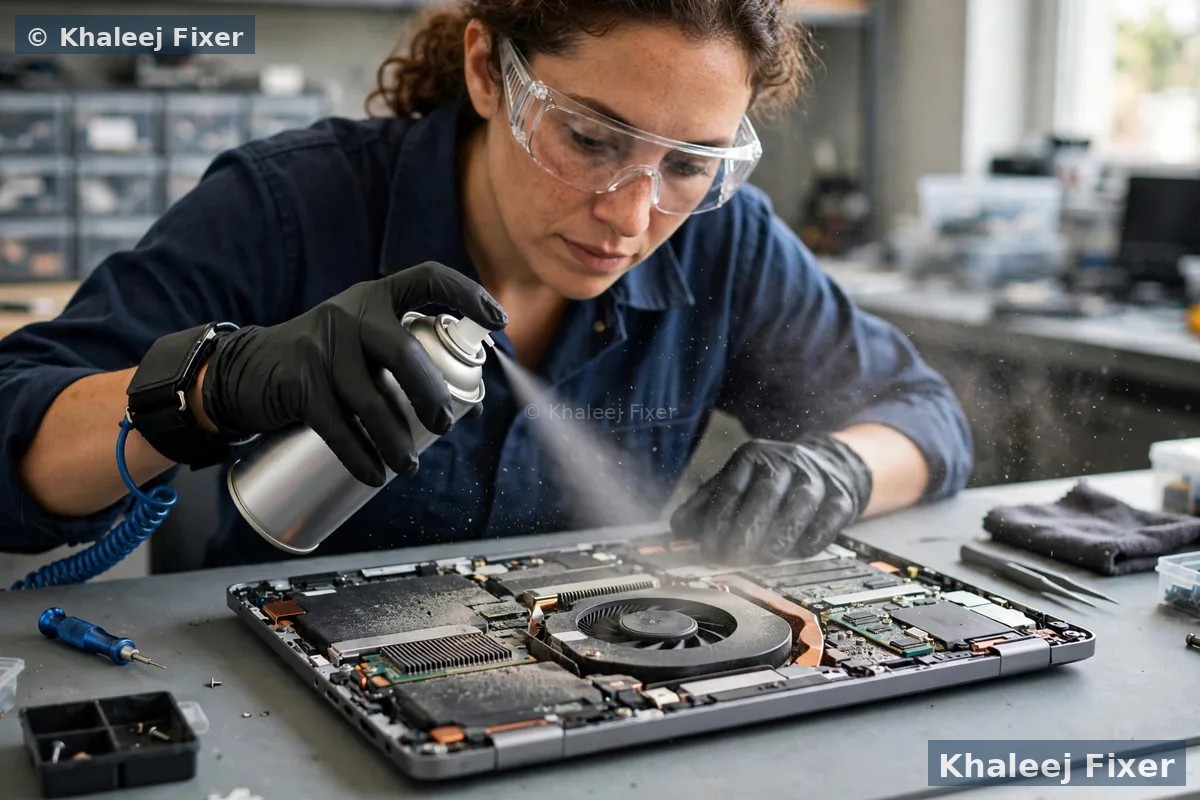
Why Sony Vaio laptops overheat in Sharjah
Every laptop makes heat as it works. The processor gets warm. The graphics chip gets warm too. The fan pulls cool air in from outside and pushes hot air out through the vents. When this cooling loop works well, your Vaio stays cool and runs at full speed. When one part of the loop fails, heat stays trapped inside the body. The Vaio then slows itself down to stay safe. That is why a hot Vaio almost always feels slow as well.
Sharjah adds its own load to this loop. Summer here is long and fierce. The air carries fine dust from roads, building sites, and open ground around new areas like Muwaileh and University City. That dust slips into the vents and settles on the fan blades. Month by month it builds into a thick felt layer. Air can no longer pass through it. The fan spins faster and louder, yet it still moves too little air. In our Sharjah workshop this dust block is the top cause of Vaio heat faults.
Dry thermal paste is the next big cause. Thermal paste is a thin layer between the processor and the heat sink. It carries heat from the chip into the metal fins. After years of use it dries out and turns hard. Then it stops carrying heat well. The chip heats up even when the fan is clean and strong. A fresh layer of paste often brings the heat right down.
A worn fan is the third cause. A fan has moving parts and they wear out with age. The bearings loosen. The fan turns slow or stops at times. A slow fan cannot push enough air out. A dead fan pushes none at all. The Vaio heats up fast and cuts off to guard itself. If your fan grinds, rattles, or stops and starts, it is likely worn out. For the full range of Vaio work in Sharjah, visit our Sony Vaio laptop repair in Sharjah hub. We also run the same heat service in Dubai on our Sony Vaio overheating repair in Dubai page.
Signs your Vaio is running too hot
A Vaio that runs too hot tells you in plain ways. Look out for these signs:
The base stays hot to touch. Some warmth after heavy work is normal. But a base that stays hot during simple browsing means the heat has no way out. The cooling loop is blocked or the paste is dry.
The fan is loud all the time. A fan should spin up for a short time during heavy work and then settle down. A fan that roars while you only read email is not normal. Dust in the vents or dry paste is the likely cause.
The Vaio switches off on its own. The laptop turns off with no warning and no error. This is the safety cut off. The Vaio cuts power before the heat harms the chip. A shutdown like this is a clear call for help. Never ignore it.
Work slows down after an hour. The Vaio starts quick in the morning. After an hour of use, typing lags and video calls stutter. This is heat throttling. The processor slows itself down to cool off.
Almost no hot air leaves the vents. Hold your hand near the vent. You should feel warm air moving out. If you feel next to nothing while the fan roars, dust is blocking the vent and hot air is trapped inside.
The battery dies fast and feels warm. Heat ages a battery fast. A hot Vaio often has a battery that loses charge early. If the battery swells or the base lifts up, switch the Vaio off at once and bring it in. Our Sony Vaio battery replacement in Sharjah page covers battery signs in full.
The Vaio restarts during heavy work. Video editing, long video calls, or many tabs at once can push a hot Vaio past its limit, so it restarts to guard itself. Check our guide on laptop overheating fix for the full heat check and more home tips.
If you see two or more of these signs, book a free diagnosis. We measure the real heat on your Vaio. We check the fan, the vents, the paste, and the battery. Then we name the true cause before any work starts.
What heat does to your Vaio if you leave it
Heat does more than slow your Vaio down. It wears out parts one by one and shortens the life of your laptop. Most owners only learn this when a part fails. Here is what heat does, part by part.
The battery ages fast. Heat is the worst enemy of a laptop battery. A battery that lives in a hot Vaio loses its charge fast and may swell. A swollen battery is a safety risk. It can lift the trackpad and press on the board. If your battery also dies fast, read our Sony Vaio battery replacement in Sharjah page.
The board takes damage. The motherboard holds hundreds of tiny joints. Heat makes them swell and shrink again and again. Over time, a joint can crack. The Vaio then fails in odd ways. It may stop charging, lose WiFi, or refuse to turn on. Our Sony Vaio motherboard repair in Sharjah page covers board faults in full.
Your files are at risk. A hard drive hates heat. It works harder when it is hot. It can build bad sectors and lose files. An SSD copes better with heat, but it still ages faster when it runs hot. If your photos, office files, or study notes matter to you, fix the heat before the drive fails.
The screen and hinges suffer too. Heat rises to the screen hinges and the screen cable. Over time, the cable can fail and the screen may flicker. The hinges can also turn stiff from heat and dust. Our Sony Vaio hinge repair in Sharjah page covers hinge faults, and our Sony Vaio screen replacement in Sharjah page covers screen faults.
The point is plain. A hot Vaio costs you more the longer you wait. A fan clean today costs far less than a board repair next month. Fix the heat early and your Vaio will last years longer.
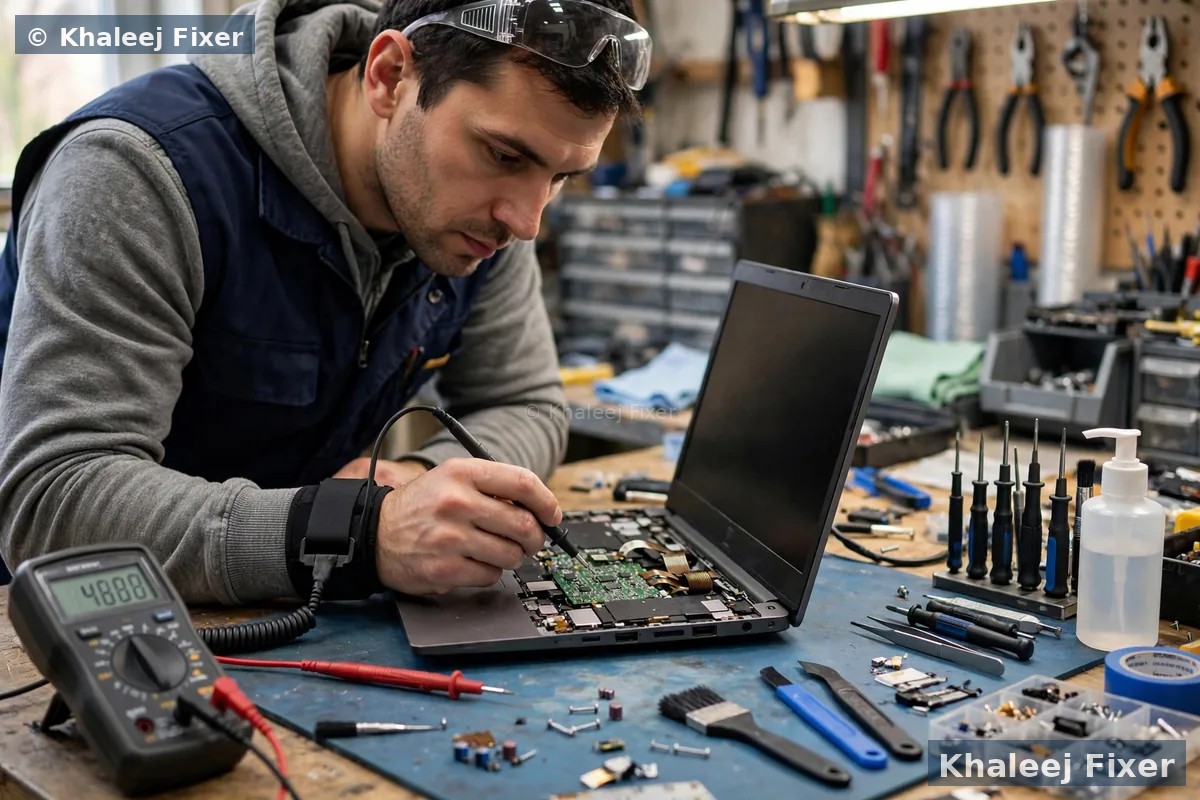
Fan cleaning and vent service in Sharjah
Most overheating Vaios in Sharjah need a good clean first. Dust is the cause in most cases we see. Our fan cleaning is a full bench service, not a quick blow of air from outside. We open the Vaio, take the fan out, clean the blades, and clear the vent fins by hand. We clean the full air path from the intake to the exhaust.
Blowing air from outside can push dust deeper and spin the fan too fast, which wears the bearings. We never do that. We clean with the Vaio open, so the dust leaves the machine for good. We also check the fan bearings while the fan is out. A fan that wobbles or grinds needs a swap, not a clean.
After the clean, we test the Vaio under load. We run your normal work and watch the heat. The fan should stay quiet during light work. The base should feel warm, not hot. If the heat is still high after a full clean, the paste is the next suspect. We tell you first, before any extra work.
Thermal paste: the small job that cools a lot
Thermal paste is a grey paste that sits between the processor and the heat sink. It fills the tiny gaps between the chip and the metal. Heat moves through the paste into the fins, and the fan blows that heat out. When the paste is fresh, heat moves fast and the chip stays cool.
After years of use, the paste dries out. It turns hard and crumbly and stops moving heat well. The chip gets hot even when the fan works fine. This is common in Vaios that are five or more years old. A Vaio with dry paste can run hot even after a full fan clean. Fresh paste fixes it.
We use good quality paste. We clean off every bit of the old paste first. We put on the right amount. Too much paste spills out and traps heat. Too little leaves gaps. The right amount is a thin even layer. We then fit the heat sink back and test the Vaio under load.
A paste change is often done in the same visit as a fan clean. The two jobs go well together. The Vaio is already open and the heat sink is already off. Doing both at once saves you a second visit. For general laptop repair work across Sharjah, visit our laptop repair in Sharjah page.
When the fan itself needs to be replaced
A clean cannot fix a worn fan. Fans have moving parts and they wear out with use. Here are the signs that your Vaio fan needs a swap, not a clean.
Grinding or clicking noise. A healthy fan hums softly. A worn fan grinds, clicks, or rattles. The sound comes from loose bearings. It gets worse over time and it will not heal on its own.
The fan stops and starts. The fan spins, then stops, then spins again. The Vaio may show a fan error at startup. The motor or the fan cable is failing.
No air moves at all. The fan spins but you feel no air at the vent. The blades may be broken, or the fan may spin too slow to move air. A slow fan looks fine from outside, but it still cannot cool the Vaio.
We fit fans made for your exact Vaio model. Vaio E, Fit, Pro, S, and Z each use a different fan, and the wrong fan will not fit the mount or the cable. We check stock for your model before we quote. The swap takes under an hour in most cases. The new fan carries the 2-month warranty on our work.
Which Vaio models run hot in Sharjah, and why
We repair heat faults on all Sony Vaio lines used in Sharjah. Each line has its own heat weak spots. The way you use the Vaio matters too. A student in University City, a shop owner in Rolla, and an office worker in Al Majaz all push their Vaios in different ways.
Vaio E series. The common home and office machine. It has one fan and a simple vent path. Dust blocks that path fast in Sharjah. E series Vaios often need a clean every year or two here. A clean plus fresh paste brings them back to cool running.
Vaio Fit series. Slim and light, a favourite with students. The slim body leaves little room for air, so the small fan must spin fast to move enough air. Fit models run warm by design and suffer most from blocked vents. A clean makes a big difference on these.
Vaio Pro series. Ultra light business machine. Very thin, with a small heat sink. Pro models rely on good paste and a clean fan. Some hold memory fixed onto the board, which adds heat near the chip. We check the exact Pro model first.
Vaio S series. The sturdy all rounder. It copes well with heat when clean. S series machines often arrive with dust packed in the vents after years of office use in Al Qasimia and Al Nahda. A full service restores quiet running.
Whichever Vaio you own, the fix starts the same way. A free diagnosis, real heat readings, and the true cause named before any work starts. If your Vaio also has a slow drive, ask about an upgrade while it is open.
Safe steps you can try at home today
Some heat problems need a bench service. But a few safe steps can help right away. Try these today. They cost nothing and they will not harm your Vaio.
Use a hard flat surface. A bed or a sofa blocks the vents under the Vaio, so the fan cannot pull air in. Use a desk or a table. A laptop stand helps even more. It lifts the Vaio and lets air flow under it.
Keep the vents clear. Look at the vents on the side and the base. Wipe the dust off the outside with a dry cloth. Do not push dust in with a sharp tool. Do not blow hard into the vents from outside, as that pushes dust deeper inside.
Close heavy programs you do not need. Many tabs and programs at once push the processor hard. Close what you are not using. The Vaio will run cooler at once.
Keep the Vaio out of direct sun. A Vaio left near a sunny window in a Sharjah afternoon starts hot before you even switch it on. Keep it in shade and let it cool before heavy work.
If these steps do not help, the cause sits inside the Vaio. Dust in the vents, dry paste, or a worn fan all need a bench service. Bring it in for a free diagnosis and we will find the true cause.
Free pickup across Sharjah for your overheating Vaio
No need to drive across Sharjah with a hot Vaio. We collect your Vaio from your home or office anywhere in Sharjah, free of charge. The pickup runs seven days a week, from 11 AM to 11 PM. Message us on WhatsApp with your area and your Vaio model. We confirm a pickup time the same day in most cases.
Al Nahda, Al Majaz, and Al Qasimia. Homes and offices near the Corniche and the lake, where a hot Vaio slows a whole work day. One pickup can cover several office machines, with one job note for the batch.
Muwaileh, University City, and Al Taawun. Students and staff whose Vaios run hot during long study sessions and online classes. Evening pickup means you lose no class time.
Rolla, Al Khan, and Al Nahda. Shops and small businesses where a Vaio is the till, the accounts book, and the office in one. Fast pickup keeps your shop running.
We also pick up in Al Buhaira, Al Ghaz, Al Falaj, Al Mansoura, Al Shahba, Abu Shagara, and the rest of Sharjah. If you prefer to walk in, our workshop sits in Industrial Area 2, Sharjah. Call first so we can plan the heat service for your model.

The overheating repair process, step by step
1. Free pickup and free diagnosis. We collect the Vaio from your home or office in Sharjah, or you can bring it to our workshop in Industrial Area 2. We measure the heat under load and check the fan, the vents, the paste, and the battery.
2. Final quote before work. You get a clear quote after diagnosis, with the clean, the paste change, or the fan swap named. No work starts without your yes. Starting prices are on our price list page.
3. Clean and service. We open the Vaio, clean the fan and the vents by hand, and change the thermal paste where needed. We fit a new fan if yours is worn.
4. Heat test under load. We run the Vaio hard and watch the heat. We check that the fan stays quiet during light work and the shutdowns are gone. The Vaio only leaves when the heat stays in a safe range.
5. Delivery and 2-month warranty. Free delivery back to you anywhere in Sharjah, with a 2-month warranty on the repair work. If the Vaio runs hot again in that time, bring it back and we look at it free.

Keep your files safe while the Vaio runs hot
A Vaio that shuts down from heat can lose unsaved work in a second. A document you were typing, a form you were filling, or a design you were editing can vanish when the power cuts off. Save your work often while the Vaio runs hot. Better still, copy your key files to a USB drive or cloud storage before you bring the Vaio in.
We never touch your files without a need. The heat service works on the fan, the vents, and the paste. Your drive stays as it is. If the drive itself shows heat wear, we tell you first and we only act with your yes.
If your Vaio has already lost files after a heat shutdown, tell us at once during the free diagnosis. We can check what the drive still holds and guide you on the next step.
How to keep your Vaio cool in Sharjah heat
A heat fix is only half the story. How you use the Vaio decides how soon the heat comes back. These habits keep a serviced Vaio cool for longer in Sharjah.
Clean the vents every few months. Wipe the outside vents with a dry cloth. Sharjah dust builds fast, so a quick wipe every few weeks helps a lot.
Give the Vaio air. Always use it on a hard flat surface. A stand is best. Never run it on a bed, a sofa, or a thick cloth.
Rest the Vaio after heavy work. After a long video call or a big file task, let the Vaio idle for a few minutes. The fan will settle and the heat will drop.
Book a clean once a year. A yearly fan clean and vent check is the best guard against heat in Sharjah dust. It costs far less than a board repair and it keeps the Vaio fast.
If you live in Al Nahda, Al Majaz, Muwaileh, Al Qasimia, Rolla, University City, Al Taawun, or Al Khan, our free pickup makes that yearly clean easy. Message us and we will set a time that suits you.
Turnaround time and warranty in Sharjah
Most Vaio heat services in Sharjah finish the same day. A fan clean and a paste change take a few hours. A fan swap waits on stock for your exact model. We confirm the timing with your quote and we never promise a time we cannot keep.
Every overheating repair carries a 2-month warranty. The warranty covers the clean, the paste change, and the fan we fitted. Keep your job note and message us if you see a problem. We will help you fast.
Frequently Asked Questions
Why does my Sony Vaio overheat in Sharjah?
The most common causes are dust in the vents, old dry thermal paste, and a worn fan. Sharjah dust blocks the air path fast, and summer heat adds to the load. The fan then cannot move enough air out. A free diagnosis shows which cause is behind the heat on your Vaio.
How much does Sony Vaio overheating repair cost in Sharjah?
The cost depends on the cause. A fan clean costs less than a fan swap. A paste change sits in between. See our price list page for starting prices. The final quote always comes after the free diagnosis, and no work starts without your yes.
Can overheating damage my Sony Vaio permanently?
Yes, if it goes on for months. Heat wears out the battery, cracks board joints, and ages the drive early. The Vaio guards itself by slowing down and shutting off, but long term heat still causes harm. Fix the heat early to avoid a costly board repair later.
How long does Sony Vaio overheating repair take in Sharjah?
Most heat services finish the same day. A fan clean and a paste change take a few hours. A fan swap waits on stock for your exact Vaio model. We confirm the timing with your quote and never promise a time we cannot keep.
Is it safe to keep using a Vaio that runs hot?
It is safe for a short time, but it is not a good idea for long. A hot Vaio slows down, drains the battery fast, and risks board damage. If it shuts down on its own, switch it off and bring it in. Do not keep forcing it to run through shutdowns.
Will a fan clean fix my overheating Vaio?
In most cases, yes. Dust is the most common cause we see in Sharjah. A full clean of the fan and the vents often brings the heat right down. If the paste is dry or the fan is worn, we tell you during the free diagnosis and quote the extra work before we start it.
Should I replace the thermal paste on my Sony Vaio?
If your Vaio is five or more years old and still runs hot after a clean, yes. Old paste dries out and stops moving heat from the chip to the heat sink. A fresh layer of good quality paste often drops the heat a lot. It is a small job with a big result.
Do you pick up overheating Sony Vaio laptops from all Sharjah areas?
Yes. Free pickup covers Al Nahda, Al Majaz, Muwaileh, Al Qasimia, Rolla, University City, Al Taawun, Al Khan, Al Buhaira, Al Ghaz, Al Falaj, Al Mansoura, Al Shahba, Abu Shagara, and the rest of Sharjah. You can also walk into our workshop in Industrial Area 2, open 7 days from 11 AM to 11 PM.
Hot Vaio in Sharjah? Get a free diagnosis and a heat fix today.
Message us on WhatsApp or call. Free pickup across Sharjah, free diagnosis, final quote before any work, 2-month warranty.
Free Diagnosis • Free Pickup & Delivery • 2-Month Warranty • Open 7 Days 11AM to 11PM