
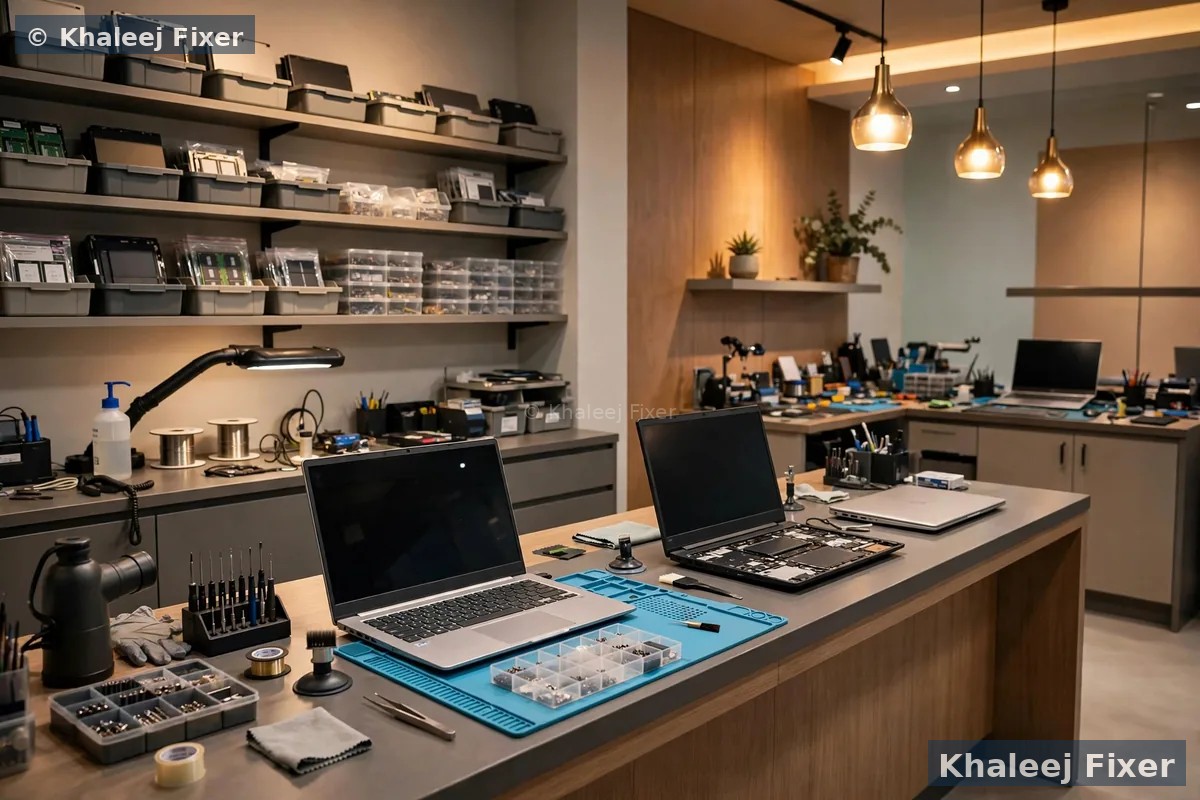
One honest point before you read on
Khaleej Fixer is an independent repair center. We are not an official Asus service center, and we never claim to be. What independence means for you is simple.
First, you get honest advice. Our technicians fix Asus laptops every day, with genuine-grade parts and a 2-month warranty. We will tell you honestly which route fits your Asus better, even when the answer is not us.
Second, the official route is named plainly. The authorized Asus service provider in the UAE is DG Help. Its dedicated Asus service centers are in Dubai, at Times Square Center, and in Abu Dhabi, at Abu Dhabi Mall. In Sharjah it offers drop-off only, at Sharaf DG stores in City Centre Sharjah in Al Khan, Mega Mall Sharjah, and City Centre Al Zahia in Muwaileh. If your Asus is still under Asus warranty and the fault looks like a manufacturing fault, go to DG Help first. That route may repair it free.
Third, we are the fast local choice after warranty. If the fault is a cracked screen, a spill, a dead battery, or any fault on an Asus out of warranty, the official route will charge you anyway, and your laptop may travel to Dubai. Then a trusted independent workshop in Sharjah, with a real walk-in counter in Industrial Area 2, is the faster and simpler choice.
Who brings an Asus to us in Sharjah
Asus makes laptops for very different people, and each group brings a different fault through our door. Here is who we see most, and what each one usually needs.
Students in University City and Muwaileh. VivoBook and ZenBook laptops that carry lectures, assignments, and exam prep. The common faults are cracked screens from bags, dead batteries that die mid lecture, and slow laptops full of files. Students need the laptop back fast, so we plan same-day work around class times when we can.
Gamers in Al Majaz, Al Nahda, and Al Khan. ROG Strix, ROG Zephyrus, and TUF Gaming laptops that run hot by design. The common faults are loud fans, sudden shutdowns mid game, and heat that throttles the frame rate. Gaming laptops need cooling service first, not new parts. We clean the fans, replace dried paste, and test under load.
Offices and small shops in Rolla, Al Qasimia, and Al Taawun. VivoBook and ExpertBook laptops that run the business day. The common faults are charging ports that loosen, keyboards that miss keys, and laptops that take minutes to start. A dead office laptop costs a work day, so we offer free pickup and a clear quote before any work starts.
Families across Sharjah bring Asus laptops that serve the whole home. Homework, video calls, movies, and online shopping all run on one machine. The common faults are swollen batteries, broken hinges, and screens that flicker. We fix the fault, and we tell you plainly if the laptop is worth fixing or better replaced.
What goes wrong on an Asus laptop in Sharjah
Asus faults follow patterns. The same faults walk through our door every week, from the same models, with the same causes. Here they are, grouped by what you actually see on the laptop. If your fault matches one of these, you already know roughly what the fix looks like.
The screen is cracked, lined, or black. A VivoBook slips off a desk in Al Majaz. A bag drops on the stairs in Rolla. A ZenBook lid closes on a pen left on the keyboard. The screen shows lines, or a black patch, or nothing at all. The files inside are usually fine. Slim Asus screens crack easily, because the lid is so thin. We match a new display panel to your exact model and fit it the same day in most cases. Our Asus laptop screen replacement page covers screen faults in full.
The battery dies fast, or the laptop says the battery needs service. A VivoBook that used to last all day now dies before lunch. A ZenBook that shuts down at 20 percent. A battery that swells and pushes the keyboard or the trackpad up. Batteries wear out with every charge cycle, and Sharjah heat speeds that up. We test the battery, the charger, and the charging port first, so the fix targets the real cause. A swollen battery is a safety issue. Stop using the laptop and bring it in. Our Asus laptop battery replacement page covers battery signs in full.
The laptop will not turn on at all. No light, no fan, no screen. This can be the charger, the charging port, the battery, or the motherboard. Do not keep pressing the power button. Each press can stress a weak board more. Bring it in for a free diagnosis. A dead Asus often holds a healthy SSD, so your files may still be safe inside.
Water or tea went in. A cup tips over on the keyboard in an Al Khan office. Tea spills on a VivoBook in a Muwaileh study room. Liquid damage is a race against corrosion. Switch the laptop off at once. Unplug the charger. Do not try to dry it with heat, and do not switch it on to check if it still works. We strip the laptop down, clean the motherboard by hand, and test every part. Fast action matters most, so message us the moment it happens.
The hinge is loose, stiff, or cracked. VivoBook hinges take a lot of daily use, and a stiff hinge pulls at the screen cable and the lid. A hinge that clicks or resists when you open the lid is a small job now and a big job later. We tighten, repair, or replace the hinge, and we check the screen cable at the same time.
Keys miss, stick, or type the wrong letter. A spill kills keys fast. Dust under the keys stops them from pressing. A single dead key can be the keyboard, the cable, or the board. We test all three before we quote, so you never pay for a keyboard when the fault is a loose cable.
The laptop gets hot, the fan runs loud, and games slow down. Dust blocks the vents. Old paste dries out. The fan works harder and harder. A ROG or TUF laptop that slows down during a game is usually asking for a cooling service, not a new board. We clean the fans, replace dried paste, and test under load, so the fix holds when the game gets heavy.
If you are not sure what is wrong, that is fine. That is what the free diagnosis is for. Message us on WhatsApp, describe the fault in your own words, and we will tell you the next step.
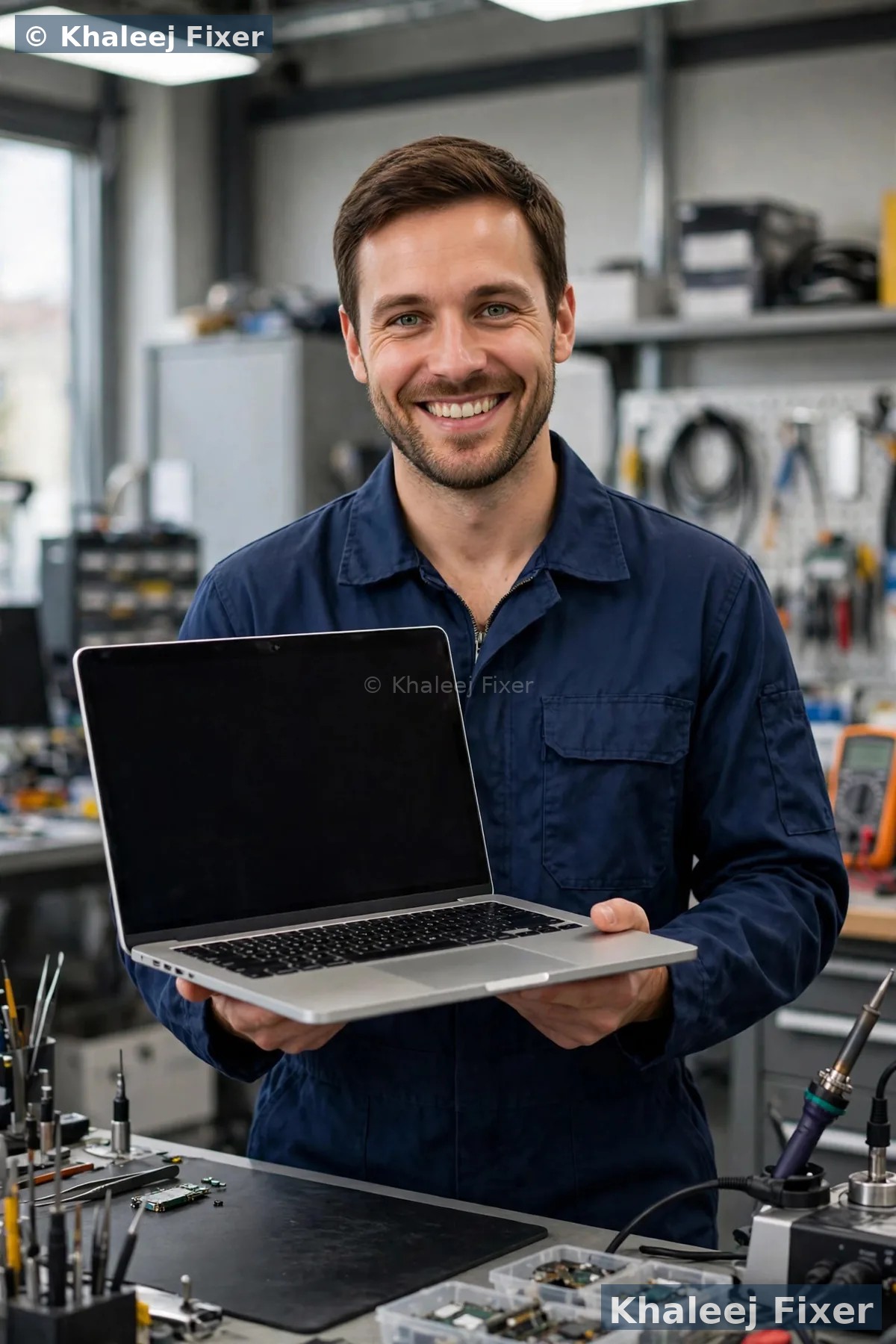
Every Asus is checked by its exact model number first. A VivoBook 15 and a ZenBook 14 may look alike, but they take different screens, different batteries, and different boards.
VivoBook, ZenBook, ROG, TUF, ExpertBook: what each one needs
Asus makes many laptop lines, and each one has its own layout, its own parts, and its own weak spots. A shop that treats every Asus the same will fit the wrong screen or miss the real fault. We check your exact model first, then we match the part to that model. Here is what each Asus line usually needs from a service center.
VivoBook, the everyday favourite. VivoBook 14, 15, and 16, plus the VivoBook S series. Students carry them to University City. Office staff carry them to Al Majaz. VivoBook screens crack easily, because the lids are slim. VivoBook hinges loosen with daily use. VivoBook batteries are the most common swap we do. Parts are widely available, so most VivoBook repairs are fast and fair.
ZenBook, the premium ultrabook. ZenBook 13, 14, Duo, and Flip. Thin, light, and built for people who travel. ZenBook screens are superb, and they are also costly to replace, so exact part matching matters most here. A wrong panel will lose touch, or the OLED colour, or the high refresh rate. ZenBook batteries are glued in on some models, so a battery swap needs careful removal by hand.
ROG, the gaming flagship. ROG Strix, ROG Zephyrus, and ROG Flow. Big screens, strong graphics, and fans that work hard. ROG laptops run hot by design, so cooling service matters. Fans wear out. Paste dries out. Vents clog with dust. A ROG that shuts down during a game usually needs cooling service first. High refresh screens need exact panel matching, or the refresh rate will drop.
TUF Gaming, the tough gamer. TUF Gaming A15 and F15. Built to take knocks, and popular with students who game after class. TUF laptops collect dust fast, because the fans pull in a lot of air. Thermal paste dries out sooner under heavy gaming. We clean the cooling system and test under load, so the fix holds when the game gets heavy.
ExpertBook, the business laptop. ExpertBook B series for offices and small shops. Sturdy, plain, and made to work all day. The common faults are charging ports that loosen, keyboards that miss keys, and slow starts from old drives. ExpertBook parts are easy to source, so repairs are usually quick.
Not sure which Asus you own? Check the sticker on the base, or open the MyASUS app, or send a photo on WhatsApp and we confirm it free. The model number on the base helps us match parts exactly. For the full range of Asus repairs across both cities, see our Asus laptop repair in Dubai hub, which covers Dubai and Sharjah.
How your Asus gets fixed here, step by step
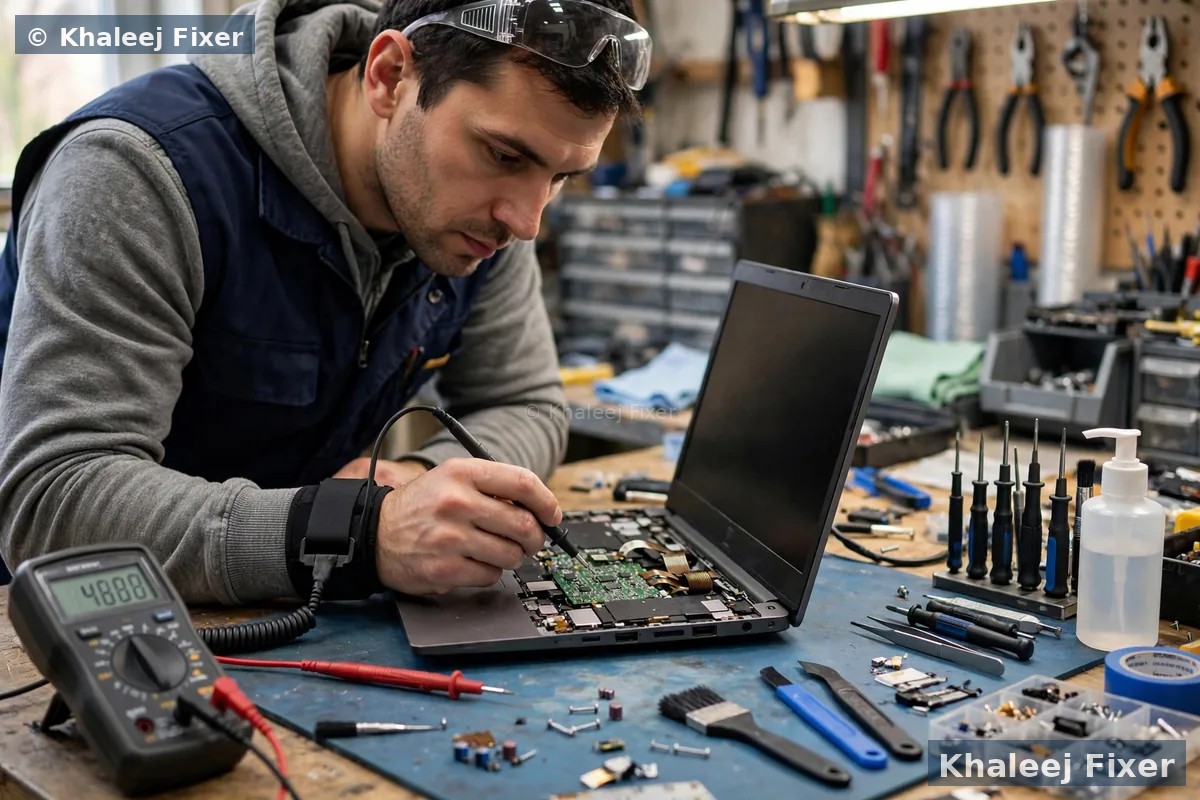
A service center is not a counter. It is a workshop with a clear process. You should know exactly what happens to your Asus from the moment you contact us to the moment it comes back to you. Here is our process at the Asus laptop service center in Sharjah, step by step.
1. You tell us what happened. Message us on WhatsApp or call. Tell us the Asus model, the fault you saw, and when it started. If the laptop had a spill or a fall, say so. An honest history helps us pick the right checks. Your Asus model number sits on the base sticker. Send it to us and we can confirm the exact model before you travel.
2. Free pickup or walk in. We collect the Asus from your home or office anywhere in Sharjah, free of charge. Or you walk into our workshop in Industrial Area 2, any day from 11 AM to 11 PM. Bring the charger if you have it. The charger helps us test the laptop, but the diagnosis can start without it.
3. Full bench check, free. We open the Asus and test it on the bench. We check the screen, the battery, the charger, the keyboard, the touchpad, the motherboard, the SSD, the fan, and the ports. We run the MyASUS diagnostics and a battery health report where they help. We check the SSD first when your files matter.
4. Plain words, no jargon. We tell you what we found in simple words. What failed, why it failed, and what it will take to fix it. If more than one thing is wrong, we list them all, so you can choose what to fix now and what to leave.
5. Final quote before any work. You get a clear quote after diagnosis, with the repair and any part swaps named. Starting prices are on our price list page. No work starts without your yes. If you say no, the diagnosis still costs you nothing.
6. Tested handover with warranty. When the work is done, we test the Asus fully before we hand it back. Screen, battery, keyboard, touchpad, ports, fan, and sound all get checked. Gaming laptops get tested under load, so the cooling fix holds. You get a 2-month warranty on the repair and the parts we fitted. A free diagnosis is not a sales trick. You deserve to know what is wrong before you spend anything. That is why the diagnosis is free on every Asus, every time.
Every Asus repair we do in Sharjah, under one roof
You should not have to visit one shop for a screen, another for a battery, and a third for data recovery. Our workshop handles the full range of Asus repairs in Sharjah. Here is what we do, and what each job involves.
1. Asus screen replacement
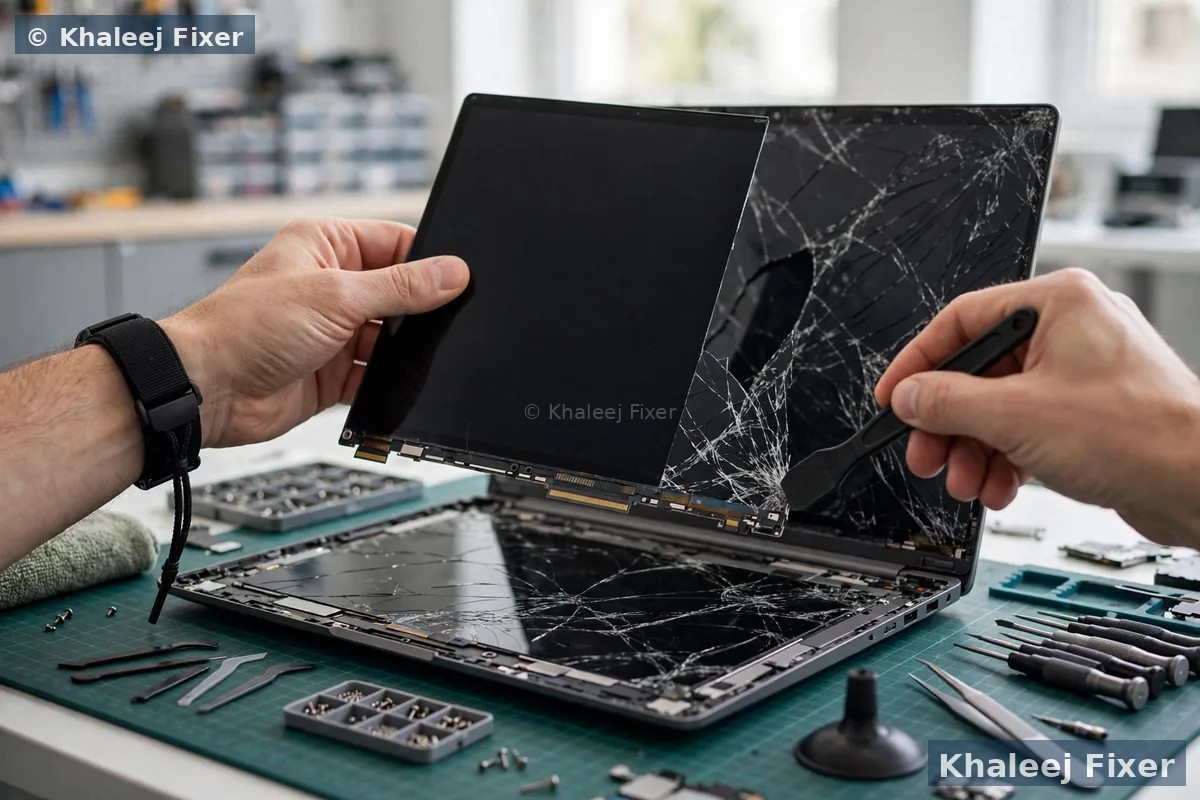
Cracked screen, lines, flicker, or a black patch. We match a new display panel to your exact Asus model by part number. Size alone is not enough. Resolution, connector, touch, and refresh rate must match too. Our Asus laptop screen replacement page covers screen faults in full. Most screen swaps finish the same day when the part is in stock. For the full screen service across brands, see our laptop screen replacement page.
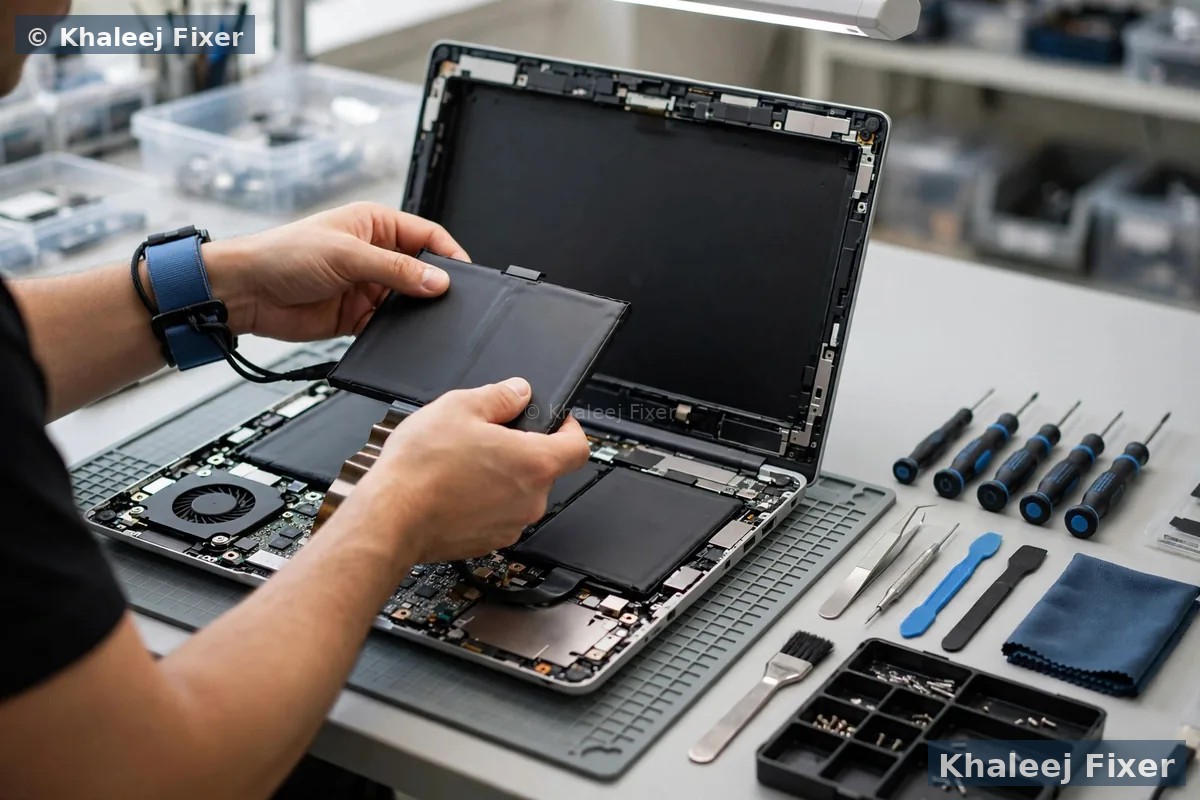
2. Asus battery replacement
Battery dies in an hour, drains fast, or swells and pushes the keyboard up. Asus batteries are glued in on some models, so removal needs care by hand. We test the battery, the charger, and the charging port first, so the fix targets the real cause. A swollen battery is a safety issue. Stop using the laptop and bring it in. Our Asus laptop battery replacement page covers battery signs in full. For the full battery service across brands, see our laptop battery replacement page.
3. Asus motherboard repair
An Asus that will not turn on, or a charging circuit that failed, often needs board level work. We test the charger, the port, and the board step by step. Many board faults can be fixed at chip level with micro-soldering, which costs far less than a new board. If a board cannot be saved, we tell you straight before you spend anything.
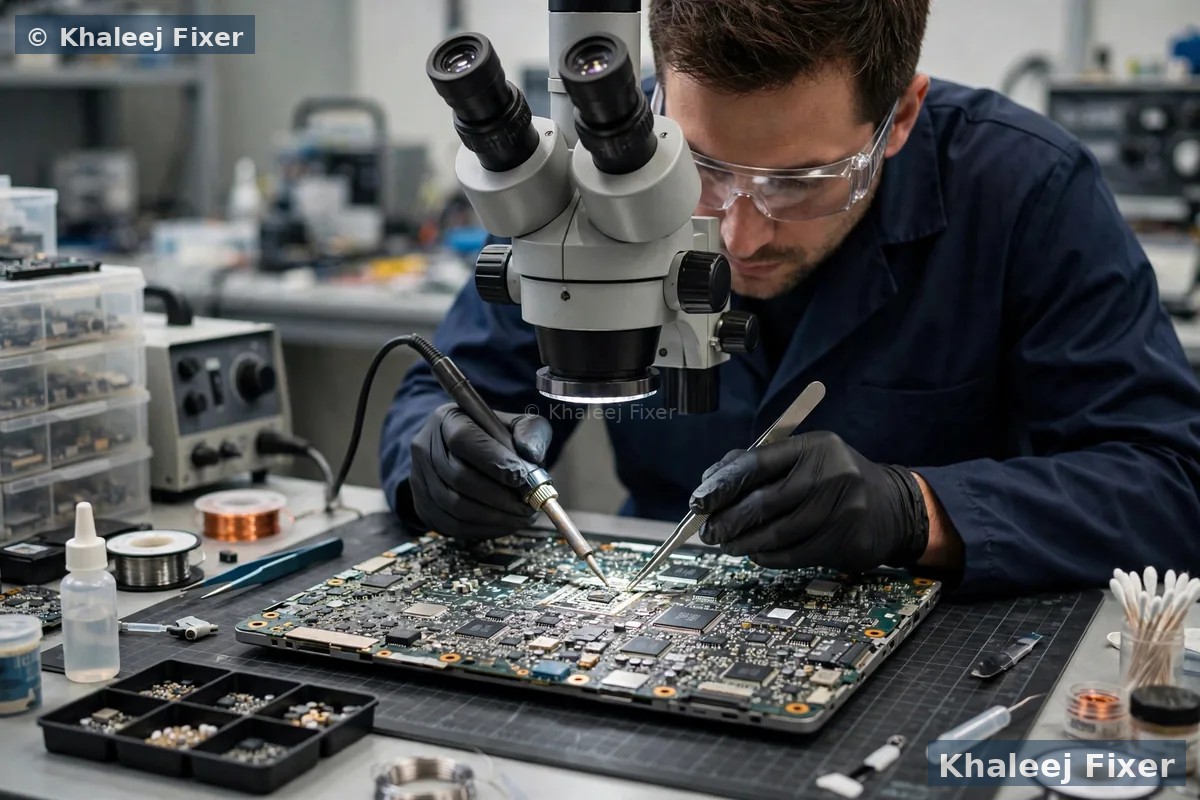
4. Asus keyboard and touchpad repair
Keys that miss, stick, or type the wrong letter. Spills kill keys fast, and dust stops them from pressing. Touchpads fail after a spill, a cable fault, or a swollen battery pressing from below. We test whether the fault is the keyboard, the touchpad, the cable, or the board. A full keyboard swap is a common job, and backlit keyboards are matched to your exact model.
5. Asus liquid damage repair
A spill on an Asus keyboard is a race against corrosion. Switch it off at once. Unplug the charger. Do not try to dry it with heat. We strip the laptop down, clean the motherboard by hand, and test every part. The SSD comes out first, so your files stay safe while the board is cleaned. Fast action matters most, so message us the moment it happens.
6. Asus data recovery
A thesis, client work, or family photos sit on an Asus that will not boot. The SSD is often fine even when the board is not. We take the SSD out first and check it on its own. We copy your files to a safe drive, and your files stay private at all times. On newer Asus models with soldered storage, recovery needs board level work, and we tell you honestly what is possible before we start.
7. Asus SSD and RAM upgrades
An Asus that takes minutes to start, or keeps saying the disk is full, usually needs more storage or more memory. On most VivoBook and ExpertBook models we fit a larger SSD and move your files across, and we add RAM where the board allows it. On some slim ZenBook models the RAM is soldered to the board, so an upgrade is not possible, and we will tell you that plainly instead of selling you a job that cannot be done. Your files stay safe, and we test the upgrade fully before handover.
8. Asus cooling and fan service
An Asus that gets hot, fans loud, and slows down is asking for a clean. Dust blocks the vents. Old paste dries out. The fan works harder and harder. A cooling service often restores full speed in one visit. ROG and TUF Gaming models need this service more often than VivoBook models, because heat is part of how they work.
ROG and TUF gaming laptops need cooling first
Gaming laptops are the hardest working laptops we see. A ROG Strix or a TUF Gaming A15 pushes its graphics card and its processor hard for hours at a time. That heat has to go somewhere. When dust blocks the vents, or the thermal paste dries out, the laptop protects itself by slowing down. The game stutters. The frame rate drops. The fan screams. Many owners think the laptop is dying. Most of the time it just needs a proper cooling service.
Our cooling service opens the laptop, cleans the fans and the heat sink fins by hand, replaces the dried thermal paste with fresh paste, and checks both fans for wear. Then we test the laptop under load with a real game or a stress test, so we know the fix holds when the game gets heavy. We also check the Armoury Crate fan settings with you, so the laptop runs in the right mode for how you use it.
Gamers in Sharjah should book a cooling service once a year, or sooner if the fan noise grows or the frame rate drops. A yearly clean costs far less than a dead graphics chip, and it keeps the laptop fast for years. If the fan itself is worn, we fit a genuine-grade replacement matched to your exact ROG or TUF model.
Your Asus and its warranty: read this first
Asus covers every new laptop with a limited warranty, and the warranty period varies by model and by where it was bought. The warranty covers manufacturing faults. It does not cover a cracked screen, a spill, or a battery worn out by heavy use. That is the line that decides which route fits you.
If your Asus is still in warranty and the fault looks like a manufacturing fault, go to the authorized route first. DG Help is the Asus Authorized Service Center in the UAE, with dedicated centers in Dubai at Times Square Center and in Abu Dhabi at Abu Dhabi Mall, plus drop-off at Sharaf DG stores in Sharjah. That route may repair it free, and a free official repair is never worth missing.
If your Asus is out of warranty, or the fault is accidental damage, the authorized route will charge you anyway, and it can take days. Then an independent workshop in Sharjah is the faster and simpler choice. We repair out of warranty Asus laptops every day, with genuine-grade parts and a 2-month warranty on our work and the parts we fitted.
One more honest point. An independent repair can affect the rest of an Asus warranty, so if your Asus is still in warranty, talk to the authorized route before you let any independent shop open it. We will ask about your warranty status during the free diagnosis, and we will tell you straight if the authorized route is the better first step.
Free pickup in every Sharjah area, and a walk-in workshop in Industrial Area 2
You should not carry a broken Asus across Sharjah. A cracked screen can spread. A wet laptop can spread liquid further with one wrong bump in the car. We collect your Asus from your home or office anywhere in Sharjah, free of charge. The pickup runs seven days a week, from 11 AM to 11 PM. Message us on WhatsApp with your area and your Asus model. If the fault is urgent, our emergency laptop repair in Sharjah page covers same-day urgent cases.
Al Nahda, Al Qasimia, Al Majaz, and Al Khan. Busy home areas and offices where one Asus often serves the whole family. Muwaileh, University City, Rolla, and Al Taawun. Students who need their Asus back fast for classes and exams, and old Sharjah shops where Asus laptops have served for years. Evening pickup is available, so you do not lose a work day.
Al Bu Daniq, Al Falaj, and the rest of Sharjah. We also pick up in Al Buhaira, Samnan, Al Ramla, Maysaloon, Al Ghaz, Al Mansoura, Al Shahba, Abu Shagara, Al Juraina, and the rest of Sharjah. If you prefer to walk in, our workshop is at 41 St, Industrial Area 2, Sharjah, close to Al Nahda, Al Majaz, and Muwaileh. Call first so we can plan the bench time for your model before you travel. For Asus repairs in Dubai, see our Asus laptop service center in Dubai.
When you walk in, we log the job in front of you and give you a job note with your name and the Asus details. The free diagnosis starts the same day in most cases. Simple checks can finish while you wait.

Should you fix your Asus or replace it?
Customers often ask if an Asus is worth fixing, or if they should just buy a new one. Asus laptops are good value, so the answer is often different from a premium brand. The honest answer depends on the fault, the model, and what the laptop holds.
Repair is the right call when the fault is limited. A cracked screen, a tired battery, a dead keyboard, or a slow drive can all be fixed. The Asus comes back with new parts and a 2-month warranty, at a cost well below a new machine. This is the most common result we see in Sharjah.
Repair is the right call when the Asus still does the job. A VivoBook that still runs your office apps well, or a ROG that still plays your games well, is worth fixing. If the board and the screen are healthy, a battery or a screen swap can give your Asus years more life. A gaming laptop that still meets your needs is worth a cooling service, not a new purchase.
Repair is a bad call when the board is badly burnt. Heavy corrosion under the main chips, or a board that shorted while the charger was plugged in, can mean the board is gone. If the fix would cost more than the Asus is worth, or if the fix would not last, we tell you straight. We never charge for a repair that will not last.
Your files can still be saved even when the Asus cannot. A dead board does not always mean dead files. We take the SSD out and check it on its own. In many cases the drive is fine, and we copy your files to a safe place. That alone is worth the free diagnosis.
We never push a repair you do not need, and we never push a new Asus on you. Our job is to give you the facts, then let you decide.
How long will it take, and what does the warranty cover?
A simple repair often finishes the same day or the next day. Screen swaps, battery swaps, and simple cleans are quick jobs when the part is in stock. Students with an exam the next day should tell us at once, so we can plan the bench time around the deadline. Board work takes longer. A rare Asus part may need a few days to source. Data recovery takes longer still, because a weak drive must be cloned slowly. We confirm the timing with your quote, before any work starts.
Every repair at our service center carries a 2-month warranty on our work and on the parts we fitted. The warranty covers the repair and the parts. It does not cover a new spill or a new drop. Keep your job note and message us if you see a problem. We will help you fast.
Wondering what moves the cost of an Asus repair? See our price list page for starting prices. The final quote always comes after the free diagnosis.
Keep your Asus healthy in Sharjah heat
A service visit should be a fresh start for your Asus. A few small habits will keep it running well for years. These habits matter most in Sharjah, where dust and heat wear laptops down fast.
Keep the vents clear. Dust is the slow killer of Asus laptops in Sharjah. It blocks the vents, the fan works harder, and the laptop runs hot. Wipe the vents once a week. Do not use the laptop on a bed or a sofa, where cloth blocks the air. A hard flat surface is best.
Keep drinks away from the Asus. Put your cup on the far side of the desk, away from the laptop. A cup with a lid helps too. A keyboard cover stops small spills from reaching the board.
Use the right charger. Asus laptops charge through a barrel jack or USB-C. Use the charger that came with your Asus, or a good charger matched to your model. A cheap charger can hurt the battery and the board over time. If your Asus charges through USB-C, use a good cable, not a loose one from a drawer.
Let the battery breathe. If your Asus lives on a desk, unplug it now and then and let the battery run down a little. Sitting at full charge all day is the fastest way to age lithium cells. The MyASUS app shows your battery health, so check it once a month.
Open the lid with care. Hold the lid in the middle, not at one corner. A one-corner pull twists the hinge and the screen cable. If the hinge ever feels stiff, bring it in early. A stiff hinge is a small job now and a big job later.
Keep a backup of your files. A small backup drive or a cloud copy means a dead drive can never take your files. Back up your photos and documents once a week. Students should back up assignments the same day they finish them.
If your Asus ever acts strange again, message us early. A small sign today is a small fix. A small sign left for a month can become a dead board.
Frequently Asked Questions
Is there an Asus laptop service center in Sharjah?
Yes. Khaleej Fixer runs a dedicated Asus laptop service center in Sharjah, from our workshop in Industrial Area 2. We handle every Asus repair under one roof. You get a free diagnosis, free pickup across Sharjah, and a 2-month warranty.
Are you an official Asus service center?
No. We are an independent repair center, not an official Asus service center. What we offer is careful, honest repair work by technicians who fix Asus laptops every day, with genuine-grade parts and a 2-month warranty. The authorized Asus service provider in the UAE is DG Help, with dedicated centers in Dubai and Abu Dhabi and Sharaf DG drop-off points in Sharjah. If your Asus is still in warranty, go to the authorized route first.
How much does Asus laptop repair cost in Sharjah?
The cost depends on your Asus model, the fault, and the parts needed. See our price list page for starting prices. The final quote always comes after the free diagnosis.
Which Asus laptop models do you repair in Sharjah?
We repair all Asus laptop models used in Sharjah, including VivoBook 14, 15 and 16, ZenBook 13, 14, Duo and Flip, ROG Strix, Zephyrus and Flow, TUF Gaming A15 and F15, ExpertBook, and Chromebook. Not sure which Asus you own? Check the sticker on the base, or open the MyASUS app. Or send a photo on WhatsApp and we confirm it free.
Do you pick up Asus laptops from all Sharjah areas?
Yes. Free pickup covers Al Nahda, Al Majaz, Muwaileh, Al Qasimia, Rolla, University City, Al Taawun, Al Khan, Al Bu Daniq, Al Falaj, and the rest of Sharjah. You can also walk into our workshop at 41 St, Industrial Area 2, open 7 days from 11 AM to 11 PM.
How long does Asus laptop repair take in Sharjah?
Easy and common repairs finish the same day in most cases. Board work, rare parts, and data recovery take longer. We confirm the timing with your quote.
Can you save my files if my Asus laptop will not turn on?
Often yes. An Asus that will not turn on usually has a board or power fault, not a storage fault. We take the SSD out, read it on our bench, and copy your files to a safe drive. On newer Asus models with soldered storage, recovery needs board level work, and we tell you honestly what is possible before we start.
My Asus laptop battery is swollen. What should I do?
Stop using the laptop at once. Do not charge it, and do not press the swollen area. A swollen battery is a safety issue. Message us on WhatsApp and we will arrange a free pickup, or bring it to our workshop in Industrial Area 2. We remove the battery safely and fit a genuine-grade replacement matched to your exact model.
Your Asus needs a service center? Get a free diagnosis today.
Message us on WhatsApp or call. Free pickup across Sharjah, free diagnosis, final quote before any work, 2-month warranty.
Free Diagnosis • Free Pickup & Delivery • 2-Month Warranty • Open 7 Days 11AM to 11PM