
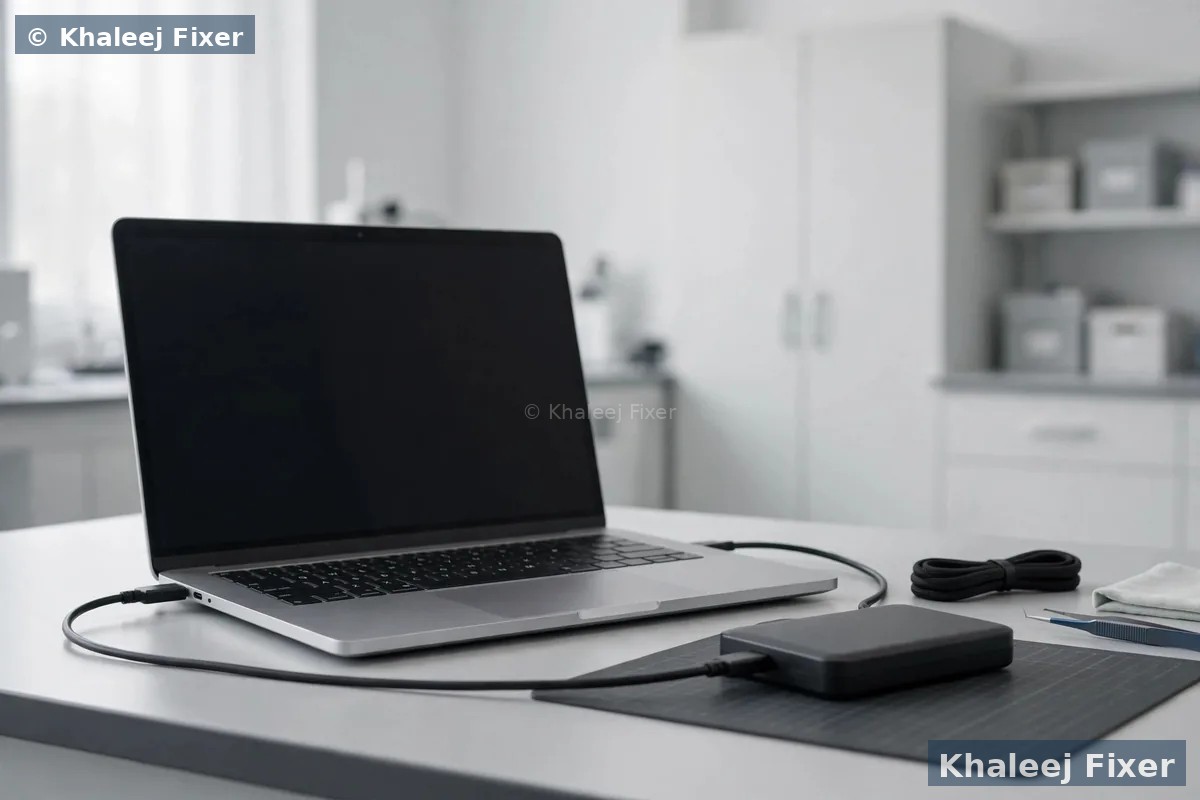
Why Vaio data loss needs a Vaio specialist in Sharjah
Sony stopped making Vaio laptops years ago. Most Vaios still in use across Sharjah are older machines. Their drives have worked hard for years. Old hard drives wear out. Old SSDs lose cells over time. And Vaio storage is not one type. Some Vaios hold a normal hard drive. Some hold an NVMe SSD. Some hold a SATA SSD. A few hold storage fixed straight onto the board. Each type fails in its own way. Each type needs its own recovery method. A shop that treats them all the same can lose data that a careful shop would have saved. That is why Khaleej Fixer built a dedicated Sony Vaio data recovery Sharjah service, with bench tools made for Vaio drives and Vaio storage types.
Sharjah heat adds to the load. Summer here is long. Dust from roads and building sites slips into vents and settles on the fan. A hot Vaio wears its drive out faster. A Vaio that shuts down from heat again and again can build bad sectors on the drive. We see this often in our Industrial Area 2 workshop. The drive fails slowly, then one morning the Vaio will not boot at all. If your Vaio also runs hot, our Sony Vaio overheating repair in Sharjah page covers heat faults in full. Fix the heat and you guard the drive too.
A dead Vaio does not mean dead data. The board can fail while the drive stays fine. The screen can fail while the drive stays fine. The battery can fail while the drive stays fine. In these cases we take the drive out, read it on our bench, and copy your files to a safe drive. The Vaio repair is a separate job. Your files do not wait for it. For the full range of Vaio work in Sharjah, visit our Sony Vaio laptop repair in Sharjah hub. We run the same data recovery service in Dubai on our Sony Vaio data recovery in Dubai page, and the full Dubai Vaio range sits on our Sony Vaio laptop repair in Dubai hub.
Signs your Vaio needs data recovery now
Data loss rarely gives much warning. Watch for these signs in your daily use:
Clicking or grinding sound from the drive. A healthy drive is quiet. Clicks, ticks, or grinding mean the drive heads are failing. Switch the Vaio off at once. Do not keep turning it on to test it. Every start can scratch the drive surface more.
Vaio will not turn on at all. The files may still be fine inside. A dead board, a dead battery, or a failed charging circuit can stop the Vaio while the drive stays healthy. If the battery is the suspect, our Sony Vaio battery replacement in Sharjah page covers battery signs in full. But the data comes first, whatever the fault is.
Blue screen or boot loop. The Vaio starts, shows an error, and restarts again and again. Windows may be damaged, not your files. We read the drive directly and pull the files out without booting Windows.
Drive not shown at all. The Vaio says no boot device, or the drive is missing from the boot list. The drive may have failed, or the board may not see it. We test the drive on our bench to find which one it is.
Files deleted by mistake. Photos, documents, or a whole folder gone after a wrong click. Deleted files often stay on the drive until new data writes over them. Stop using the Vaio. Every download and every save can overwrite what you want back.
Vaio very slow with files that will not open. Files that open halfway, photos that show half grey, documents that say corrupt. The drive may have bad sectors. We clone it first, then recover from the clone, so the weak drive is read only once.
Screen stays black but the Vaio sounds alive. The fan spins and the lights come on, yet nothing shows on the screen. The screen may have failed while the drive stays fine. Our Sony Vaio screen replacement in Sharjah page covers screen faults. We read the drive first either way, so your files are safe before any screen work starts.
If the Vaio had a spill, bring it in fast. Liquid eats drive circuits over days. A drive that works today can fail next week. Do not wait to see if it dries out on its own. It will not.

Free pickup across Sharjah: every area we cover
You do not need to drive across Sharjah with a dying Vaio. We collect your Vaio from your home or office anywhere in Sharjah, free of charge. The pickup runs seven days a week, from 11 AM to 11 PM. Message us on WhatsApp with your area and a short note on what happened to your files. We confirm a pickup time the same day in most cases.
Al Nahda, Al Majaz, and Al Qasimia. Homes and offices near the Corniche and the lake, where a dead Vaio can stall a whole work day. One pickup can cover several office machines. One job note covers the whole batch.
Muwaileh, University City, and Al Taawun. Students and staff whose Vaios hold study notes, theses, and years of class work. Evening pickup means you lose no class time. Tell us it is urgent and we move it to the front of the queue.
Rolla, Al Khan, and Al Nahda. Shops and small businesses where one Vaio holds the till records, the accounts, and the customer files. A dead drive here can stop a shop. Fast pickup keeps your business running.
We also pick up in Al Buhaira, Al Ghaz, Al Falaj, Al Mansoura, Al Shahba, Abu Shagara, and the rest of Sharjah. If you prefer to walk in, our workshop sits in Industrial Area 2, Sharjah. Call first so we can check the bench time for your case before you travel.
What we can recover from your Vaio
Every Vaio holds a different mix of files. We recover all of these, when the drive allows it:
Photos and videos. Family photos, wedding videos, travel pictures, and phone backups stored on the Vaio. These are the files people miss most. We list what we found before you pay for the recovery.
Office documents. Word files, Excel sheets, PDFs, and presentations. Accounts, invoices, contracts, and project files. We recover them with their names and folders intact where the drive allows it.
Emails and contacts. Outlook data files and saved mail. Business email history that cannot be downloaded again. We pull the mail file out whole when we can.
Business data. Tally files, billing records, and shop databases from small offices in Rolla and Al Majaz. One Vaio often holds the whole business. We treat these jobs as urgent.
What we cannot promise is a fixed number. No honest shop can promise 100 percent recovery before seeing the drive. Some drives give back everything. Some give back most of it. A few give back nothing. The free diagnosis tells you which case you are in, and what we found, before you agree to anything.

Deleted files and formatted drives: what really happens
Deleting a file does not erase it at once. Windows only marks that space as free. The file stays on the drive until new data writes over that spot. This is good news, but only if you act fast. The more you use the Vaio after the delete, the more chance new data lands on your old files. A single Windows update, a new download, or a big save can wipe out what you want back.
A formatted drive works the same way in most cases. A quick format clears the file list. It does not wipe every sector. The files often sit there still, with no names pointing to them. We scan the drive sector by sector and rebuild the file list from what is still there. Photos come back well from a formatted drive. Documents come back well too, when nothing new was written after the format.
The worst case is a full format, or a drive that was formatted and then used again for weeks. New data writes over the old files piece by piece. Some files come back whole. Some come back half broken. Some are gone for good. We tell you honestly what we found after the scan. We never charge for files we could not save.
The rule is simple. The moment you notice files are gone, stop using the Vaio. Switch it off. Do not install recovery software on the same drive. Do not copy new files onto it. Bring it to us, or book a free pickup, and let us check what is still there. For general laptop data recovery on other brands, see our laptop data recovery in Dubai page.
Dead SSD, clicking hard drive, water damage, and corrupt files
Not all data loss is the same. The fault decides the method. Here is how we handle each type of Vaio drive failure in Sharjah.
Dead SSD. Many newer Vaios, like the Vaio S, Vaio Z, Vaio SX14, and Vaio FE14, run on NVMe or SATA SSDs. An SSD has no moving parts, so it fails in silence. One day it works, the next day the Vaio says no boot device. SSD recovery starts with the drive board and the memory chips. We test the SSD on our bench. If the chips are sound, we read them directly. If the SSD controller failed, we work around it. SSD recovery is slower work, and the free diagnosis tells you if it is worth trying.
Clicking hard drive. Older Vaios hold a spinning hard drive. A click means the drive heads are failing. Every minute it runs can make it worse. Switch the Vaio off and bring it to us. We clone the drive sector by sector before we try to read the files. That clone is the safety net. If the drive dies during recovery, the clone still holds your data.
Water damaged drive. A spill on a Vaio can reach the drive fast. Water on the drive board causes shorts. It also eats the circuits over days, even after the Vaio looks dry. Do not switch a wet Vaio on to test it. That one test can kill the drive for good. Bring it in as it is. We clean the board, test the drive on the bench, and read it before the damage spreads.
Ransomware and corrupt files. A Vaio locked by ransomware, or files that open as garbage, needs care. We never pay a ransom for you. We first check if the files are locked or only damaged. Some ransomware leaves copies of files in shadow copies or in old folders. Corrupt files from a bad drive sector can often be rebuilt from the clone. We check what is still readable, then tell you plainly what can be saved and what cannot.
Whatever the fault, the order stays the same. Diagnose first, clone the weak drive, recover from the clone, and show you the file list before you agree to anything. No work starts without your yes.
What to do first when your Vaio loses data
The first ten minutes after data loss matter more than the next ten days. Do this, in this order:
1. Switch the Vaio off. Hold the power button until it goes dark. Do not shut it down through Windows. A normal shutdown writes data onto the drive. A hard switch off writes nothing.
2. Do not switch it on again. Not to check if it fixed itself. Not to copy files to a USB stick first. Every start risks more damage, and every copy writes over deleted files.
3. Note what happened. What did you delete? Did the Vaio fall? Was there a spill? Did the drive start clicking? A short note helps us pick the right recovery method fast.
Then message us on WhatsApp or call. Tell us the Vaio model and what happened. We book a free pickup from your home or office, or you walk into our Industrial Area 2 workshop. The free diagnosis starts the same day in most cases.
What NOT to do when your Vaio loses data
Most lost data is lost twice. Once by the fault. Once by the fix someone tried at home. Avoid these mistakes:
Do not keep switching the Vaio on. A clicking drive scratches itself more with every start. A Vaio that shows a boot error can still be read once, if you stop trying to boot it.
Do not run disk repair tools on the same drive. Tools that fix disk errors can write over the very files you want back. A scan that says it fixed the drive may have deleted your photos for good.
Do not install recovery software on the same drive. Installing anything writes new data onto the drive. New data can land exactly where your deleted files sat. Recovery software belongs on a different drive, run by someone who knows the order of steps.
Do not open the hard drive. A hard drive needs clean air. Opening it in a normal room lets dust onto the disks. Dust on a disk kills data fast. Leave the drive sealed.
Do not freeze the drive. An old trick says to put a dead drive in the freezer. It does not work on modern drives. Cold makes metal shrink and water builds up inside when it warms up again. The drive dies faster, not slower.
If you already tried one of these steps, do not panic. Bring the Vaio in and tell us exactly what you tried. An honest history helps us pick the right recovery method.
How data recovery works, step by step
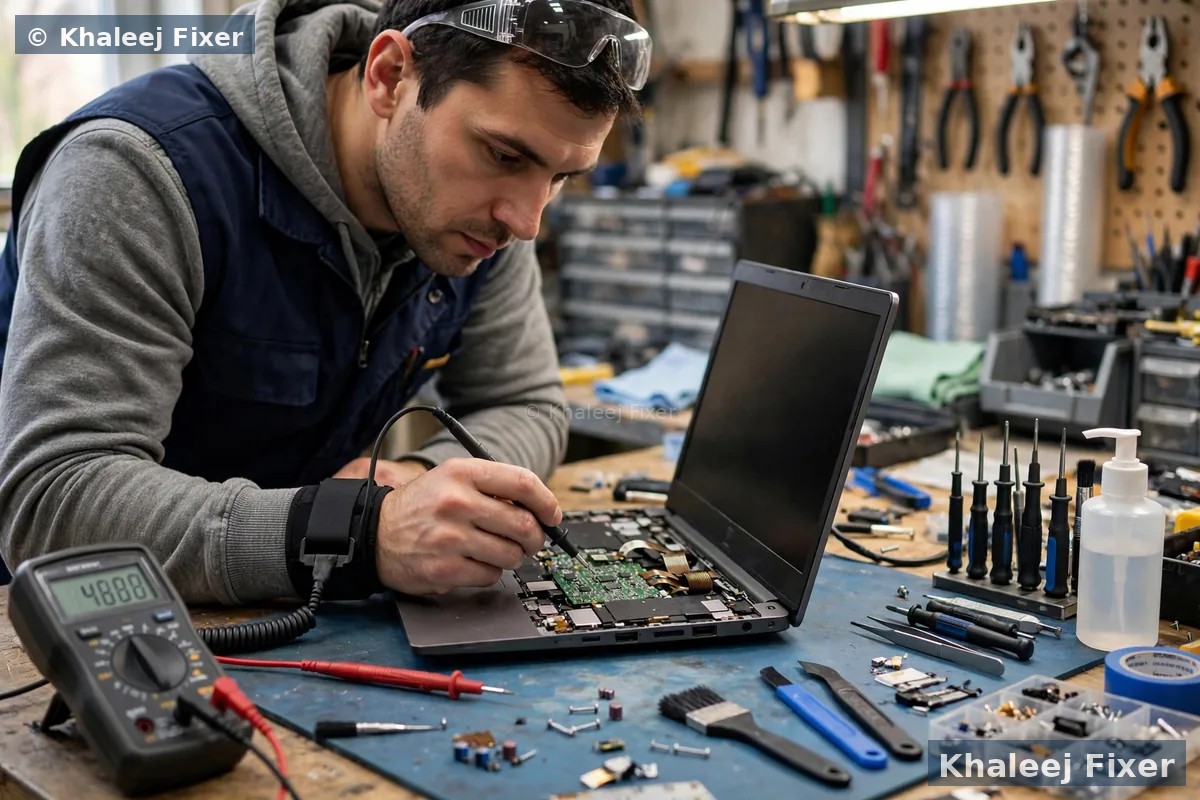
Data recovery is slow, careful work. There are no shortcuts. This is the order we follow for every Vaio in Sharjah:
1. Free diagnosis. We take the drive out of the Vaio and test it on our bench. We check if the drive spins, if the board sees it, and what kind of failure it has. We tell you what we found in plain words.
2. Clone first. For a weak or clicking drive, we copy it sector by sector to a healthy drive before we touch the files. The clone is the safety net. All recovery work happens on the clone, not on your dying drive.
3. File recovery. We rebuild the file list from the clone. We pull out the photos, documents, and mail files. We check that the files open, not just that their names exist.
4. You check the list. We show you what we found, with file names and sizes. You confirm which folders matter most. No recovery is finished until you have seen the list.
5. Handover on a safe drive. Your recovered files go onto a new external drive or a new SSD in the Vaio. Your old drive comes back to you as well, so nothing is lost in the handover.
Vaio models and storage types we recover from in Sharjah
Vaio storage changed across the years. We recover from all of these in Sharjah:
Vaio S series. The business workhorse, including SVS models and the newer Vaio S13. S series machines are common in Sharjah offices. Their drives often hold the whole business. We treat S series recovery as urgent.
Vaio Z series. The slim premium line. Z models often hold an NVMe SSD fixed close to the board. Recovery here starts with the SSD itself, not the board. We read the drive on our bench when the Vaio will not boot.
Vaio SX14. The newer 14 inch ultrabook with an NVMe SSD. Light and fast, a favourite with students in University City. Its SSD fails in silence, so a dead SX14 often surprises its owner. We test the SSD first, then the board.
Vaio FE14. The newer everyday Vaio with a SATA or NVMe SSD. FE14 machines are common in Sharjah homes. Their drives are easy to take out and read on the bench, so recovery is often quick.
Vaio E series. The mainstream Vaio, including SVE and SVF models. Most hold a standard 2.5 inch hard drive. These are the easiest drives to clone and recover from.
Vaio Fit series. The Fit 14 and Fit 15. Many hold a small mSATA SSD next to a hard drive, or a hybrid setup. We check both drives. Files can sit on either one.
Not sure which Vaio you own? The label on the base gives the model, usually starting with SV, VPC, or VGN. Send a photo on WhatsApp and we confirm it free. If the drive is healthy but the Vaio runs hot, our Sony Vaio overheating repair in Sharjah page covers heat faults in full.
Your files stay private during recovery
A Vaio often holds private photos, business accounts, and years of email. Data recovery means someone will see your file names. We take that trust seriously. Your files stay in our workshop. We do not upload them to any cloud. We do not copy them anywhere except the drive we hand back to you. We do not open your photos or read your documents. We check that a file opens, nothing more.
When the recovery is done, your old drive comes back to you. Our working copies are wiped from the bench. If your Vaio needs a new drive as well, the old drive still comes back with you. Nothing of yours stays behind.
Walk in at our Sharjah workshop in Industrial Area 2
Our workshop sits in Industrial Area 2, Sharjah, close to Al Nahda, Al Majaz, and Muwaileh. You can walk in with your Vaio any day of the week, from 11 AM to 11 PM. No booking is needed for a walk in, but a quick WhatsApp message first helps us plan the bench time for your case. Bring the Vaio as it is, with its charger if you have it. The charger helps us test the Vaio, but the data recovery starts with the drive, not the charger.
When you walk in, we log the job in front of you. We note the Vaio model, the drive type, and what happened to your files. You get a job note with your name and the Vaio details. For Sony Vaio data recovery Sharjah customers, the walk in and the free pickup both start the same way, with a free diagnosis on the bench. The drive is tested while you wait, or the same day in most cases, and the diagnosis tells you what can be saved before you agree to anything.
If you live far from Industrial Area 2, the free pickup is the easy option. We collect from Al Nahda, Al Majaz, Muwaileh, Al Qasimia, Rolla, University City, Al Taawun, Al Khan, and the rest of Sharjah. The Vaio comes back to you the same way, with your recovered files on a safe drive.
Turnaround time and warranty
Most logical recovery jobs finish in one to two days. Deleted files and damaged Windows setups are usually quick once the drive is cloned. Physical drive jobs take longer. A clicking drive needs slow cloning, and a drive with many bad sectors can take days to read fully. We confirm the timing with your quote. We never promise a time we cannot keep.
Every recovery job carries a 2-month warranty on the repair work we did. The warranty covers the work and the parts we fitted, such as a new drive. It does not cover a new spill or a new drop. Keep your job note and message us if you see a problem. We will help you fast. And keep a backup after recovery. A recovered drive is a drive that already failed once. A simple external drive or a cloud backup saves you from going through this twice.
Frequently Asked Questions
Can data be recovered from a dead Sony Vaio in Sharjah?
Often yes. A dead Vaio usually means a dead board, battery, or screen, while the drive inside stays healthy. We take the drive out, read it on our bench in Industrial Area 2, and copy your files to a safe drive. The free diagnosis tells you what can be saved before you agree to anything.
How much does Sony Vaio data recovery cost in Sharjah?
The cost depends on your Vaio model and the type of drive failure. See our price list page for starting prices. The final quote always comes after the free diagnosis, and no work starts without your yes.
Can you recover files from a clicking hard drive?
Often yes, if you switch the Vaio off at once and bring it in fast. We clone the drive sector by sector before we try to read the files, so the weak drive is read only once. Every extra start can make a clicking drive worse.
Can you recover deleted files from my Vaio?
Often yes. Deleted files stay on the drive until new data writes over them. Stop using the Vaio at once. Do not download anything and do not install recovery software on the same drive. Bring it in and we check what is still there.
Is my data safe and private during recovery?
Yes. Your files stay in our workshop in Industrial Area 2. We do not upload them to any cloud. We do not open your photos or read your documents. Your old drive comes back to you, and our working copies are wiped from the bench.
Can you recover data from a Vaio that will not turn on?
Yes, in most cases. A Vaio that will not turn on often has a board or power fault, not a drive fault. We read the drive directly on our bench without booting Windows, so your files come out even when the Vaio stays dead.
How long does Sony Vaio data recovery take in Sharjah?
Most logical recovery jobs finish in one to two days. Physical drive jobs take longer, because a weak drive must be cloned slowly. We confirm the timing with your quote and never promise a time we cannot keep.
Do you pick up Sony Vaio laptops from all Sharjah areas?
Yes. Free pickup covers Al Nahda, Al Majaz, Muwaileh, Al Qasimia, Rolla, University City, Al Taawun, Al Khan, Al Buhaira, Al Ghaz, Al Falaj, Al Mansoura, Al Shahba, Abu Shagara, and the rest of Sharjah. You can also walk into our workshop in Industrial Area 2, open 7 days from 11 AM to 11 PM.
Lost files on your Vaio in Sharjah? Get a free diagnosis today.
Message us on WhatsApp or call. Free pickup across Sharjah, free diagnosis, final quote before any work, 2-month warranty.
Free Diagnosis • Free Pickup & Delivery • 2-Month Warranty • Open 7 Days 11AM to 11PM