
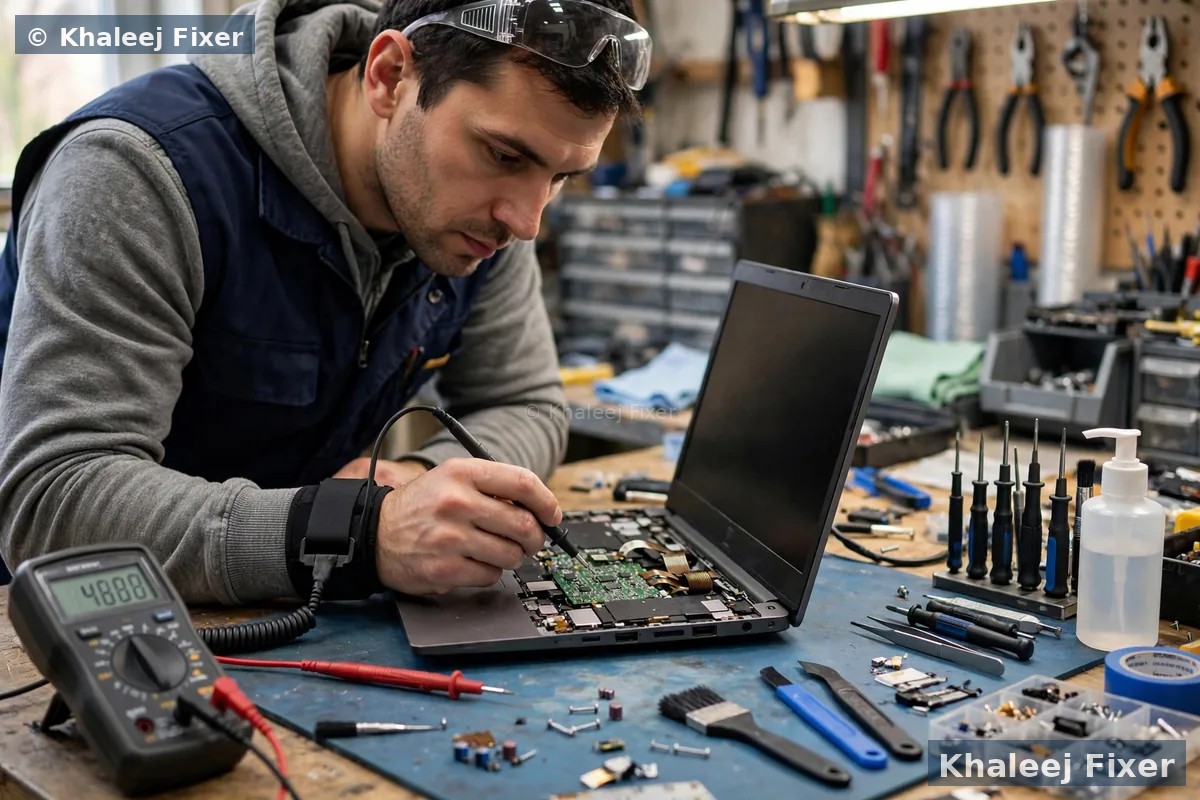
Short answer: the first five minutes matter most
1. A small spill on the keyboard, laptop still on. Switch it off at once. Unplug the charger. Turn it upside down in a tent shape over a towel so the liquid runs out. Do not switch it back on to test it.
2. The laptop went dead right after the spill. Do not charge it. Do not press the power button again. Each extra start can push power through wet parts and spread the damage. Bring it in as it is.
3. The laptop seems fine after a spill. It may not be fine. Water hides under the keyboard and on the board. It dries slowly there, and corrosion can start days later. Get a free diagnosis even if it works.
4. Tea, coffee, juice, or any sweet drink spilled. These are worse than plain water. Sugar and milk leave a sticky layer that keeps eating at the board after the liquid dries. A clean is needed even for a small spill.
5. The laptop fell in water or got soaked through. Do not shake it. Do not dry it with heat. Keep it upright with the lid closed and bring it to a workshop fast. A soaked laptop needs a full strip down and clean.
What water does inside your laptop, and why minutes matter
A laptop looks solid from the outside. Inside it is a different story. The keyboard has gaps around every key. The board sits just below it. The battery, the screen cable, and the storage drive all sit close together in a tight space. A spill does not need much liquid to reach them. A few spoonfuls of water can run through the keyboard gaps and land straight on the board.
Water itself is the first problem. It joins parts of the board that should never touch. When power runs through wet parts, it can short them out. That is why a laptop that was working after a spill can die when you switch it on again. The spill did not kill it. The power did. A board that is wet and off is far safer than a board that is wet and on.
The second problem is slower. Even after the water dries, it leaves behind salts and minerals. These eat at the thin metal tracks on the board. This is corrosion. It grows day by day. A laptop can work fine for a week after a spill, then start to fail key by key, or refuse to charge, or stop turning on. That is corrosion at work. The sooner the board is cleaned, the less corrosion can grow.
The third problem is the battery. Water can reach the battery connector and the charging circuit. A wet battery is a safety risk. It can swell, get hot, or stop charging. If your laptop feels hot after a spill, or if the base looks raised, stop using it and bring it in. Do not charge it. Our laptop battery replacement in Dubai page explains how a damaged battery is handled safely, and the same free diagnosis covers the spill too.
The first five minutes: what to do first after a spill
Stay calm and move fast. These steps take five minutes. Do them in this order.
Step 1: switch it off at once. Hold the power button until the screen goes black. Do not use the normal shut down menu. That takes too long. Just hold the button and cut the power. If the laptop is already off, leave it off. Do not press the power button to check if it still works. That check is the most common mistake after a spill, and it causes the most damage.
Step 2: unplug everything. Pull out the charger. Pull out any USB drive, mouse, external hard drive, or memory card. If the battery comes out without tools, take it out. Most modern laptops have a sealed battery, so do not force the base open. Just unplug the charger and move on.
Step 3: turn it upside down. Open the lid and turn the laptop upside down in a tent shape over a towel. The keyboard should face down. This lets the liquid run out through the same gaps it came in through. Leave it like that for a few minutes. Dab the outside dry with a soft towel. Do not wipe the keyboard hard. Wiping can push liquid deeper into the keys.
Step 4: take off anything that holds water. Remove the laptop sleeve or case. Take off any keyboard cover or screen protector that is wet. Dry the ports gently with the corner of a towel. Do not poke cotton buds or tissue into the charging port. Bits of tissue can stay inside and block the port later.
Step 5: message us or book a free pickup. Tell us what spilled and how much. Water, tea, coffee, or juice. A small splash or a full cup. That detail helps the technician plan the clean. If you are in Dubai or Sharjah, book a free pickup. If you bring it in yourself, carry it upright with the lid closed. Do not shake it on the way.
What never to do after a spill, and why rice does not work
Bad advice spreads fast after a spill. Friends mean well. The internet is full of quick fixes. Most of them make the damage worse. Here are the ones to avoid.
Never switch it on to check if it still works. This is the worst mistake. Power plus water equals a short circuit. A board that might have survived a clean can die in one second when you press the power button. Wait for a proper check. The laptop will still be there tomorrow. The board may not be, if you switch it on wet.
Never charge a wet laptop. The charger pushes power into the battery and the charging circuit. If water sits in the charging port or on the circuit, that power can burn the circuit out. Leave the charger unplugged until the laptop has been checked and cleaned.
Never dry it with a hair dryer. Hot air pushes water deeper into the laptop. It can melt glue under the keys. It can warp thin plastic parts. And it does not dry the board. It just moves the water to a new place inside. The same goes for putting the laptop in the sun or near a heater. Heat makes the damage worse, not better.
Never put it in rice. This is the most repeated myth about laptop water damage. Rice does absorb a little water from the air. But it cannot pull water out from under a keyboard or off a board inside a closed laptop. The laptop is sealed too well for rice to reach the wet parts. Worse, rice dust and small grains get into the ports, the fan, and under the keys. They stay there after the laptop dries. And while the laptop sits in rice for a day or two, corrosion grows on the board. Rice wastes the very time that matters most. A proper strip down and clean beats a bag of rice every time.
Never shake the laptop. Shaking spreads the liquid to parts that were still dry. A spill that only touched the keyboard can reach the board, the battery, and the screen cable after a good shake. Keep the laptop still. Carry it upright with the lid closed.
Never open a sealed laptop yourself. Modern laptops need special tools to open safely. A wrong move can tear a cable or crack the base. And opening it can void the warranty. If the laptop is still under warranty, check with the maker first. For a spill, most makers will charge for the repair anyway, because a spill is not a factory fault. In that case a trusted workshop is the faster route.
How to dry a wet laptop safely while you wait for help
Drying is not a repair. It is first aid. It buys time until a proper clean. Do it this way.
Keep it upside down in a tent shape. Open the lid to a wide angle and stand the laptop upside down over a dry towel. Leave it like that for at least a few hours. Gravity pulls the liquid out through the keyboard. Change the towel when it gets wet. This is the only drying step that truly helps.
Let air do the work. Leave the laptop in a dry room with good airflow. A fan blowing cool air across the room helps. Do not point a fan straight into the keyboard at full speed. Gentle airflow is enough. Cool air only, never warm air.
Wait longer than you think. A laptop can look dry on the outside while it is still wet inside. Water hides under the keys, under the battery, and in the gaps around the board. Give it at least 24 hours in the tent shape before anyone even thinks about power. Even then, do not switch it on yourself. Let a technician open it and check the board first. A dry outside does not mean a dry inside.
Wipe only the outside. Use a soft dry towel on the lid, the base, and the screen. Dab, do not rub. Rubbing the screen can scratch it. Rubbing the keyboard can push liquid deeper. If the screen has water spots, leave them. They can be cleaned properly later, once the laptop is safe.
Remember that drying alone does not fix laptop water damage. It only removes the free liquid. The salts and sugars stay behind. Only a strip down and a hand clean removes them. So drying is a holding step, not the end of the job.
Water, tea, coffee, and juice: not all spills are equal
Plain water is the least harmful spill. It still needs a clean, because it leaves salts behind. But it is the easiest spill to recover from if you act fast.
Tea and coffee are worse. They carry sugar and milk. Sugar leaves a sticky layer on the board. Milk leaves fats that go bad and corrode metal fast. A tea spill can glue keys down as it dries. The keys may feel sticky for days, then stop working one by one. Black tea or black coffee without sugar is closer to plain water. But tea or coffee with sugar and milk needs a full clean, even if the spill was small.
Juice and soft drinks are the worst common spill. They are full of sugar and acid. The acid eats at the board tracks. The sugar hardens into a crust that holds moisture against the board. A juice spill on the keyboard can kill keys in hours. If juice or a soft drink spilled, tell the technician at once. The clean needs to be deeper, and speed matters even more.
Rain and sea water need care too. Rain water is close to plain water, but it can carry dust and dirt into the laptop. Sea water is far worse. Salt water corrodes metal very fast. A laptop that got wet at the beach needs a clean the same day if possible.
Whatever spilled, write down what it was and how much. A small splash of water and a full cup of sweet tea are very different jobs. That detail helps the technician clean the right parts and give you a clear answer before any work starts.
Corrosion: the damage that shows up days or weeks later
Corrosion is the quiet part of laptop water damage. It does not happen in the first hour. It grows over days and weeks, long after the laptop looks dry. That is why so many people think their laptop survived a spill, then lose it a month later.
How corrosion starts. Water leaves salts and minerals on the board when it dries. Air moisture feeds them. They eat at the thin copper tracks and the tiny solder joints. At first nothing changes. Then a key stops working. Then the laptop charges slowly. Then it shuts down for no reason. Each sign means the corrosion has reached a new part.
Signs to watch for after a spill. Keys that miss, repeat, or type on their own. A trackpad that clicks wrong or feels stiff. A battery that drains fast. A charging light that blinks or stays off. A fan that runs loud all the time. A screen that flickers when you move the lid. Any one of these after a spill means the board needs a check, even if the laptop still turns on.
Corrosion can be stopped, but not by waiting. A technician strips the laptop down, cleans the board by hand, and removes the corrosion before it spreads. The sooner this happens, the more of the board can be saved. A clean in the first day is a small job. A clean after a month of corrosion is a bigger job, and some tracks may already be gone.
This is the real reason to get a free diagnosis after any spill, even a small one, even if the laptop works. The check is free. The clean is far cheaper than a dead board later. Our laptop motherboard repair in Dubai page explains how board damage is checked, and the same bench test covers a board that had a spill.
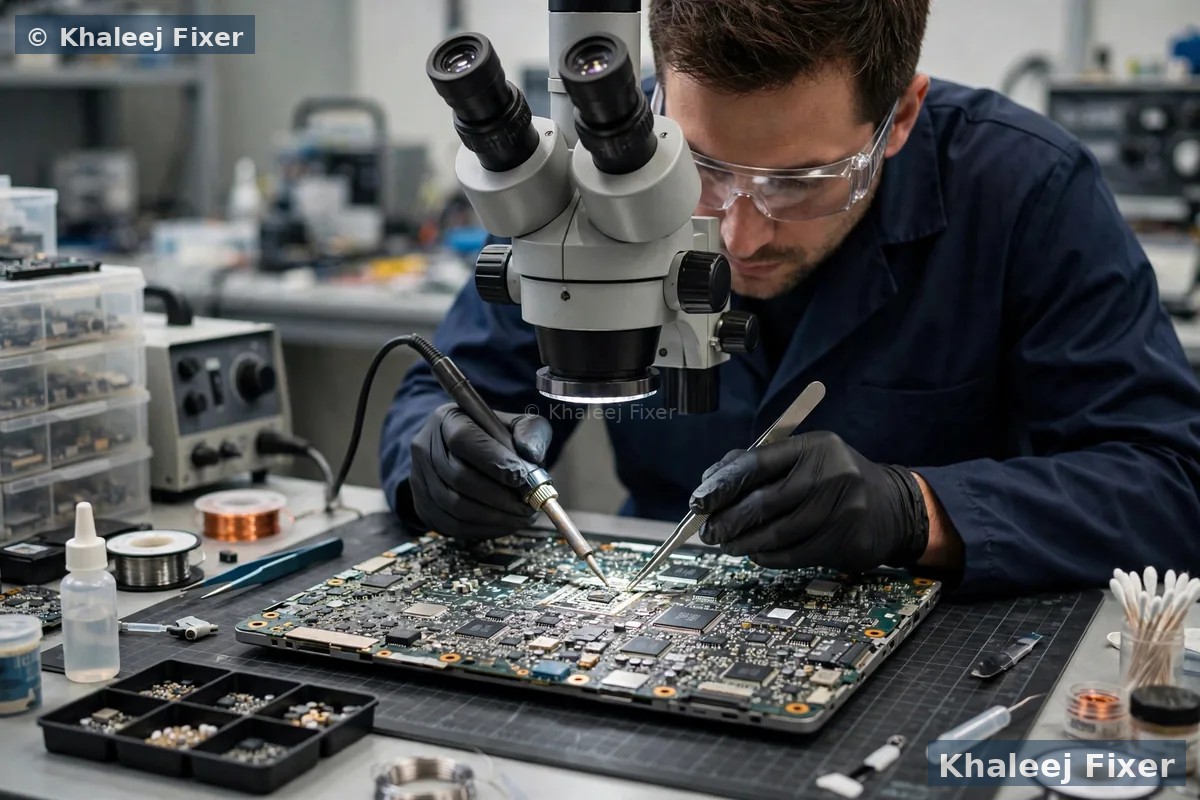
Spill symptoms: keyboard, trackpad, screen, and power
A spill shows up in different parts of the laptop. Each symptom tells the technician where the liquid went. Here is what to look for.
Keyboard keys miss, stick, or type on their own. The keyboard is the first part a spill hits. Liquid runs between the keys and onto the thin sheet below them. Keys may feel sticky. They may type twice. They may stop working in a row or a patch. A keyboard that types on its own after a spill is a clear sign of liquid under the keys. Do not keep typing to test it. Each press can push liquid deeper.
Trackpad clicks wrong or stops responding. The trackpad sits below the keyboard, right where liquid pools. A spill can reach the trackpad cable and make the cursor jump or the click feel dead. A swollen battery can press on the trackpad too, and a spill can make a battery swell. If the trackpad feels raised or stiff after a spill, stop using the laptop and bring it in.
Screen flickers, shows lines, or stays black. Liquid can reach the screen cable through the hinge, or sit on the edge of the screen itself. A flicker that starts after a spill points to the cable or the screen connector. A black screen after a spill may mean the laptop is dead, or it may mean only the screen is hurt. An external monitor test tells the difference, but only a technician should run it on a wet laptop. Our laptop screen replacement in Dubai page explains how a screen and its cable are tested after a spill.
Laptop will not turn on after a spill. This is the most feared symptom. It may mean the board shorted out. It may also mean the battery or the charging circuit took the hit while the board is fine. Do not keep pressing the power button. Each press can do more harm. Read our guide on a laptop not turning on for the safe checks that apply when the laptop is dry, but remember that a wet laptop needs a strip down first, before any power test.
Battery drains fast or will not charge. Water on the battery connector or the charging circuit can break charging. The laptop may run only on the charger, or the charging light may blink. A blinking charging light after a spill is a warning. Unplug the charger and bring the laptop in. Charging a wet battery is a safety risk.
Write down every symptom you see. Note which keys fail. Note if the screen flickers when you move the lid. Note if the laptop gets hot. That record helps the technician a lot, and it saves time in the free diagnosis.
Laptop fell in water? A soaked laptop is a different job
A splash on the keyboard is one thing. A laptop that fell in a pool, a bath, or a bucket is another. When a laptop goes under water, liquid reaches every part at once. The board, the battery, the storage drive, the screen, and the speakers all get wet. The job is bigger, but it is not always hopeless.
Do not switch it on, even once. A soaked laptop must stay off. Take it out of the water gently. Hold it with the keyboard facing down so water runs out. Do not shake it. Do not press any buttons. If it is still on, hold the power button until it goes off, then leave it off.
Keep it upright with the lid closed for the trip. Carry it gently to the workshop. Do not put it in a bag with the lid open. Do not lay it flat on its back, because that lets water pool on the board. Upright and closed is the safest way to carry it.
Speed matters more than drying. A soaked laptop needs a full strip down the same day if possible. Every hour of waiting lets corrosion start on more parts. Do not leave it in rice for two days and then bring it in. Bring it in first, and let the technician dry and clean it properly.
Be honest about what happened. Tell the technician it went under water, and what kind of water it was. Pool water, bath water, and sea water each need a different clean. An honest report gets you a faster and more accurate answer.
Your files after a spill: what happens to your photos and work
For most people, the files matter more than the laptop. Family photos. Work documents. Study notes. A spill puts them at risk, but the risk is not always as bad as it looks.
Your files live on the storage drive, not on the board. The drive is a separate part. It often survives a spill even when the board does not. A technician can take the drive out and read it on another machine. In many cases the files come back fully, even from a laptop that will never turn on again.
Do not keep switching the laptop on to save your files. Each start risks the board and the drive. If your files matter, stop pressing the power button and bring the laptop in. The first job in the workshop is to protect the drive. Only after the files are safe does the repair work start.
Tell the technician what matters most. Say which folders hold your photos or work. Say if you have a backup or not. That helps the technician save the right files first. Our data recovery in Dubai page explains how files are saved from a laptop that had a spill. And our guide on how to get data off a dead laptop covers the same steps in detail.
If the laptop works again after a spill, back up your files at once. Copy them to a USB drive or to cloud storage. Do not wait. A laptop that survived a spill can still fail weeks later from corrosion. A backup made today protects you if it does.
When to stop trying fixes and get a free diagnosis
The home steps in this guide are first aid. They are not a repair. Here is when to stop and bring the laptop in.
Bring it in after any spill, even a small one. A free diagnosis costs nothing. It tells you if the board is clean or if corrosion has started. A small spill that looks harmless can still need a clean. The check takes the guesswork away.
Bring it in at once if the laptop will not turn on. A dead laptop after a spill needs a strip down. No home fix will help it. Do not keep pressing the power button. Bring it in as it is.
Bring it in at once if it smells odd, feels hot, or the battery looks swollen. A strange smell, heat, or a base that rocks on a table are warning signs. Unplug the charger. Do not charge the laptop. Keep it away from heat and bring it to a workshop as it is.
Bring it in if keys, the trackpad, or the screen act strangely after a spill. A few dead keys may look small. But they mean liquid reached the keyboard sheet, and the board below it may be wet too. A free diagnosis checks both at once.
Bring it in if the spill was tea, coffee, juice, or a soft drink. Sweet and sticky liquids need a proper clean, even in small amounts. Drying alone will not remove the sugar layer. A hand clean is the only way to stop the corrosion.
You can book free pickup from anywhere in Dubai or Sharjah, including Al Nahda, Al Majaz, Muwaileh, Al Qasimia, Rolla, University City, Al Taawun, and Al Khan. Our shop sits in Industrial Area 2 in Sharjah, and we are open 7 days, 11 AM to 11 PM. If you live in Sharjah, our laptop repair in Sharjah page has the full pickup details.
What a repair shop does about laptop water damage
A good workshop starts with a free diagnosis. The technician opens the laptop, looks at the board, and tells you plainly what is wet, what is corroded, and what can be saved. You get that answer before any work starts. Then you get a final quote. No one can promise a fix before they see the board.
Step 1: strip it down. The technician takes the laptop apart piece by piece. The keyboard comes out. The battery comes out. The board comes out. The storage drive is removed first so your files stay safe. Each part is checked on its own.
Step 2: clean the board by hand. The board is cleaned with a proper cleaning fluid and soft tools. Corrosion is removed from the tracks and the connectors. Sticky sugar layers are washed off. This is careful work. A rushed clean can tear a thin track. A good clean takes time, and it is the heart of the repair.
Step 3: test every part. The keyboard is tested key by key. The trackpad is tested. The screen and its cable are tested. The battery and the charging circuit are tested. The storage drive is tested. Any part that fails is listed for you, with the choice to repair or replace it.
Step 4: dry, rebuild, and test again. The parts are dried fully, then the laptop is put back together. It is switched on and tested. The keyboard, the trackpad, the screen, the battery, and the charging are all checked again before the laptop goes back to you. The work carries a 2 month warranty.
If you want the full picture of how we work, our laptop repair in Dubai page lists the checks we run on every laptop. A spill check follows the same careful order, with the board clean added in.

Can a water damaged laptop be fixed, or is it time for a new one
This is the question every owner asks. The honest answer is that it depends on what got wet and how fast it was cleaned. No one can answer it without seeing the board.
Most small spills can be fixed. A splash on the keyboard, cleaned in the first day, often needs only a board clean and sometimes a new keyboard. The laptop goes back to normal. The cost stays low, because the board itself is fine.
A soaked laptop is harder to call. If the board has heavy corrosion, or if the charging circuit is burnt, the repair gets bigger. The technician will tell you exactly which parts need work and give you a final quote first. Then you decide. There is no pressure to repair a laptop that is not worth it.
Your files can often be saved even when the laptop cannot. The storage drive usually survives a spill. Even if the board is dead, the files can be read from the drive and copied to a new laptop or a USB drive. So a dead laptop does not have to mean lost photos or lost work.
For repair costs, see our price list. The final quote always comes after the free diagnosis, because a spill can hide more than one fault. That is the fair way to price it. No quote before the check can be honest.
How to stop a spill happening again
Once your laptop is fixed, a few simple habits keep it safe. None of them take much time.
Keep cups to the side, never next to the laptop. Put your cup on the far side of the desk, away from the keyboard. A cup that tips over on an empty desk spills on the desk. A cup next to the laptop spills on the laptop.
Use a bottle with a lid. A closed bottle cannot spill if it falls over. An open cup can. This one change stops most desk spills.
Use a keyboard cover if you work near drinks. A thin silicone keyboard cover keeps small splashes off the keys. It changes how the keys feel a little, but it can save the board. Take it off and wash it once a week.
Keep the laptop out of the kitchen and the bathroom. Steam and splashes reach laptops in both rooms. Work at a desk, not on a kitchen counter next to the sink.
Back up your files every week. A spill can happen to anyone, even with good habits. A weekly backup means a spill costs you a repair, not your photos and work. Copy your files to a USB drive or to cloud storage. It takes a few minutes.
Act fast if it happens again. You now know the steps. Switch it off. Unplug it. Turn it upside down. Do not switch it on. And message us. Fast action is the best protection a wet laptop can get.
Frequently Asked Questions
What should I do first if I spill water on my laptop?
Switch it off at once by holding the power button, then unplug the charger and any USB devices. Turn the laptop upside down in a tent shape over a towel so the liquid runs out. Do not switch it back on to test it, and do not charge it. Bring it in for a free diagnosis, because water hides under the keyboard and on the board where you cannot see it.
Can a water damaged laptop be fixed?
Yes, most water damaged laptops can be fixed, especially when they are cleaned fast. A small spill often needs only a board clean and sometimes a new keyboard. A soaked laptop is harder to call, because heavy corrosion or a burnt charging circuit can mean bigger work. A free diagnosis tells you exactly what is damaged and gives you a final quote before any work starts, so you can decide with clear facts.
Does putting a wet laptop in rice work?
No. Rice cannot pull water out from under a keyboard or off a board inside a closed laptop. It only absorbs a little water from the air around it. Worse, rice dust and small grains get into the ports, the fan, and under the keys, and they stay there after the laptop dries. While the laptop sits in rice, corrosion grows on the board. A proper strip down and hand clean is the only way to remove the water and the salts it leaves behind.
How long should I wait before turning on a laptop after a spill?
Wait at least 24 hours in a tent shape with good airflow, and even then do not switch it on yourself. A laptop can look dry on the outside while it is still wet inside, under the keys and on the board. The safe step is to let a technician open it and check the board first. Switching it on wet can short the board and turn a small spill into a dead laptop.
Will my files be safe after laptop water damage?
In most cases, yes. Your files live on the storage drive, which is a separate part and often survives a spill even when the board does not. A technician can take the drive out and read it on another machine to save your photos and work. Do not keep switching the laptop on to save your files yourself, because each start risks the board and the drive. Bring it in, and protecting the drive comes first.
Spilled water on your laptop? Switch it off and get a free diagnosis today.
Message us on WhatsApp or call. Free pickup, free diagnosis, final quote before any work, 2-month warranty.
Free Diagnosis • Free Pickup & Delivery • 2-Month Warranty • Open 7 Days 11AM to 11PM