
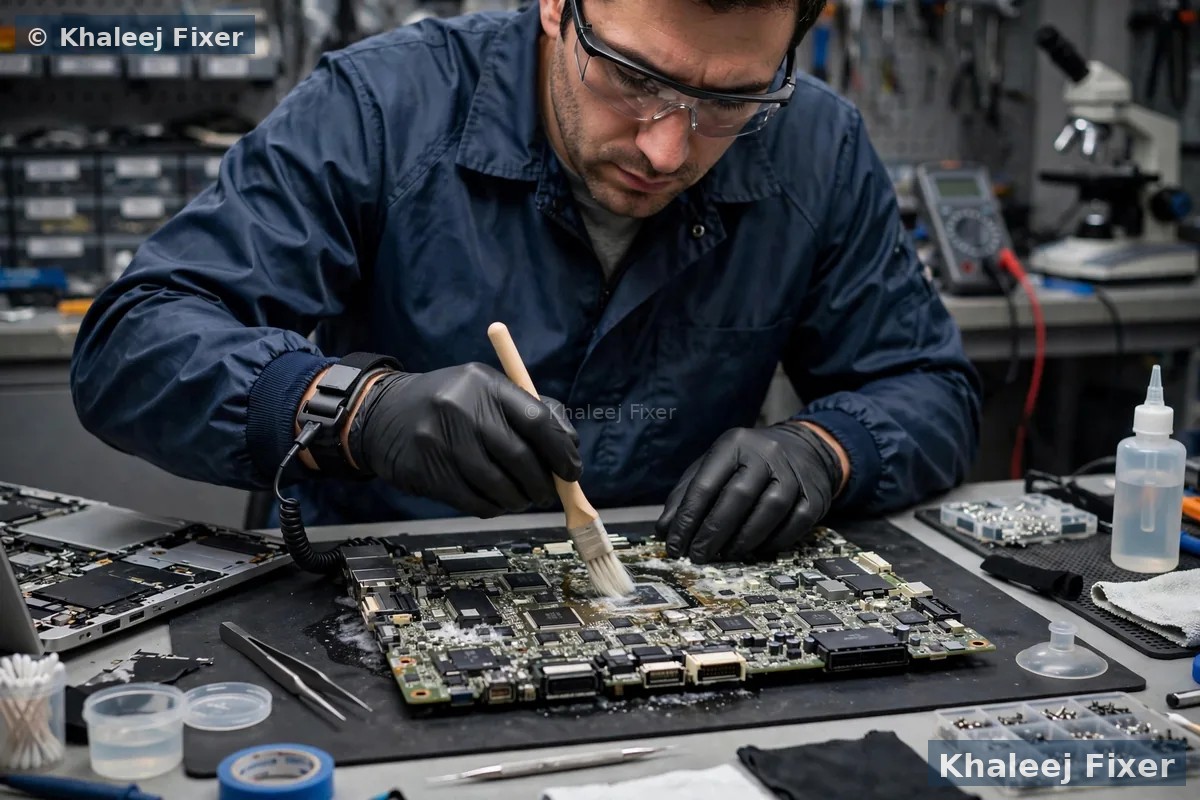
First steps after a spill on your Sony Vaio in Sharjah
A spill is scary. Your Vaio holds your work, your study notes, and your family photos. But panic makes things worse. The first few minutes decide how much we can save. Follow these steps in order. Each one is simple. Each one protects your Vaio.
Power it off at once. Press and hold the power button until the screen goes dark. Do not wait for the normal shutdown. Power and liquid together burn the board. Cut the power fast and you stop most of the harm before it starts.
Pull the charger out. Take the charger out of the Vaio and out of the wall socket. Do not plug it back in to check if the Vaio still works. That one check can kill a board that would have lived with a clean.
Do not charge it. This is the mistake we see most in Sharjah. People plug the charger in to see if the Vaio turns on. Current flows through wet parts. Small parts burn in seconds. A simple clean turns into a board repair. Leave the charger out of the Vaio.
Turn it upside down. Open the screen and flip the Vaio over like a tent, so the keyboard faces down. Let gravity pull the liquid out. Put a dry towel under it. Do not shake the Vaio. Shaking throws liquid onto parts that were still dry.
Wipe the outside only. Dab the keyboard and the case with a dry soft cloth. Do not press the keys down. Do not try to wipe inside the Vaio. The inside needs a proper clean on a bench, not a cloth.
Do not use a hair dryer. Hot air pushes liquid deeper into the Vaio. It also heats the battery and warps plastic. A hair dryer feels like help. It is not help. Leave the drying to our bench.
Then message us on WhatsApp. Tell us what spilled, how much, and which Vaio model you have. We will tell you what to do next and book a free pickup from your home or office in Sharjah. If your Vaio holds files that matter, read our Sony Vaio data recovery page too. It explains how we save files from a wet Vaio.
Water, tea, coffee, or juice: each spill acts differently inside a Vaio
Customers often ask if the type of liquid matters. It matters a lot. Some liquids dry off and leave little behind. Others leave sticky stuff that eats the board slowly over weeks. Here is how each common spill behaves inside your Vaio.
Plain water. Water is the mildest spill. It has no sugar and no milk in it. If you power the Vaio off fast and we clean it soon, the board often survives with a good clean. But water still rusts metal parts when it sits. Fast action still matters with water.
Tea. Tea is a very common spill in Sharjah homes and offices. Most cups of tea carry sugar and milk. Sugar dries into a sticky film on the board. That film holds dampness against the metal. It feeds corrosion day after day. A Vaio that works fine the day after a tea spill can stop working a month later. That is why a full clean matters even when the Vaio seems fine.
Coffee. Coffee behaves much like tea, but it is often hotter and often spilled in larger amounts at a desk. Hot coffee spreads faster inside the Vaio. The sugar and milk in it leave the same sticky film. Coffee also stains the keyboard and the case. A coffee spill almost always needs a full strip down and clean.
Juice and soft drinks. Juice and soft drinks are the hardest common spill. They are full of sugar and acid. Acid attacks the tiny metal tracks on the board. Sugar glues the keys and coats the parts. A juice spill nearly always needs a deep clean, and some parts may need to be swapped.
Milk. Milk leaves fat and protein behind as it dries. It smells bad. It coats the board and traps dampness under the coat. A milk spill needs a full strip down and a careful clean of every part it touched.
Whatever spilled, do not guess at the damage. Book a free pickup or walk into our Industrial Area 2 workshop. We open the Vaio, look at what the liquid reached, and tell you the truth before any work starts. For the full range of Vaio work in Sharjah, visit our Sony Vaio laptop repair in Sharjah hub.
Why liquid damage gets worse with time, even when the Vaio works
This is the trap most Vaio owners fall into. The Vaio dries out. It turns on. They think the problem is over. It is not over. Liquid leaves behind tiny salts and sugars on the board. Those leftovers pull dampness from the air. Dampness plus power equals corrosion. Corrosion eats the thin metal tracks on the board, little by little, day by day.
Corrosion is slow and quiet. It can take days or weeks to show itself. First one key stops working. Then the WiFi drops for no reason. Then the Vaio shuts down on its own. By the time the Vaio dies, the board damage is far worse than it was on day one. A clean on day one is a small job. A board repair in week four is a big job.
Sharjah weather adds to the problem. Humid days and air conditioning work against each other. A Vaio that moves between a cool air conditioned room and warm humid air gathers moisture inside. That moisture feeds the salts left by the spill. The corrosion speeds up. This is why we always advise a proper clean, even when the Vaio still turns on after a spill.
A free diagnosis tells you what the liquid reached. If the board is clean, we tell you so and the check costs you nothing. If it needs a clean, we clean it before the corrosion spreads. That is the whole point of fast action after a spill.
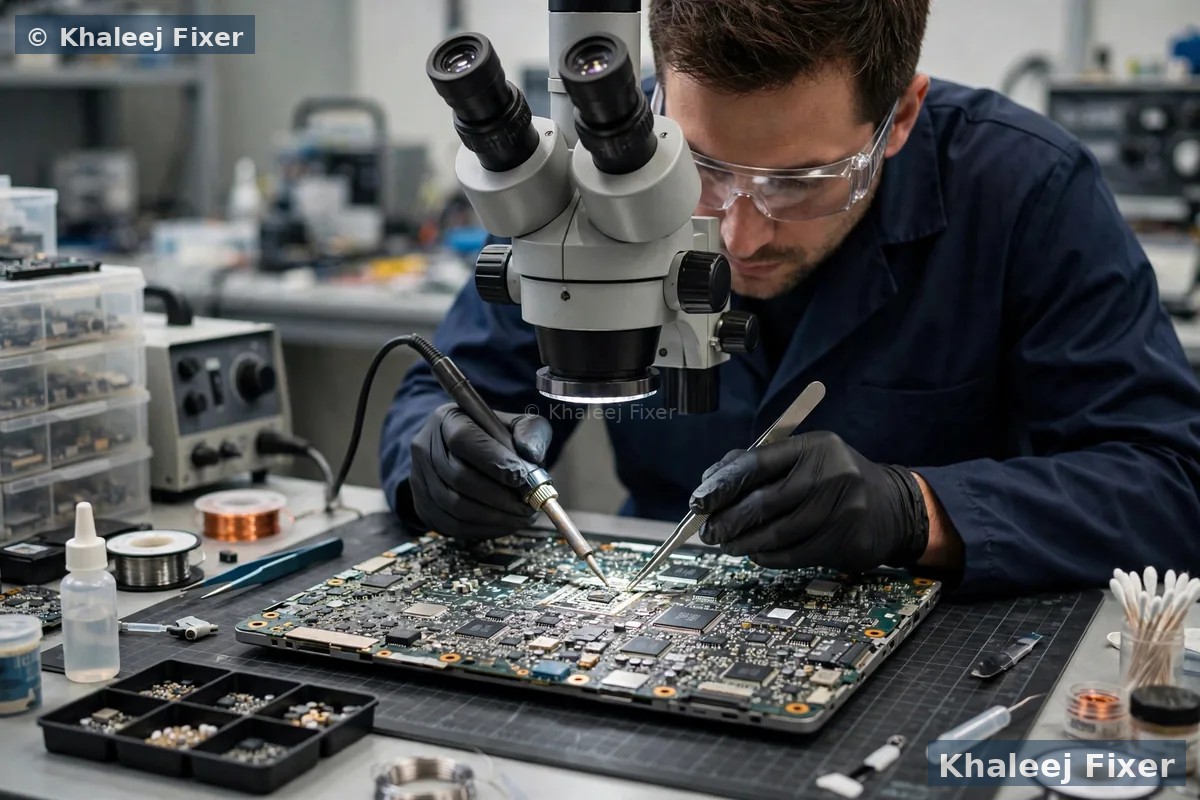
What we check: keyboard, trackpad, screen, battery, and motherboard
Liquid rarely hits just one part. It flows down through the keyboard and spreads across the board. Our free diagnosis checks every part the liquid could have touched. Here is what we look at and why it matters.
Keyboard. The keyboard takes the spill first. Keys stick. Some keys stop working. Some keys type on their own. A keyboard clean sometimes fixes it. A bad keyboard needs a swap. Our Sony Vaio keyboard repair in Sharjah page covers keyboard faults in full.
Trackpad. Liquid under the trackpad makes the pointer jump or freeze. Clicks stop working. We clean under the trackpad and test it. A trackpad that stays dead after a clean gets swapped.
Screen. Liquid can reach the screen cable and the backlight. Signs include flicker, lines, dim patches, or a black screen. The screen itself often survives. The cable or the backlight circuit may need work. Our Sony Vaio screen replacement in Sharjah page covers screen faults in full.
Battery. A wet battery is a safety risk. We check the battery for swelling and damage at once. A swollen battery must come out right away. We never charge a wet battery. If the battery is damaged, we swap it. Our Sony Vaio battery replacement in Sharjah page covers battery signs in full.
Motherboard. The board is the heart of the Vaio. We look for corrosion, burnt parts, and short circuits under a microscope. Small board damage can be fixed by cleaning and part swaps. Heavy board damage needs board level repair. Our Sony Vaio motherboard repair in Sharjah page covers board faults in full.
Our liquid damage cleaning process, step by step
A proper clean is not a wipe with a cloth. It is a full strip down. We take the Vaio apart, clean each part the right way, and test it before we put it back together. Here is how we do it at our Sharjah workshop.
Step 1. Full strip down. We open the Vaio and take out the battery, the drive, the memory, and the board. We note where the liquid reached. We take photos so you can see the damage with your own eyes.
Step 2. Deep clean. We clean the board with a proper cleaning fluid made for electronics. We brush away corrosion by hand under a microscope. We clean the connectors, the keyboard base, and the fan. Sticky sugar film needs care and time. We do not rush it.
Step 3. Dry and test. We dry every part fully. Then we test the board with power before we fit it back. We check for short circuits first. A board with a short never gets power until the short is fixed.
Step 4. Part swaps where needed. Some parts do not survive a spill. A keyboard with dead keys gets swapped. A burnt charging part gets swapped. We quote each part before we fit it. No surprise costs.
Step 5. Rebuild and full test. We rebuild the Vaio. We test the keyboard, the trackpad, the screen, the sound, the WiFi, the ports, and the battery. We run it for a while to make sure it stays stable. Only then do we call it done.
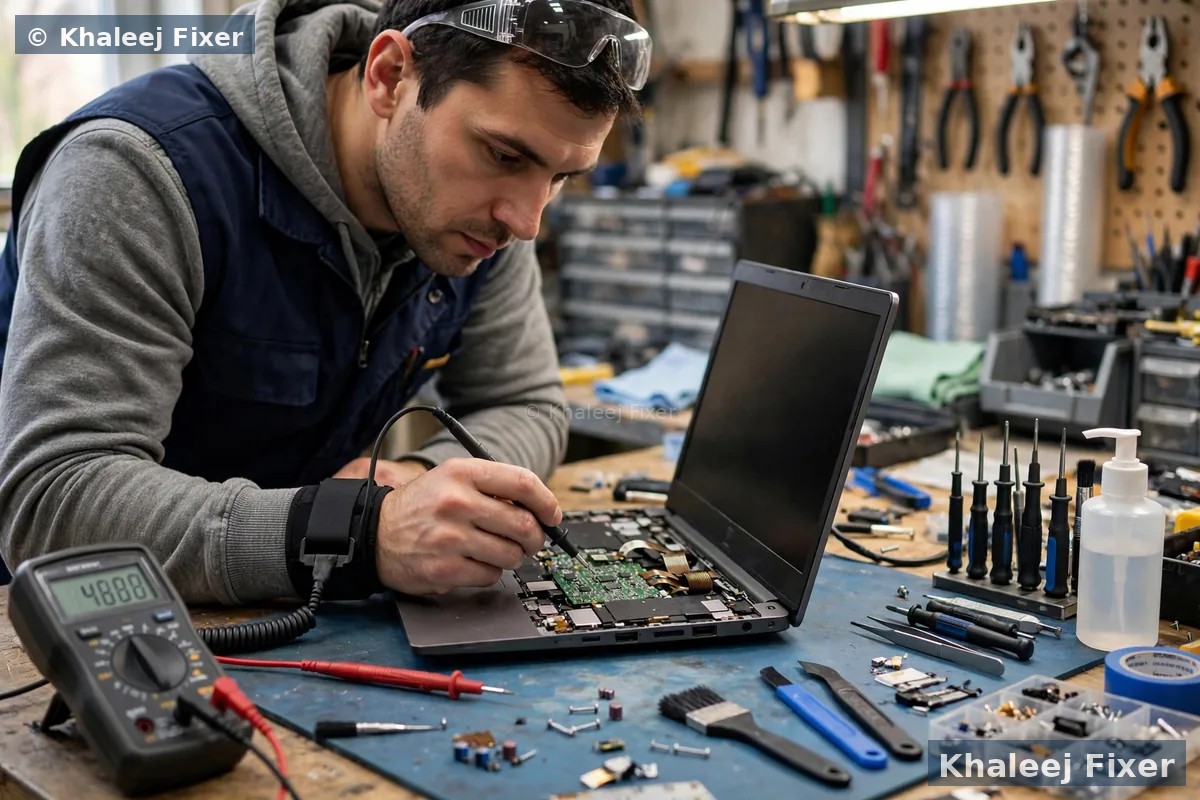
Can your files be saved after a spill?
For most owners, the files matter more than the Vaio. Photos of family. Work files. University assignments. The good news is that files often survive a spill even when the Vaio does not turn on. The drive sits away from the keyboard. In many Vaios the drive stays dry while the keyboard takes the hit.
We take the drive out first and check it on its own, before any other work starts. If the drive is fine, we copy your files to a safe place. If the drive took liquid too, we clean it and try recovery. If the drive is dead, we use recovery tools to pull what we can. Your files stay private at all times. We never share them and we never look through them.
One warning. Do not keep switching the Vaio on to check if your files are still there. Each power on risks more board damage and more drive damage. Bring it in. Let us check the drive safely on the bench. Our Sony Vaio data recovery page explains recovery in full, including what to do when a Vaio will not turn on at all.
After the repair, ask us about a simple backup habit. A small backup drive or a cloud copy means the next spill can never take your files. It costs little and it saves a lot of worry.
Drying myths that make liquid damage worse
The internet is full of drying tips for wet laptops. Most of them do more harm than good. Here are the common ones we hear in Sharjah, and why you should skip them.
Rice. Rice does not pull liquid out of a laptop. It cannot reach inside the Vaio. Rice dust gets into the ports and the fan. It makes the clean harder. Skip the rice.
Hair dryer. Hot air pushes liquid deeper into the Vaio. It also warps plastic and heats the battery. A warm room and time are safer than a hair dryer. But time alone does not remove sugar or salt. A proper clean is still needed.
Leaving it in the sun. Sharjah sun is strong. It warps the screen and the case. It also bakes sugar onto the board. The board ends up harder to clean. Keep the Vaio in a cool dry place instead.
Blowing into the ports. Blowing with your mouth pushes damp air deeper into the Vaio. It also pushes liquid from one part to another. Do not blow into the keyboard or the ports.
Switching it on to test it. This is the worst myth of all. People dry the Vaio for a day, then switch it on to see if it works. If liquid is still inside, the power burns parts at once. The test itself causes the damage. Do not test it. Bring it in.
The only safe home steps are the ones in the first section of this page. Switch it off. Unplug it. Drain it upside down. Wipe the outside. Then message us. Everything else is our job.

Which Sony Vaio models do we repair after liquid damage in Sharjah?
We repair liquid damage on all Sony Vaio lines used in Sharjah. Each line has its own board layout and its own weak spots after a spill. We know them all, from student machines to office workhorses.
Vaio S series. The sturdy all rounder, common in homes across Al Nahda and Al Qasimia. The S series board sits close under the keyboard, so a spill reaches it fast. The good news is that the parts are easy to reach for a clean. The drive comes out on its own, so your files are easy to protect.
Vaio Z series. The top end machine, slim and light. The Z series packs parts tight. Liquid spreads fast between layers. A Z series spill needs a careful strip down, because the board, the fan, and the battery sit close together. We clean each layer one by one.
Vaio SX14. A modern thin Vaio, popular with office staff in Al Majaz and Al Khan. The SX14 keyboard sits right above the board, with little space between them. A spill on the SX14 reaches the board fast. We check the board and the charging circuit first, because those take the hit.
Vaio FE14. A common home and study machine in Muwaileh and University City. The FE14 has a roomy layout, which helps the clean. The keyboard and the trackpad take most of the spill. The board often survives with a good clean if you switch it off fast.
Vaio E, Fit, and Pro series. Older lines that still serve many Sharjah homes and offices. E series boards are easy to open and clean. Fit series machines are slim, so the spill can reach the screen cable through the hinge area. Pro series machines are ultra light, and some hold storage fixed on the board, so a spill on those models needs extra care. We check your exact model first and plan the clean around it.
We never promise a fix before we have seen the board. That honesty is part of the free diagnosis. If your Vaio is slow after a spill repair, or you want it faster while it is open, ask about a memory upgrade in the same visit. For general repairs beyond liquid damage, see our laptop repair in Sharjah page.
When repair beats replacement, and when it does not
Customers often ask if a wet Vaio is worth fixing, or if they should just buy a new laptop. The honest answer depends on what the liquid reached. Here is how we think about it, and how we will explain it to you after the free diagnosis.
Repair is the right call when the damage is limited. A spill that hit the keyboard and the top of the board can be cleaned. A keyboard swap, a trackpad clean, and a board clean bring the Vaio back to full health. The files are safe. The Vaio runs like before. This is the most common result we see in Sharjah, when the owner switched the Vaio off fast.
Repair is still worth it when one part is lost. A dead keyboard or a dead battery can be swapped. A burnt charging part can be swapped. The board itself is often fine. The Vaio comes back with new parts and a 2-month warranty. The cost stays well below a new machine.
Repair is a bad call when the board is badly burnt. Some boards cannot be saved. Heavy corrosion under the main chips, burnt layers inside the board, or a board that shorted while the charger was plugged in can mean the board is gone. If the fix would cost more than the Vaio is worth, or if the fix would not last, we tell you straight. We never charge for a repair that will not last.
Your files can still be saved even when the Vaio cannot. A dead board does not always mean dead files. We take the drive out and check it on its own. In many cases the drive is fine, and we copy your files to a safe place. That alone is worth the free diagnosis.
If you are based in Dubai rather than Sharjah, the same honest advice applies. Our Sony Vaio liquid damage repair in Dubai page covers the same service with free pickup across Dubai.
Free pickup across Sharjah after a spill
You should not carry a wet Vaio across Sharjah. One wrong bump in the car can spread the liquid further. We collect it from your home or office anywhere in Sharjah, free of charge. The pickup runs seven days a week, from 11 AM to 11 PM. Message us on WhatsApp with your area and your Vaio model. We confirm a pickup time the same day in most cases.
Al Nahda and Al Qasimia. Busy home areas where a spilled cup of tea can stop study and work for the whole family. Families often book one pickup for two machines at once.
Al Majaz and Al Khan. Offices and shops along the waterfront and the main roads. Evening pickup is available, so you do not lose a work day.
Muwaileh and University City. Students who need their Vaio back fast for classes and exams. Most spill repairs start the same day.
Rolla and Al Taawun. Old Sharjah shops and homes where Vaios have served for years. We collect from shops as well as homes.
We also pick up in Al Buhaira, Samnan, Al Ramla, Maysaloon, Al Majaz, and the rest of Sharjah. If you prefer to walk in, our workshop is in Industrial Area 2, Sharjah. Call first so we can plan the clean for your model before you travel.

The repair process, step by step
1. Free pickup and free diagnosis. We collect the Vaio from your home or office in Sharjah, or you can bring it to our Industrial Area 2 workshop. We open it, check what the liquid reached, and test the drive first so your files are safe.
2. Final quote before work. You get a clear quote after diagnosis, with the clean and any part swaps named. No work starts without your yes. Starting prices are on our price list page. Our laptop repair cost guide in Sharjah explains how repair costs are worked out.
3. Deep clean and board work. We strip the Vaio down, clean the board by hand under a microscope, and fix or swap any damaged parts.
4. Rebuild and full test. We rebuild the Vaio and test the keyboard, the trackpad, the screen, the sound, the WiFi, the ports, and the battery. We run it for a while to make sure it stays stable.
5. Delivery and 2-month warranty. Free delivery back to you anywhere in Sharjah, with a 2-month warranty on the repair work. If anything feels wrong in that time, bring it back and we look at it free.
Turnaround time and warranty
A simple clean often finishes the same day or the next day. A spill that needs board work takes longer. Corrosion under chips takes time to clean by hand. Part swaps wait on stock for your exact Vaio model. We confirm the timing with your quote. We never promise a time we cannot keep.
Every liquid damage repair carries a 2-month warranty on our work. The warranty covers the clean and the parts we fitted. It does not cover a new spill. Keep your job note and message us if you see a problem. We will help you fast. If the board damage is too heavy to fix at a fair cost, we tell you straight. We never charge for a repair that will not last.
How to stop the next spill before it happens
A spill repair should be a one time event. A few small habits will keep your Vaio safe after the repair. These habits cost nothing, and they save you from a second repair.
Keep drinks off the desk side. Put your cup on the far side of the desk, away from the Vaio. A cup with a lid helps too. A small move like this stops most spills.
Use a keyboard cover. A thin silicone keyboard cover stops small spills from reaching the board. It costs little. It also keeps dust out of the keys. Take it off once a week and wipe it clean.
Do not eat and drink over the Vaio. Students in University City and office staff in Al Majaz often work with tea or coffee right beside the Vaio. Move the cup away while you type. The few seconds it takes are worth it.
Keep the Vaio out of reach of small children. A curious child can knock a full cup over in one second. Keep drinks high and the Vaio on a stable desk.
If a spill ever happens again, you now know the steps. Switch it off. Unplug it. Do not charge it. Drain it upside down. Message us. Fast action is still the biggest factor in a good repair.
Frequently Asked Questions
What should I do first if I spill liquid on my Sony Vaio in Sharjah?
Switch it off at once and unplug the charger. Do not charge it and do not switch it back on to test it. Turn it upside down so the liquid drains out, wipe the outside with a dry cloth, and message us on WhatsApp. Fast action gives your Vaio the best chance, and we offer free pickup across Sharjah.
Can a Sony Vaio survive a tea spill?
Yes, in many cases, if you switch it off fast and bring it in soon. Tea leaves sugar behind, so a proper board clean is needed even if the Vaio still turns on. Without a clean, corrosion can kill the board weeks later. Our free diagnosis shows what the tea reached.
How much does Sony Vaio liquid damage repair cost in Sharjah?
The cost depends on what the liquid reached and which parts need a clean or a swap. See our price list page for starting prices. The final quote always comes after the free diagnosis, and no work starts without your yes.
Can you save my files from a liquid damaged Vaio?
In most cases, yes. We take the drive out first and check it on its own. The drive often stays dry even when the keyboard takes the hit. If the drive is fine, we copy your files to a safe place before any other work starts. Your files stay private at all times.
My Vaio still works after a spill. Do I still need a repair?
Yes, you should get it checked. Liquid leaves salts and sugars behind that cause corrosion over days and weeks. A Vaio that works today can die next month. A free diagnosis tells you if a clean is needed, and a clean now costs far less than a board repair later.
Should I put my wet Vaio in rice?
No. Rice cannot pull liquid out from inside a laptop, and rice dust gets into the ports and the fan. It makes the clean harder. Switch the Vaio off, unplug it, let it drain upside down, and bring it in for a proper clean.
How long does liquid damage repair take in Sharjah?
A simple clean often finishes the same day or the next day. A spill that needs board work takes longer, because corrosion under chips takes time to clean by hand. We confirm the timing with your quote and never promise a time we cannot keep.
Do you pick up liquid damaged Sony Vaio laptops from all Sharjah areas?
Yes. Free pickup covers Al Nahda, Al Majaz, Muwaileh, Al Qasimia, Rolla, University City, Al Taawun, Al Khan, Al Buhaira, Samnan, Al Ramla, Maysaloon, and the rest of Sharjah. You can also walk into our workshop in Industrial Area 2, Sharjah, open 7 days from 11 AM to 11 PM.
Spilled liquid on your Vaio in Sharjah? Get a free diagnosis today.
Message us on WhatsApp or call. Free pickup across Sharjah, free diagnosis, final quote before any work, 2-month warranty.
Free Diagnosis • Free Pickup & Delivery • 2-Month Warranty • Open 7 Days 11AM to 11PM