
What to do first after a spill on your Sony Vaio
A spill feels like a disaster. But the first few minutes decide how bad it gets. Stay calm and follow these steps in order. Each one takes seconds. Each one protects your Vaio.
Switch it off at once. Hold the power button until the screen goes dark. Do not wait for Windows to shut down in the normal way. Power plus liquid is what burns the board. Cut the power fast and you stop most of the harm.
Unplug the charger. Pull the charger out of the Vaio and out of the wall. Do not plug it back in to test if the Vaio still works. That test can kill a board that would have lived.
Do not charge it. This is the most common mistake. People plug the charger in to see if the Vaio still turns on. Current flows through wet parts. Small parts burn. A cheap clean turns into a costly board repair. Leave the charger out.
Turn it upside down. Flip the Vaio over like an open tent, screen and base forming a V. Let the liquid drain out by gravity. Put a towel under it. Do not shake it. Shaking spreads the liquid to dry parts.
Wipe the outside only. Dab the keyboard and the case with a dry cloth. Do not press keys. Do not try to dry inside the Vaio with a cloth. The inside needs a proper clean, not a wipe.
Do not use a hair dryer. Hot air pushes liquid deeper into the Vaio. It also heats parts that should stay cool. A hair dryer feels helpful. It is not. Leave the drying to us.
Then message us on WhatsApp. Tell us what spilled, how much, and which Vaio model you have. We will tell you what to do next and book a free pickup. If your Vaio holds important files, read our Sony Vaio data recovery in Dubai page too. It explains how we save files from a wet Vaio.
Water, coffee, tea, or juice: not all spills are equal
People ask if the type of liquid matters. It matters a lot. Some liquids dry clean. Others leave sticky stuff behind that eats the board slowly. Here is how each common spill behaves inside a Vaio.
Plain water. Water is the kindest spill. It has no sugar and no milk. If you switch the Vaio off fast and we clean it soon, the board often survives with a good clean. But water still causes rust on metal parts if it sits. Fast action still matters.
Coffee and tea. Coffee and tea are worse than water. They carry sugar and milk in most cups. Sugar dries into a sticky film. That film holds dampness against the board. It also feeds corrosion over days and weeks. A Vaio that works fine the day after a coffee spill can die a month later. That is why a full clean matters even when the Vaio seems fine.
Juice and soft drinks. Juice and soft drinks are the worst common spill. They are full of sugar and acid. Acid attacks the tiny metal tracks on the board. Sugar glues keys and coats parts. A juice spill almost always needs a deep clean. Some parts may need to be swapped.
Milk. Milk leaves fat and protein behind. It smells bad as it dries. It also coats the board and traps dampness. A milk spill needs a full strip down and clean.
Whatever spilled, do not guess. Bring the Vaio in or book a free pickup. We open it, look at what the liquid reached, and tell you the truth before any work starts. For the full range of Vaio work in Dubai, visit our Sony Vaio laptop repair in Dubai hub.
Why liquid damage gets worse with time
Many Vaio owners make the same error. The Vaio dries out. It turns on. They think the problem is over. It is not. Liquid leaves behind tiny salts and sugars. Those leftovers pull dampness from the air. Dampness plus power equals corrosion. Corrosion eats the thin metal tracks on the board, little by little.
Corrosion is slow. It can take days or weeks to show. First a key stops working. Then the WiFi drops. Then the Vaio shuts down for no reason. By the time the Vaio dies, the board damage is far worse than it was on day one. A clean on day one costs far less than a board repair in week four.
This is why we always advise a proper clean, even when the Vaio still turns on after a spill. A free diagnosis tells you what the liquid reached. If the board is clean, we tell you so and you pay nothing for the check. If it needs a clean, we clean it before the corrosion spreads. That is the whole point of fast action after a spill.
What we check: keyboard, trackpad, screen, battery, and motherboard
Liquid rarely hits just one part. It flows down through the keyboard and spreads across the board. Our free diagnosis checks every part the liquid could have touched. Here is what we look at and why.
Keyboard. The keyboard takes the spill first. Keys stick. Some keys stop working. Some keys type on their own. A keyboard clean sometimes fixes it. A bad keyboard needs a swap. Our Sony Vaio keyboard repair in Dubai page covers keyboard faults in full.
Trackpad. Liquid under the trackpad makes the pointer jump or freeze. Clicks stop working. We clean under the trackpad and test it. A damaged trackpad gets swapped.
Screen. Liquid can reach the screen cable and the backlight. Signs include flicker, lines, dim patches, or a black screen. The screen itself often survives. The cable or the backlight circuit may need work. Our laptop screen replacement in Dubai page covers screen faults in full.
Battery. A wet battery is a safety risk. We check the battery for swelling and damage. A swollen battery must come out at once. We never charge a wet battery. If the battery is damaged, we swap it. Our laptop battery replacement in Dubai page covers battery signs in full.
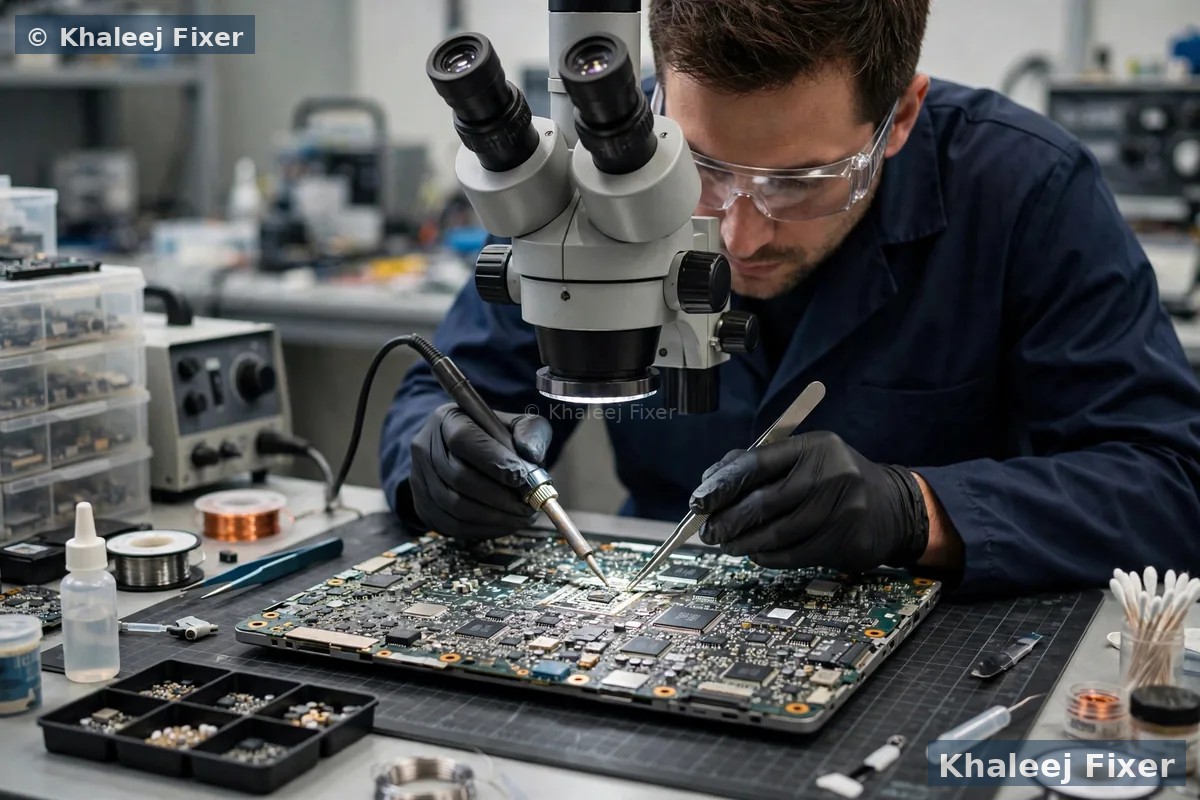
Motherboard. The board is the heart of the Vaio. We look for corrosion, burnt parts, and short circuits. Small board damage can be fixed by cleaning and part swaps. Heavy board damage needs board level repair. Our Sony Vaio motherboard repair in Dubai page covers board faults in full.
Our liquid damage cleaning process
A proper clean is not a wipe with a cloth. It is a full strip down. We take the Vaio apart, clean each part the right way, and test it before we put it back together. Here is how we do it.
Step 1. Full strip down. We open the Vaio and take out the battery, the drive, the memory, and the board. We note where the liquid reached. We take photos so you can see the damage.
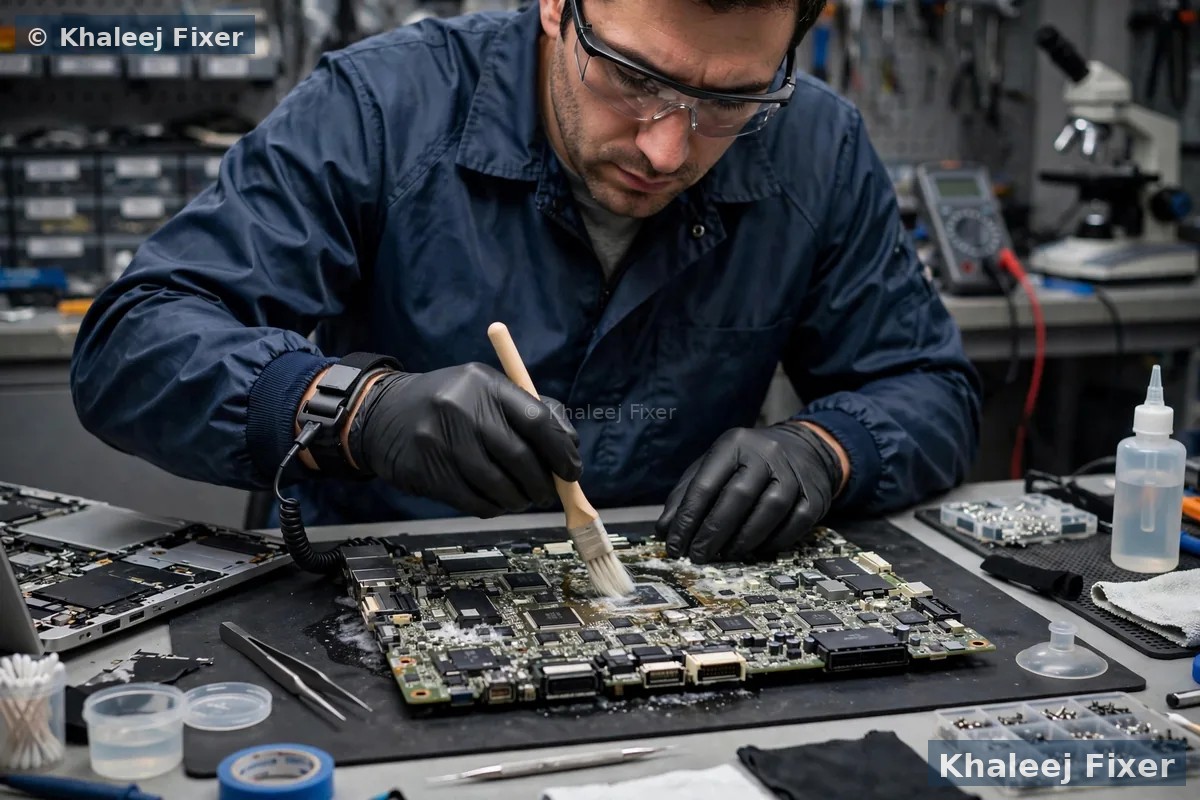
Step 2. Deep clean. We clean the board with a proper cleaning fluid made for electronics. We brush away corrosion by hand under a microscope. We clean the connectors, the keyboard base, and the fan. Sticky sugar film needs care. We do not rush it.
Step 3. Dry and test. We dry every part fully. Then we test the board with power before we fit it back. We check for short circuits first. A board with a short never gets power until the short is fixed.
Step 4. Part swaps where needed. Some parts do not survive a spill. A keyboard with dead keys gets swapped. A burnt charging part gets swapped. We quote each part before we fit it. No surprise costs.
Step 5. Rebuild and full test. We rebuild the Vaio. We test the keyboard, the trackpad, the screen, the sound, the WiFi, the ports, and the battery. We run it for a while to make sure it stays stable. Only then do we call it done.
Can your files be saved after a spill?
For most owners, the files matter more than the Vaio. Photos of family. Work files. Study notes. The good news is that files often survive a spill even when the Vaio does not turn on. The drive sits away from the keyboard. In many Vaios the drive stays dry while the keyboard takes the hit.
We take the drive out first and check it on its own. If the drive is fine, we copy your files to a safe place before any other work starts. If the drive took liquid too, we clean it and try recovery. If the drive is dead, we use recovery tools to pull what we can. Your files stay private at all times. We never share them or look through them.
One warning. Do not keep switching the Vaio on to check if your files are still there. Each power on risks more board damage and more drive damage. Bring it in. Let us check the drive safely. Our Sony Vaio data recovery in Dubai page explains recovery in full, including what to do when a Vaio will not turn on at all.
Drying myths that make liquid damage worse
The internet is full of drying tips for wet laptops. Most of them do more harm than good. Here are the common ones, and why you should skip them.
Rice. Rice does not pull liquid out of a laptop. It cannot reach inside the Vaio. Rice dust gets into the ports and the fan. It makes the clean harder. Skip the rice.
Hair dryer. Hot air pushes liquid deeper. It also warps plastic and heats the battery. A warm room and time are safer than a hair dryer. But time alone does not remove sugar or salt. A proper clean is still needed.
Leaving it in the sun. Sun heat warps the screen and the case. It also bakes sugar onto the board. The board ends up harder to clean. Keep the Vaio in a cool dry place instead.
Switching it on to test it. This is the worst myth of all. People dry the Vaio for a day, then switch it on to see if it works. If liquid is still inside, the power burns parts at once. The test itself causes the damage. Do not test it. Bring it in.
The only safe home steps are the ones in the first section of this page. Switch it off. Unplug it. Drain it. Wipe the outside. Then message us. Everything else is our job.
Which Sony Vaio models do we repair after liquid damage?
We repair liquid damage on all Sony Vaio lines sold in Dubai. Vaio E series, the common home and office machine. Vaio Fit series, slim and light, often carried to class and to work. Vaio Pro series, the ultra light business machine. Vaio S series, the sturdy all rounder. Vaio Z series, the top end machine. Each line has its own board layout and its own weak spots after a spill. We know them all.
Some Vaio Pro models hold storage soldered onto the board. A spill on those models needs extra care, because the drive cannot be taken out on its own. We check the exact model first and plan the clean around it. We never promise a fix before we have seen the board. That honesty is part of the free diagnosis.
If your Vaio is slow after a spill repair, or you want it faster while it is open, ask about a memory or storage upgrade in the same visit. Our Sony Vaio RAM upgrade in Dubai page covers memory upgrades. For general repairs beyond liquid damage, see our laptop repair in Dubai page.
Free pickup across Dubai after a spill
You should not carry a wet Vaio across Dubai. We collect it from your home or office anywhere in Dubai, free of charge. The pickup runs seven days a week, from 11 AM to 11 PM. Message us on WhatsApp with your area and your Vaio model. We confirm a pickup time the same day in most cases.
Deira and Bur Dubai. Small offices and shops where a spilled coffee can stop a whole work day. One pickup can cover several office machines.
Al Barsha, Dubai Marina, and JLT. Homes and offices along Sheikh Zayed Road. Evening pickup is available, so you do not lose a work day.
Business Bay and Downtown. Startups and freelancers who need their Vaio back fast. Spill repairs start the same day in most cases.
We also pick up in Al Qusais, Mirdif, International City, Silicon Oasis, Jumeirah, Al Nahda Dubai, and the rest of Dubai. If you prefer to walk in, our Sharjah workshop is in Industrial Area 2. Call first so we can plan the clean for your model before you travel.

The repair process, step by step
1. Free pickup and free diagnosis. We collect the Vaio from your home or office in Dubai, or you can bring it to our Sharjah workshop. We open it, check what the liquid reached, and test the drive first so your files are safe.
2. Final quote before work. You get a clear quote after diagnosis, with the clean and any part swaps named. No work starts without your yes. Starting prices are on our price list page. Our laptop repair cost guide in Dubai explains how repair costs are worked out.
3. Deep clean and board work. We strip the Vaio down, clean the board by hand under a microscope, and fix or swap any damaged parts.
4. Rebuild and full test. We rebuild the Vaio and test the keyboard, the trackpad, the screen, the sound, the WiFi, the ports, and the battery. We run it for a while to make sure it stays stable.
5. Delivery and 2-month warranty. Free delivery back to you anywhere in Dubai, with a 2-month warranty on the repair work. If anything feels wrong in that time, bring it back and we look at it free.
Turnaround time and warranty
A simple clean often finishes the same day or the next day. A spill that needs board work takes longer. Corrosion under chips takes time to clean by hand. Part swaps wait on stock for your exact Vaio model. We confirm the timing with your quote. We never promise a time we cannot keep.
Every liquid damage repair carries a 2-month warranty on our work. The warranty covers the clean and the parts we fitted. It does not cover a new spill. Keep your job note and message us if you see a problem. We will help you fast. If the board damage is too heavy to fix at a fair cost, we tell you straight. We never charge for a repair that will not last.
Frequently Asked Questions
What should I do first if I spill liquid on my Sony Vaio?
Switch it off at once and unplug the charger. Do not charge it and do not switch it back on to test it. Turn it upside down so the liquid drains out, wipe the outside with a dry cloth, and message us on WhatsApp. Fast action gives your Vaio the best chance.
Can a Sony Vaio survive a coffee spill?
Yes, in many cases, if you switch it off fast and bring it in soon. Coffee leaves sugar behind, so a proper board clean is needed even if the Vaio still turns on. Without a clean, corrosion can kill the board weeks later. Our free diagnosis shows what the coffee reached.
How much does Sony Vaio liquid damage repair cost in Dubai?
The cost depends on what the liquid reached and which parts need a clean or a swap. See our price list page for starting prices. The final quote always comes after the free diagnosis, and no work starts without your yes.
Can you save my files from a liquid damaged Vaio?
In most cases, yes. We take the drive out first and check it on its own. The drive often stays dry even when the keyboard takes the hit. If the drive is fine, we copy your files to a safe place before any other work starts. Your files stay private at all times.
My Vaio still works after a spill. Do I still need a repair?
Yes, you should get it checked. Liquid leaves salts and sugars behind that cause corrosion over days and weeks. A Vaio that works today can die next month. A free diagnosis tells you if a clean is needed, and a clean now costs far less than a board repair later.
Should I put my wet Vaio in rice?
No. Rice cannot pull liquid out from inside a laptop, and rice dust gets into the ports and the fan. It makes the clean harder. Switch the Vaio off, unplug it, let it drain upside down, and bring it in for a proper clean.
How long does liquid damage repair take?
A simple clean often finishes the same day or the next day. A spill that needs board work takes longer, because corrosion under chips takes time to clean by hand. We confirm the timing with your quote and never promise a time we cannot keep.
Do you pick up liquid damaged Sony Vaio laptops from all Dubai areas?
Yes. Free pickup covers Deira, Bur Dubai, Al Barsha, Dubai Marina, JLT, Business Bay, Al Qusais, Mirdif, International City, Silicon Oasis, Jumeirah, Al Nahda, and the rest of Dubai. You can also walk into our Sharjah workshop in Industrial Area 2, open 7 days from 11 AM to 11 PM.
Spilled liquid on your Vaio? Get a free diagnosis today.
Message us on WhatsApp or call. Free pickup, free diagnosis, final quote before any work, 2-month warranty.
Free Diagnosis • Free Pickup & Delivery • 2-Month Warranty • Open 7 Days 11AM to 11PM