
Why Razer Blade Batteries Are Different From Ordinary Laptop Batteries
A Razer Blade is not an office laptop. It has a strong graphics card. It has a bright high refresh screen. It has a fast processor. All of these parts draw power. The battery must feed them all at once. That is a hard job. Over time, the cells inside the pack lose strength. They hold less charge. They drop voltage under load. That is when a Blade starts to die early or shut off without warning.
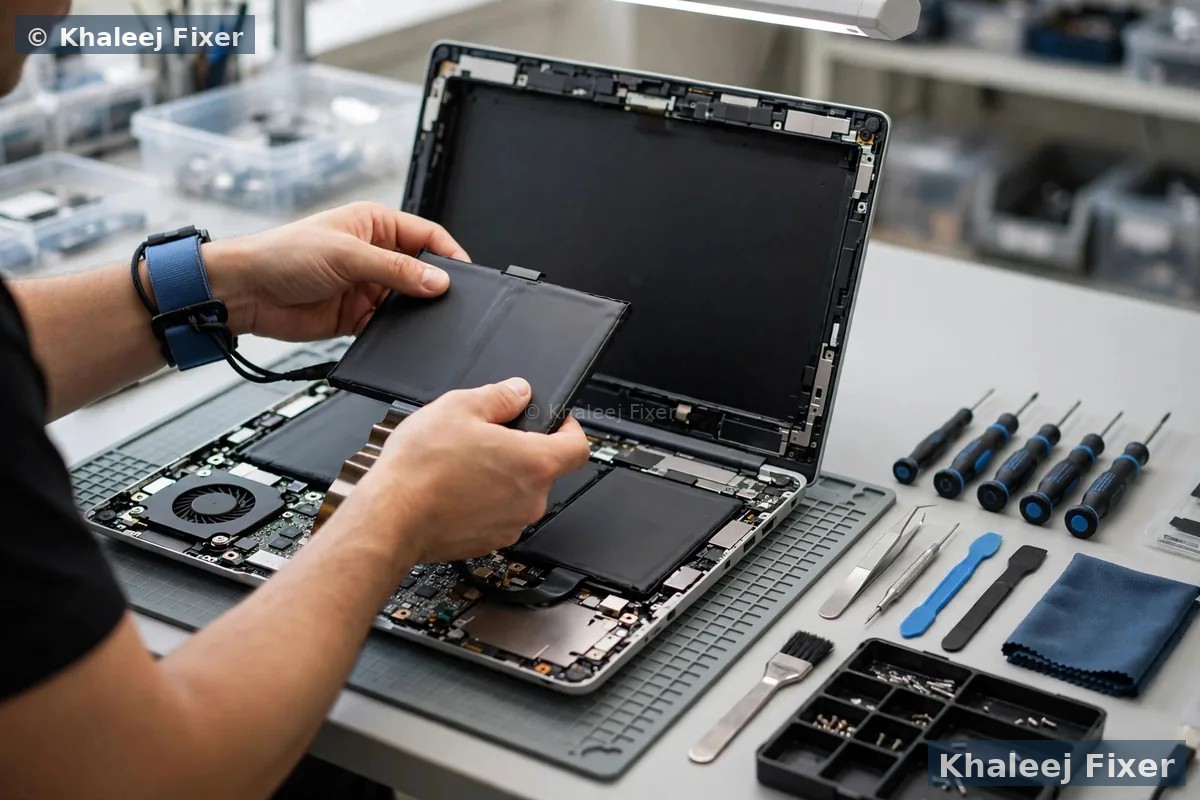
Blade batteries are also glued in place. They are not held by simple clips you can pop out. They are stuck to the chassis with strong adhesive strips. Careless removal can bend the pack. It can damage the board under it. It can leave glue on the chassis. Our technicians use the right adhesive tools. They lift the pack slowly and evenly. They clean the seating area before the new pack goes in. That care matters most on thin models like the Blade Stealth.
Part matching matters just as much. Blade 14 and Blade 15 use different packs. Blade 16 and Blade 17 use different packs again. Even the same model name can hide a new part number in a new year. A pack that looks right can still have the wrong connector. It can have the wrong shape. It can sit too high and push the base out. We check the model, the year, and the part number before we order or fit a pack. If you own a Razer machine with other faults too, our Razer laptop repair hub covers the full range of Blade work in Dubai and Sharjah. For general battery signs on any brand, see our laptop battery replacement in Dubai page. If the screen is also damaged, our companion page on Razer laptop screen replacement in Sharjah covers Blade display work for Sharjah owners.
Heat is the other enemy of a Blade battery. Gaming sessions push the machine hard. The chassis gets warm. The battery sits close to the heat. Over months and years, heat ages the cells. That is normal. It does not mean you used the laptop wrong. It means the pack has done its job and now needs a fresh one. A new matched pack brings back steady power. It brings back honest battery readings. It stops the sudden shutdowns that ruin games and work.
Signs Your Razer Blade Battery Needs Replacing
You do not need a tool to spot most battery problems. Watch for these signs in daily use. One sign alone may be enough to book a free diagnosis. Two or more signs together point clearly to a worn pack.
It drains fast. A Blade that once lasted hours now dies in under an hour on light work. That is the classic sign of worn cells. The pack still charges to full. It just cannot hold the charge. Browsing and video drain it fast. Games drain it even faster.
It shuts off at 30 percent. The meter says 30 percent left. Then the screen goes black with no warning. This happens when weak cells drop voltage under load. The system thinks the pack is empty. It shuts down to protect itself. You lose unsaved work. You lose game progress. A new pack fixes the false reading.
The trackpad is rising. The trackpad feels stiff. It clicks badly. It sits higher on one side. A swollen battery pushes up from below. The trackpad is often the first part to show it. Do not force the trackpad down. Do not keep using the laptop as normal. Bring it in for a check.
The lid or base is bulging. The laptop rocks on a flat table. The base does not sit flat. The lid edge lifts. Swelling can push the whole chassis out of shape. This is a safety issue, not just a comfort issue. Stop charging the laptop and read the safety section below.
It is not charging. The charger is plugged in. The light is on. The percentage never moves. Or it charges to 60 percent and stops. Sometimes the fault is the charger or the port. Sometimes it is the pack. Our free diagnosis finds which part is at fault before you pay for a new battery.
If you are unsure, a free diagnosis settles it. We check battery health in software. We check the cell readings. We check the charger output. We check the port for looseness or damage. Then we tell you plainly what is wrong. No work starts without your yes. If the pack is still healthy, we say so. You do not pay for a battery you do not need.
Swollen Blade Battery Safety: What To Do Right Now
A swollen battery needs care. It is not a fault you should ignore. Swelling means gas has built up inside the pack. The pack is under pressure. Gentle handling keeps you safe until the pack is removed.
Stop using the laptop. Do not game on it. Do not charge it. Do not leave it plugged in overnight. Power it off if you can do so safely. If the laptop will not power off, leave it alone and message us.
Do not puncture it. Do not press the bulge. Do not try to open the pack. Do not poke it with a tool. A punctured lithium pack can smoke or catch fire. Keep fingers and tools away from the swollen area.
Do not charge it. Charging a swollen pack adds heat and pressure. That makes swelling worse. Unplug the charger and leave the laptop unplugged.
Bring it in promptly. Keep the laptop in a cool dry place. Do not stack heavy things on it. Message us on WhatsApp and we will arrange free pickup in Sharjah. You do not need to carry a swollen laptop across town yourself.
We remove swollen Blade packs every week. We use the right adhesive tools. We lift the cells slowly and with even pressure. We never rush a swollen pack. If you need urgent advice, our emergency laptop repair in Sharjah team can advise you fast.
Razer Blade Models We Fit Batteries For In Sharjah
Blade batteries are not one size. Each model has its own pack. Each year can bring a new part number. We source packs by model and part number, not by looks alone. These are the Blade lines we fit most often in Sharjah.
Blade 14. The compact Blade. A smaller pack in a tight chassis. Common in the 14 inch gaming lines. The pack sits close to the board. Careful adhesive work matters here. We fit the correct compact pack for the year of your machine.
Blade 15. The most common Blade in Sharjah. The base model and the advanced model use different packs in some years. We check the exact model line before we fit anything. That avoids a pack that fits the bay but not the connector.
Blade 16. The newer large Blade. A high capacity pack feeds a bigger screen and a stronger graphics card. The pack is long and wide. It must sit perfectly flat. A high pack lifts the base and stresses the trackpad. We seat it flat and test the base before delivery.
Blade 17. The big desktop replacement Blade. A large pack with its own connector and shape. We source the correct pack for this large chassis. We test it under load, because a big Blade draws a lot of power at full speed.
Blade Stealth. The thin ultrabook Blade. A slim pack in a very tight body. Careful adhesive work matters most here. The chassis has little spare room. The new pack must be the exact slim part for your Stealth year.
Not sure which Blade you own? Check the label on the base. Or send us a photo of it on WhatsApp. We will match the pack for you. You can also compare your model with the Dubai counterpart page on Razer laptop battery replacement in Dubai, which lists the same Blade lines for Dubai owners. The Sharjah service on this page uses the same matching standard.
Charger And Charging Port Tested First, Every Time
Many Blade owners arrive sure the battery is dead. Sometimes it is. Sometimes it is not. A weak charger can look exactly like a dead battery. A loose charging port can do the same. A damaged cable can cut power in the middle of a charge. Replacing the battery first would waste your time and money if the real fault sits outside the pack.
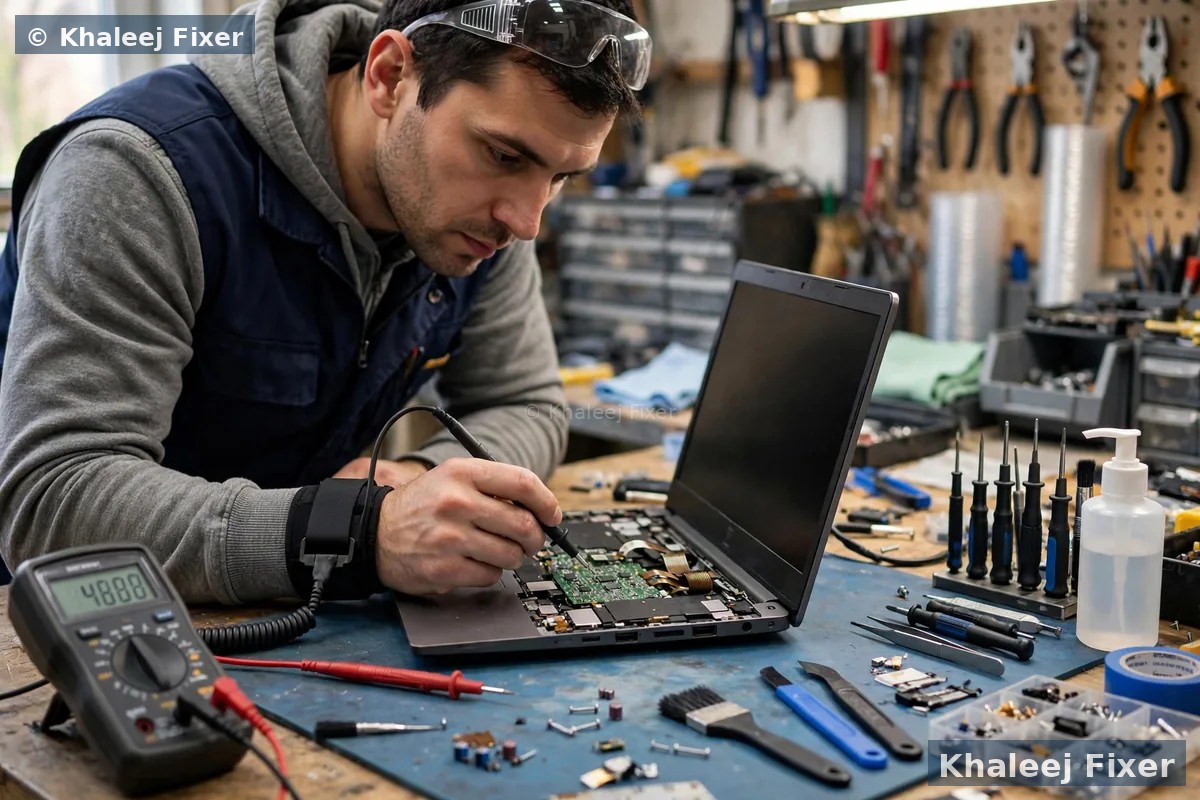
Our free diagnosis tests all three parts. We test the charger output with a meter. We test the charging port for looseness, bent pins, and broken solder. We test the battery health in software. We look at the full picture before we name the fault. If the charger is weak, we tell you. If the port is loose, we tell you. If the pack is worn, we tell you. You get one clear answer, not a guess.
This check also protects the new battery. A faulty charger can damage a fresh pack. A damaged port can cut power and confuse the charging circuit. Fitting a new pack on a bad charger shortens the life of the new pack. That is why we never skip the test. If your Blade also has a display fault, our laptop screen replacement in Dubai page shows the same test-first habit for display faults.
What Happens During Your Razer Battery Repair In Sharjah
1. Free pickup and free diagnosis. We collect the Blade from your home or office in Sharjah, or you can bring it to the workshop at 41 St, Industrial Area 2, Sharjah. We record the model and the fault. We run the battery, charger, and port tests.
2. Final quote before work. You get a clear quote after diagnosis. No work starts without your yes. See our View Price List page for the price list. The final quote reflects your exact Blade model and pack.
3. Safe removal of the old pack. The base comes off with the right tools. The glued pack is lifted slowly and evenly. Swollen packs get extra care and a slower lift. The seating area is cleaned before the new pack goes in.
4. Genuine grade pack fitted. The new pack is matched on model, part number, connector, and shape. It is seated flat so the base closes flush. The trackpad is checked for level. The base screws go back in the right order.
5. Calibration and health checks. We charge the new pack fully. We test it under load. We check the health reading. We check the trackpad click. We check that the base sits flat on a table.
6. Delivery and 2-month warranty. Free delivery back to you in Sharjah, with a 2-month warranty on the battery work. If anything feels wrong in that time, message us. We will check it and put it right.
Calibration And Health Checks After Fitting
A new Blade battery needs a proper first charge. We charge it fully before delivery. We then check what the system reports. The health reading should show a fresh pack. The full charge capacity should match the new pack. The charge rate should look steady, not jumpy.
We also test under load. A Blade battery can look fine at idle and fail during a game. We run a load test that draws real power. We watch for sudden drops. We watch for shutdowns. We watch the temperature. Only a pack that passes under load goes back to you.
At home, a few habits help the new pack last. Avoid gaming on battery for long sessions when a plug socket is near. Keep the laptop cool and out of direct sun. Do not leave it plugged in for days on a hot surface. Use the original charger or a matched charger. Small habits add months to the life of a Blade pack. If the battery ever starts to drain fast again, book a free check early. Early checks catch small faults before they grow.
Free Pickup Across Sharjah
You do not need to carry a dead or swollen Blade across town. We collect free from homes and offices across Sharjah. We also deliver free back to you after the repair. Free pickup is a Sharjah service on this page. It covers the areas below. If you live outside Sharjah, you can still bring the laptop to our shop, and we serve customers from all cities in the UAE at the workshop.
Al NahdaAl MajazMuwailehAl QasimiaRollaUniversity CityAl TaawunAl Khan
Students in University City often bring us Blade laptops that die during lectures. Gamers in Al Majaz and Al Khan bring us Blades that shut off mid game. Office users in Al Nahda and Al Taawun bring us Blades that will not hold a charge through a meeting. The fault is the same in each case. The pack is worn. The fix is the same too. A matched pack, fitted with care, tested under load.
Prefer to visit us in person? Our shop is at 41 St, Industrial Area 2, Sharjah. We are open 7 days from 11 AM to 11 PM. Bring the charger with you if you can. That helps us test the full charging chain on the spot. Start with a free diagnosis on WhatsApp, or call us, and we take it from there. Tell us the model and the fault. We will confirm pickup or a visit time.

Free pickup means a swollen or dead Blade never needs a trip across town.
Turnaround Time, Warranty And File Safety
Most Razer Blade battery jobs in Sharjah finish the same day or the next day, depending on part stock. Common Blade 15 packs are often in stock. Less common packs may need a short wait. We confirm the timing with you before work starts. We never promise a time we cannot meet. If a pack must be ordered, we tell you the wait up front.
Your battery work carries a 2-month warranty. If the new pack drains fast, or the laptop shuts off early, or the base lifts again in that time, bring it back. We will check it and put it right. The warranty covers the battery work we did. It does not cover a new fault, like a spill or a drop after delivery. We explain the cover in plain words before you leave.
Your files stay safe during battery work. Battery replacement does not touch your storage drive. We do not open your files. We do not change your system. Still, we always suggest a backup before any repair. A backup is good practice for any laptop. It takes a few minutes and it removes all worry. If you cannot back up because the laptop will not stay on, tell us. We will advise you on the safest next step.
Why Razer Blade Owners In Sharjah Choose Khaleej Fixer
Razer Blade is a rare laptop in Sharjah. Few shops stock Blade packs. Fewer know the glued battery fit. Fewer still test the charger and the port before they fit a pack. We do all three. That is why Blade owners from Al Nahda to University City trust us with their machines.
Our workshop is local to Sharjah. It sits at 41 St, Industrial Area 2, Sharjah. You can visit us in person. You can meet the technician who works on your Blade. You can see the old pack and the new pack side by side. That local, open way of working builds trust. It also means fast pickup and fast delivery across Sharjah.
If your Blade has more than a battery problem, we handle the rest too. Screen, keyboard, and other Blade work can be quoted in the same visit. See our Razer repair hub and our battery replacement service. One shop, one pickup, one quote for the whole machine. That saves you repeat trips and repeat diagnosis fees. Free diagnosis, free pickup across Sharjah, and a 2-month warranty make the choice simple.
Frequently Asked Questions
How Do I Know My Razer Blade Battery Needs Replacing?
Fast drain, shutdowns at 30 percent, a rising trackpad, a bulging base, or a battery that will not charge are the main signs. A free diagnosis in Sharjah checks battery health, charger output, and the charging port, so you know the true fault before any work starts.
Is A Swollen Razer Blade Battery Dangerous?
It needs care, not panic. Stop using the laptop, do not charge it, do not puncture or press the bulge, and keep it in a cool dry place. Message us on WhatsApp and we will arrange free pickup in Sharjah for safe removal.
Do You Test The Charger And Charging Port Before Replacing The Battery?
Yes, every time. A weak charger or a loose port can look exactly like a dead battery. We test both first, so you do not pay for a battery when the real fault sits in the charger or the port.
Which Razer Blade Models Do You Fit Batteries For?
We fit batteries for Blade 14, Blade 15, Blade 16, Blade 17, and Blade Stealth models. We match the pack on model, year, and part number, never on looks alone.
How Long Does Razer Blade Battery Replacement Take In Sharjah?
Most jobs finish the same day or the next day, depending on part stock. We confirm the timing with you before work starts, and free pickup across Sharjah keeps the whole job simple.
Do You Use Genuine Razer Blade Batteries?
We fit genuine grade packs matched to your exact Blade model and part number, never a generic pack forced into the bay. The pack is seated flat, the base closes flush, and the battery work carries a 2-month warranty.
Will My Files Be Safe During Battery Replacement?
Battery work does not touch your storage, so your files stay as they are. Still, we always suggest a backup before any repair, as good practice for any laptop.
Do You Offer Free Pickup For Razer Laptops In Sharjah?
Yes. Free pickup and delivery cover Sharjah, including Al Nahda, Al Majaz, Muwaileh, Al Qasimia, Rolla, University City, Al Taawun, and Al Khan. Our shop is at 41 St, Industrial Area 2, Sharjah, and we serve customers from all cities in the UAE at the workshop.
Razer Blade Battery Dying In Sharjah? Get A Free Diagnosis Today.
Message us on WhatsApp or call. Free pickup across Sharjah, free diagnosis, final quote before any work, 2-month warranty.
Free Diagnosis • Free Pickup Across Sharjah • 2-Month Warranty • Open 7 Days 11AM to 11PM